Cómo optimizar la comunicación en el sector de la seguridad privada a través de las tareas

Trackforce
November 17, 2020 · 10 min read
Security guard management software has a lot of benefits for private security companies. Unlike pen and paper reporting, it allows for full transparency and accountability of your officers and services. Through tools like automated reporting and client portals, private security businesses can maintain professional, streamlined operations.
Security company owners/operators know that each contract has its own unique needs and vulnerabilities that determine how a guard tour should take place. One of the ways that guard management solutions maintain communication of those needs and vulnerabilities is through specific tasks that are set-up for each property your security guards are securing.
Profundicemos un poco más en qué son las tareas, cómo funcionan y cuáles son los casos de uso más habituales.
Puntos clave
- Tasks turn site knowledge into action.
They tell whoever is on site exactly what needs doing, from lockups to maintenance checks. - Assign tasks to the property, not the person.
Property tasks reach whichever officer is logged in, so late arrivals, no-shows and shift swaps do not leave work undone. - Overdue alerts close the loop.
Supervisors are notified when a task stays open, which keeps accountability visible. - Task descriptions double as training.
Protocol reminders, communication tips and safety guidance turn routine tasks into on-the-job coaching. - Recorded tasks become proof.
TrackTik Site Tasks timestamps planned and unplanned work so clients see everything your team does.
What Is a Task?
Una tarea es una acción concreta que se asigna y se envía a través del sistema de gestión de incidencias para un inmueble específico. Esto podría incluir comprobar una lámpara, asegurarse de que las entradas traseras estén cerradas con llave o realizar visitas semanales con los equipos de mantenimiento.
Oftentimes, tasks are assigned to individual security officers. However, property tasks, like the ones used in Silvertrac, are designated to a specific property and then automatically assigned to whichever security officer is logged-in on-site.
Con estas tareas relacionadas con la propiedad, no hay que preocuparse de que las tareas no se completen si el guardia de seguridad llega tarde, no se presenta o intercambia su turno con otra persona. Las tareas relacionadas con la propiedad dejan un margen mínimo para el error y reducen el trabajo manual que supone actualizar una tarea cuando se producen cambios de guardia, al mejorar la comunicación en todo el equipo.
How Do Tasks Work?
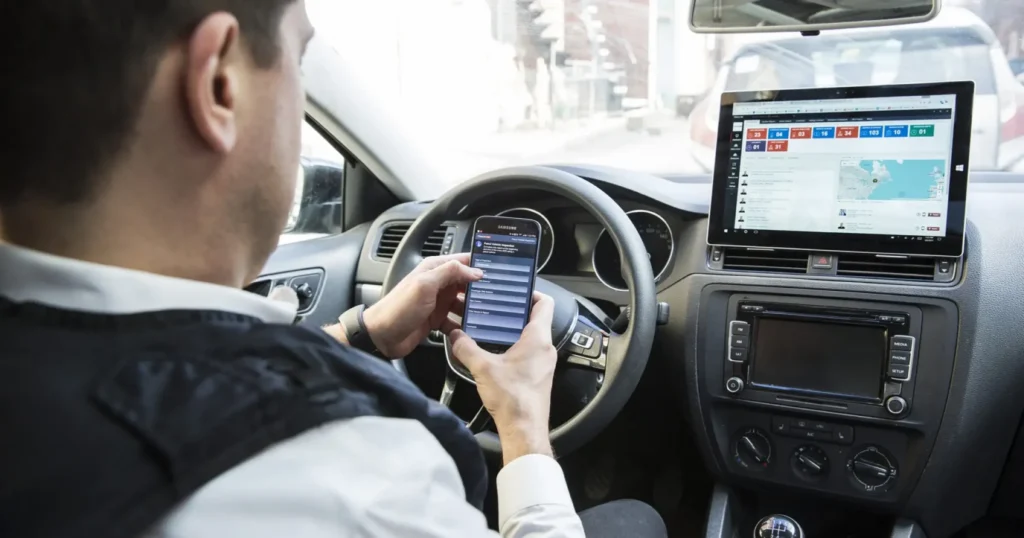
Las tareas se crean y se asignan a un inmueble en el monitor de incidencias, normalmente por parte de un supervisor de seguridad o un administrador del sistema. Dado que la tarea se asigna a un inmueble, esta se remitirá automáticamente al agente de seguridad que esté de turno en el momento en que deba completarse; si no hay ningún agente conectado en ese momento, el primer agente que inicie sesión en el inmueble recibirá la alerta tan pronto como lo haga.
This automation simplifies the administrative work that would go into assigning tasks by officer. The system is set-up so that the property is covered and tasks are assigned appropriately, no matter what personnel changes occur.
Antes de que una alerta de tarea se active, es posible que el monitor de incidencias muestre que las tareas no están asignadas a ninguna persona. Esto se actualizará tan pronto como el sistema identifique al agente de seguridad que se encuentre en las instalaciones en el momento en que deba completarse la tarea. Las tareas también se pueden editar fácilmente, de modo que los supervisores puedan actualizar una tarea con nuevos detalles o consejos de formación adicionales siempre que lo necesiten.
Because tasks are managed in the issue monitor, security supervisors and admins can pull Daily Activity Reports (DAR) to see an overview of every task assigned to the property.
Tareas pendientes
Es estupendo que el sistema pueda identificar y asignar automáticamente una tarea al guardia de seguridad en el momento de iniciar sesión, pero no es ningún secreto que los guardias no siempre cumplen con sus obligaciones a tiempo.
Del mismo modo que el agente de seguridad habrá recibido una alerta para que actúe en relación con la tarea, si dicha tarea queda pendiente, un supervisor recibirá una alerta indicando que la tarea sigue pendiente y sin completar.
Las alertas de tareas pendientes son una función más que contribuye a mantener la transparencia y la responsabilidad de los agentes, al tiempo que mejora la comunicación en toda tu empresa de seguridad.
Task Descriptions and Common Use Cases
Las descripciones de las tareas son la herramienta de comunicación por excelencia. En esencia, las tareas se limitan a indicar lo que hay que realizar durante una ronda de vigilancia. Sin embargo, cuando se configuran adecuadamente, las tareas pueden utilizarse no solo para comunicar una tarea concreta, sino también para incluir buenas prácticas, consejos de formación y recordatorios específicos del lugar.
Una de las formaciones más importantes para los guardias de seguridad es la formación en el puesto de trabajo (OTJ). El uso de descripciones de tareas bien elaboradas puede servir de recordatorio útil para los nuevos empleados y de buen refuerzo para los guardias que llevan ya algún tiempo en tu equipo.
La formación en el puesto de trabajo (OTJ) puede consistir, por ejemplo, en añadir recordatorios sobre el protocolo en la descripción de aquellas tareas que solo se realizan cada pocos días o semanas. Tras unas cuantas tareas con recordatorios sobre el protocolo, un supervisor puede pedir al agente de seguridad que describa las medidas que ha tomado para completar la tarea y que deje de incluir recordatorios.
Another good use of task descriptions is including best practices on how to communicate with individuals on a property. If you run a guard tour in a residential area, a task may include non-verbal communication reminders (smile, say hi, etc…), or if a guard is patrolling an area that is known to have volatile transients, the task may include non-violent de-escalation tips.
A continuación se enumeran los casos de uso más habituales de las tareas y ejemplos de cómo sacar el máximo partido a la descripción de cada una de ellas.
Tareas de custodia
Task description: Attention officer: At this time please begin your lockup duties. Check all doors and windows and be sure they are properly secured for the night.
Problemas de mantenimiento
Task description: It is important to report malfunctions to building management as soon as possible. When a maintenance issue is found make sure to report it under the maintenance tab in Silvertrac. Be sure to include quality photos and a note describing the issue. Please remember not to report the same incident more than one time.
Recordatorio de descanso
Task description: Attention officer: Please remember to take your scheduled breaks throughout your shift. You can use the break room to eat your meal but please remember to be professional at all times. Although you are not on duty you are still on the properties and you should act accordingly.
More Task Description Examples
Use these as starting points and adapt them to each site’s post orders:
| Tarea | Example task description |
|---|---|
| Parking lot check | Walk the visitor and resident lots. Note any vehicle without a permit, any vehicle blocking a fire lane and any damage. Add a photo for each issue. |
| Lighting inspection | Check all exterior lights on the north and east sides. Report any burned-out or flickering fixture with its location and a photo. |
| Fire extinguisher check | Confirm each extinguisher in Building A is present, the pin is in place and the gauge is in the green. Report anything missing or discharged. |
| Pool or amenity closing | At closing time, clear the area courteously, lock the gate and confirm the area is empty. Report any damage or after-hours use. |
| Package room check | Confirm the package room door is locked and no packages are left in hallways. Report any open or damaged packages. |
| Suspicious vehicle follow-up | Check whether the vehicle reported earlier is still on site. Record the plate, location and time, and notify the supervisor if it remains. |
How to Write Task Descriptions Officers Actually Follow
- Start with an action verb. “Check,” “confirm” and “report” tell officers exactly what to do.
- Say where and when. Name the building, area or checkpoint, and the time window.
- Define “done.” Say whether a photo, a note or a yes or no answer is required.
- Add one tip at most. A single protocol or safety reminder is more useful than a paragraph.
- Keep it short. Officers read tasks on a phone, often while walking.
- Update it when the site changes. Keep descriptions aligned with current digital post orders.
Property Tasks vs. Officer Tasks
- Use property tasks for work that belongs to the site, such as lockups, inspections and amenity closings. They reach whoever is on duty, so coverage never depends on one person.
- Use officer tasks for work that needs a specific person, such as training follow-ups or a supervisor’s site visit.
- Automate assignment where you can. See how automated dynamic task assignment reduces admin overload.
From Tasks to Proof: Site Tasks in TrackTik
Many security firms do far more than their contracts say, and most of it is never recorded. The work nobody sees is work you cannot bill for or show at renewal. TrackTik Site Tasks closes that gap:
- Planned and unplanned work in one place. Track scheduled tasks and requests created on the fly, including multi-day jobs.
- Owners and status for every task. Everyone can see who is responsible and what is done.
- Reminders and exception rules. Officers get reminders, and supervisors are alerted when something is missed.
- Mobile handoffs. Tasks can be handed off between officers with an approve-or-decline step.
- Tied to assets. Link tasks to specific equipment with TrackTik asset tracking.
- A timestamped record. Completed tasks become proof for clients, alongside incident reports and analytics.
Learn more in TrackTik’s Site Tasks, up close.
Conclusión
No matter what type of property your security guards are patrolling, tasks are an important part of maintaining transparency and accountability within your business. If you aren’t already using our top-rated security guard tour software, request a demo today.
Preguntas frecuentes
Últimos artículos





Recursos destacados





Descubre Trackforce en acción
Reserva una visita guiada con nuestro equipo y descubre cómo se adapta a tu negocio.