Comment utiliser un tableau de bord des opérations de sécurité pour obtenir des informations stratégiques
Trackforce
July 9, 2019 · 7 min read

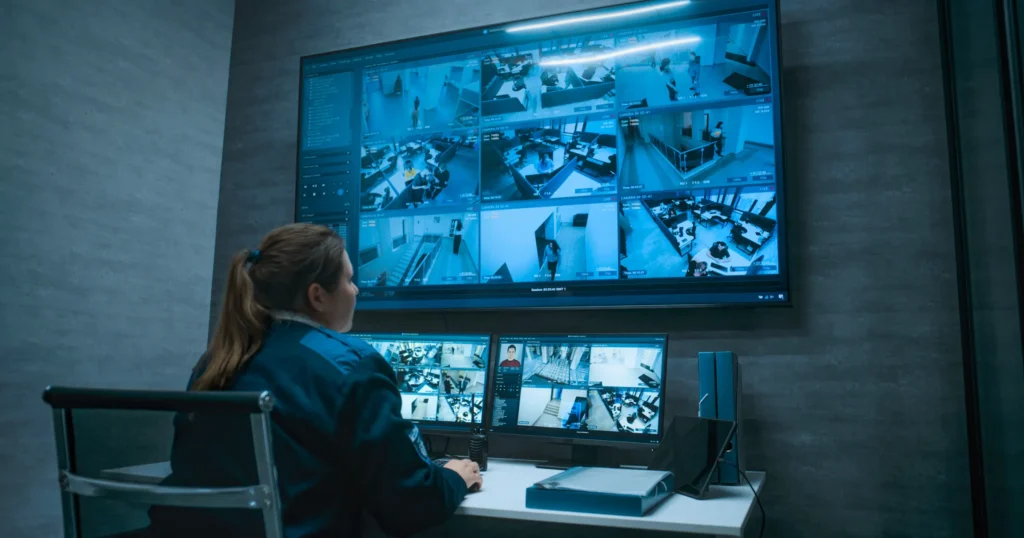
L'utilisation d'un tableau de bord de centre d'opérations de sécurité peut aider les entreprises à gérer efficacement leurs effectifs chargés de la sécurité. En particulier, un logiciel de gestion des effectifs doté d'une architecture d'analyse et d'opérations de sécurité peut vous aider à obtenir des informations exploitables permettant d'améliorer l'efficacité des agents de sécurité et du personnel. Cela dit, voici un aperçu de la manière dont un tableau de bord de sécurité peut vous aider à gérer vos effectifs.
Points clés à retenir
- Dashboards turn field data into business intelligence.
Data officers already collect becomes insight you can act on. - Automated time and attendance ends scheduling conflicts.
Problems surface early, so you can correct them before they cost you. - Training status should be one click away.
See who has completed which courses to stay compliant and meet contract terms. - Real-time data controls overtime.
Managers act on live information instead of downloading spreadsheets after the fact. - Different roles need different views.
TrackTik gives executives, managers, supervisors and clients dashboards built for the decisions they make.
Utilisation d'un tableau de bord des indicateurs de sécurité
A Security operations dashboard like Trackforce’s software is made to enhance a company’s business with data collected from officers on the field. These insights give you powerful business intelligence and can help you analyze ways to manage your security officers more effectively. This software can be used to:
Éliminer les conflits d'horaires
La gestion manuelle des présences des agents de sécurité est peu efficace. Les logiciels conçus pour suivre automatiquement les horaires et les présences se chargent de cette tâche à votre place. Le suivi des horaires et des présences des employés permet d'éliminer efficacement les conflits d'horaires et d'identifier les employés qui rencontrent des difficultés dans ce domaine, afin de mettre en place les mesures correctives nécessaires.
Harmoniser la formation des collaborateurs
If you oversee operations for a security company, you most likely are in charge of potentially 100s of officers. Keeping track of who has and hasn’t completed what training courses shouldn’t be a difficult task once data is automatically gathered. Using Trackforce’s software, you can easily see who has and hasn’t completed which training courses, allowing you to easily maintain compliance or keep contract terms.
Related reading: Mitigate Security Risk through Better Asset Management
Gérer les heures supplémentaires des salariés
Le tableau de bord d’un centre d’opérations de sécurité permet aux entreprises et aux responsables de suivre le temps de travail des employés, éliminant ainsi les coûts superflus liés à la collecte et à l’analyse des données. Plutôt que d’imprimer des rapports sur papier ou de les exporter vers des tableurs, les superviseurs et les responsables peuvent s’appuyer sur des informations en temps réel pour résoudre les problèmes de sécurité et gérer les tâches administratives, telles que la facturation.
Related reading: What is Business Intelligence? + Ways Security Firms Use Technology to Improve it
Dans l'ensemble, les entreprises de sécurité et les responsables de la sécurité en entreprise tirent profit d'un système qui fournit des informations stratégiques sous forme d'indicateurs clés de performance (KPI) et d'analyses. L'accès à des informations exploitables grâce à un logiciel de gestion des opérations de sécurité transforme instantanément votre entreprise pour le mieux. Grâce aux données collectées par les agents de sécurité sur le terrain, vous pouvez prendre des décisions plus éclairées sans avoir à passer au crible des données désorganisées.
Dashboard KPIs Every Security Operation Should Track
Whether you run a security firm or an in-house security team, these are the KPIs that belong on your dashboard:
| indicateur clé de performance | Ce que cela signifie | Action it drives |
|---|---|---|
| Attendance and late arrivals | Who is reliable and where coverage is at risk | Coaching, recognition and schedule changes |
| Overtime hours by site | Where labor costs are creeping up | Rebalancing schedules and reviewing contract pricing |
| Training and certification status | Who is qualified for which posts | Assigning training before anything expires |
| Achèvement du parcours et des points de contrôle | Whether coverage is happening as planned | Officer follow-up and client reporting |
| Incidents par type et lieu | Where risk is concentrated | Patrol and staffing adjustments |
| Délais de réponse | How quickly issues are handled | Dispatch and escalation improvements |
| Billable versus worked hours | Revenue leaking between the schedule and the invoice | Billing corrections and contract updates |
Build Dashboards for Each Role
One dashboard rarely fits everyone. Give each role the view that matches the decisions they make:
- Executives: margin, overtime, client retention and trends across the business.
- Operations managers: coverage, attendance, training gaps and site performance.
- Supervisors: live officer locations, tour progress and open incidents for their shift.
- Account managers and clients: service levels, incident summaries and patrol completion for each site.
- HR and payroll: hours worked, certifications and compliance status.
TrackTik builds this idea into the platform. Read how every role gets a different view of a good shift.
From Dashboard to Decision: 4 Examples
- Overtime is climbing at one site. The dashboard shows the same two officers covering open shifts. You adjust the schedule, broadcast open shifts to qualified officers with TrackTik people management and review the contract rate.
- Certifications are about to expire. A training alert shows five officers due next month. You assign renewals now so posts stay compliant.
- Checkpoints are missed on night shifts. Tour data points to one route. You walk it with the supervisor, adjust checkpoints and coach the team.
- Incidents are rising at a client site. Incident trends show a pattern by time and location. You bring the data to the client and propose a change in patrol hours.
For a simple framework you can use in weekly meetings, see how to support data-driven decision making in your organization.
How TrackTik Delivers Security Business Intelligence
- Dashboards and analytics. TrackTik business intelligence builds the dashboards your business needs and can replicate your data to the BI tools you already use.
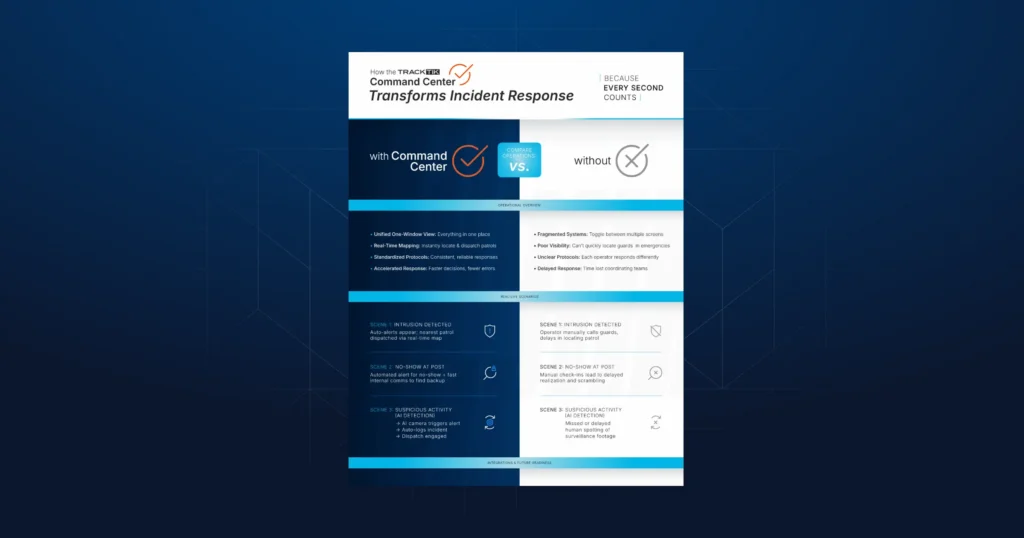
- Live operations view. The TrackTik Command Center shows every site from one centralized view.
- Margin protection. TrackTik Margin Insight spots overtime and coverage gaps while the period is still running.
- Accurate billing. TrackTik contracts and invoicing ties invoices to the hours actually worked.
- Client visibility. TrackTik security operations includes a client portal so customers see the results too.
Let Trackforce help you gain business intelligence and improve your operations. Schedule a demo today for a free consultation.
Questions fréquemment posées
Derniers articles


Ressources à la une
Découvrez Trackforce en action
Prenez rendez-vous avec notre équipe pour une démonstration et découvrez comment cette solution s'adapte à votre activité.