So nutzen Sie ein Dashboard für Sicherheitsoperationen, um geschäftliche Erkenntnisse zu gewinnen

Trackforce
July 9, 2019 · 7 min read
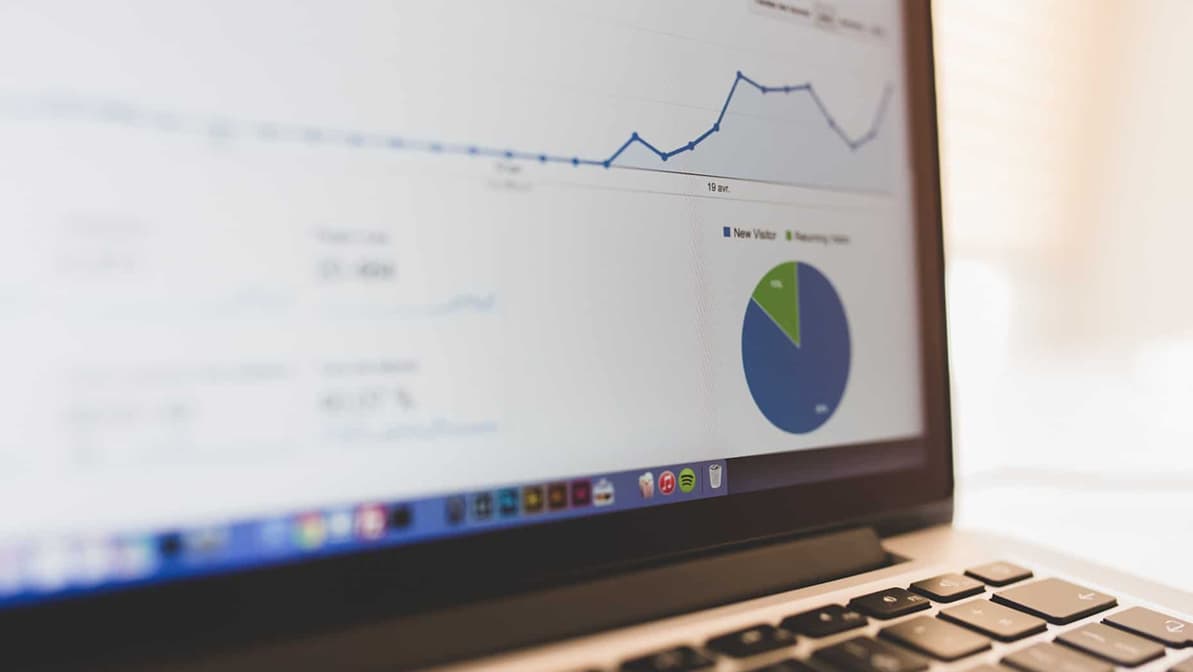
Die Nutzung eines Dashboards für das Security Operations Center kann Unternehmen dabei helfen, ihr Sicherheitspersonal effektiv zu verwalten. Insbesondere kann Personalverwaltungssoftware, die durch eine Architektur für Sicherheitsanalysen und -abläufe ergänzt wird, Ihnen dabei helfen, umsetzbare Erkenntnisse zu gewinnen, mit denen Sie die Effizienz Ihrer Sicherheitsmitarbeiter und Ihres Personals verbessern können. Im Folgenden finden Sie einen Überblick darüber, wie ein Sicherheits-Dashboard Sie bei der Personalverwaltung unterstützen kann.
Die wichtigsten Erkenntnisse
- Dashboards turn field data into business intelligence.
Data officers already collect becomes insight you can act on. - Automated time and attendance ends scheduling conflicts.
Problems surface early, so you can correct them before they cost you. - Training status should be one click away.
See who has completed which courses to stay compliant and meet contract terms. - Real-time data controls overtime.
Managers act on live information instead of downloading spreadsheets after the fact. - Different roles need different views.
TrackTik gives executives, managers, supervisors and clients dashboards built for the decisions they make.
Verwendung eines Dashboards für Sicherheitskennzahlen
A Security operations dashboard like Trackforce’s software is made to enhance a company’s business with data collected from officers on the field. These insights give you powerful business intelligence and can help you analyze ways to manage your security officers more effectively. This software can be used to:
Terminüberschneidungen vermeiden
Die manuelle Erfassung der Anwesenheit von Sicherheitspersonal ist ineffizient. Eine Software zur automatischen Zeiterfassung übernimmt diese Aufgabe für Sie. Durch die Erfassung der Arbeitszeiten und Anwesenheit der Mitarbeiter lassen sich Terminkonflikte effizient vermeiden und Mitarbeiter identifizieren, die in diesem Bereich möglicherweise Schwierigkeiten haben, sodass die erforderlichen Korrekturmaßnahmen ergriffen werden können.
Vereinheitlichung der Mitarbeiterschulungen
If you oversee operations for a security company, you most likely are in charge of potentially 100s of officers. Keeping track of who has and hasn’t completed what training courses shouldn’t be a difficult task once data is automatically gathered. Using Trackforce’s software, you can easily see who has and hasn’t completed which training courses, allowing you to easily maintain compliance or keep contract terms.
Related reading: Mitigate Security Risk through Better Asset Management
Überstunden der Mitarbeiter verwalten
Ein Dashboard für Sicherheitsleitstellen ermöglicht es Unternehmen und Führungskräften, die Arbeitszeiten ihrer Mitarbeiter im Blick zu behalten, wodurch unnötige Kosten im Zusammenhang mit der Erfassung und Analyse von Daten entfallen. Anstatt Berichte in Papierform oder in Tabellenkalkulationen herunterzuladen, können Vorgesetzte und Führungskräfte auf Echtzeitinformationen zurückgreifen, um Sicherheitsprobleme zu lösen und Backoffice-Aufgaben wie die Rechnungsstellung zu erledigen.
Related reading: What is Business Intelligence? + Ways Security Firms Use Technology to Improve it
Insgesamt profitieren Sicherheitsunternehmen und Sicherheitsverantwortliche in Unternehmen von einem System, das Business Intelligence in Form von KPIs und Analysen bereitstellt. Die Gewinnung umsetzbarer Erkenntnisse mithilfe von Software für das Sicherheitsbetriebsmanagement verändert Ihr Unternehmen sofort zum Besseren. Mit den von Sicherheitsmitarbeitern vor Ort gesammelten Daten können Sie bessere und fundiertere Entscheidungen treffen, ohne sich durch unübersichtliche Datenmengen wühlen zu müssen.
Dashboard KPIs Every Security Operation Should Track
Whether you run a security firm or an in-house security team, these are the KPIs that belong on your dashboard:
| KPI | Was dir das sagt | Action it drives |
|---|---|---|
| Attendance and late arrivals | Who is reliable and where coverage is at risk | Coaching, recognition and schedule changes |
| Overtime hours by site | Where labor costs are creeping up | Rebalancing schedules and reviewing contract pricing |
| Training and certification status | Who is qualified for which posts | Assigning training before anything expires |
| Tour and checkpoint completion | Whether coverage is happening as planned | Officer follow-up and client reporting |
| Vorfälle nach Art und Ort | Where risk is concentrated | Patrol and staffing adjustments |
| Reaktionszeiten | How quickly issues are handled | Dispatch and escalation improvements |
| Billable versus worked hours | Revenue leaking between the schedule and the invoice | Billing corrections and contract updates |
Build Dashboards for Each Role
One dashboard rarely fits everyone. Give each role the view that matches the decisions they make:
- Executives: margin, overtime, client retention and trends across the business.
- Operations managers: coverage, attendance, training gaps and site performance.
- Supervisors: live officer locations, tour progress and open incidents for their shift.
- Account managers and clients: service levels, incident summaries and patrol completion for each site.
- HR and payroll: hours worked, certifications and compliance status.
TrackTik builds this idea into the platform. Read how every role gets a different view of a good shift.
From Dashboard to Decision: 4 Examples
- Overtime is climbing at one site. The dashboard shows the same two officers covering open shifts. You adjust the schedule, broadcast open shifts to qualified officers with TrackTik people management and review the contract rate.
- Certifications are about to expire. A training alert shows five officers due next month. You assign renewals now so posts stay compliant.
- Checkpoints are missed on night shifts. Tour data points to one route. You walk it with the supervisor, adjust checkpoints and coach the team.
- Incidents are rising at a client site. Incident trends show a pattern by time and location. You bring the data to the client and propose a change in patrol hours.
For a simple framework you can use in weekly meetings, see how to support data-driven decision making in your organization.
How TrackTik Delivers Security Business Intelligence
- Dashboards and analytics. TrackTik business intelligence builds the dashboards your business needs and can replicate your data to the BI tools you already use.
- Live operations view. The TrackTik Command Center shows every site from one centralized view.
- Margin protection. TrackTik Margin Insight spots overtime and coverage gaps while the period is still running.
- Accurate billing. TrackTik contracts and invoicing ties invoices to the hours actually worked.
- Client visibility. TrackTik security operations includes a client portal so customers see the results too.
Let Trackforce help you gain business intelligence and improve your operations. Schedule a demo today for a free consultation.
Häufig gestellte Fragen
Neueste Artikel





Empfohlene Ressourcen





Sehen Sie Trackforce in Aktion
Vereinbaren Sie einen Termin für eine Vorführung mit unserem Team und finden Sie heraus, wie sich das Produkt in Ihren Betriebsablauf einfügt.