How To Avoid Paying For Company Cell Phones, Even In California

Trackforce
November 19, 2015 · 10 min read
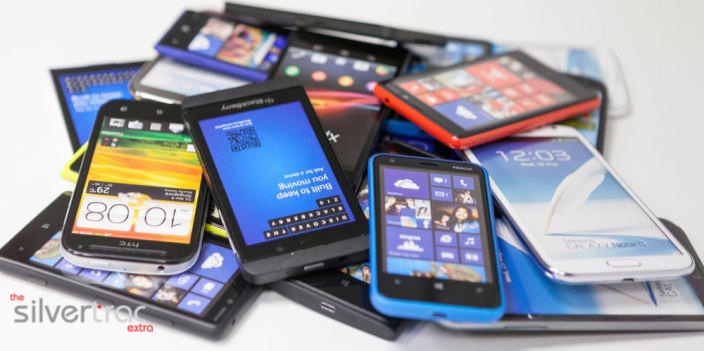
A few months ago, we did an episode covering the pros and cons of using company cell phones versus having a bring your own device (BYOD) policy. We found that, for the most part, BYOD is cheaper, more convenient, and better for employee satisfaction.
However, there was one significant con that we neglected to cover in that episode. Regulations in some states make it much more difficult and expensive to have your employees use their own phones for work. This is especially true in California.
Fortunately, during our time at the CALSAGA conference, we reconnected with customer Lawrence Borgens of Delta Protective Services. Lawrence has found a useful tactic that allows him to pursue a BYOD policy without having to pay huge costs or running afoul of California labor laws.
Key takeaways
- BYOD is usually cheaper and more popular with officers.
Officers prefer phones they know, and companies skip buying and managing a fleet of devices. - California requires reimbursement.
When officers must use personal phones for work, employers owe a reasonable share of the phone bill. - A simple stipend can cover it.
Delta Protective Services folded phone reimbursement into its existing uniform maintenance allowance. - Put it in a written policy.
A clear BYOD policy and reimbursement method protects both the company and its officers. - The app matters.
TrackTik runs on officers’ own iOS and Android phones and is independently audited for data security.
Lawrence’s Background
Lawrence started out in the Marine Corps for a few years before moving into the private security field. He did some work with a private investigator, put himself through a bodyguard school in Aspen, Colorado, and even spent some time in L.A. doing private security for big-name entertainers and executives.
After he tired of L.A., he moved out to Stockton, California and founded Delta Protective Service, a contract private security and patrol service. His first client was a bowling alley, so the company was just him in a uniform standing out in the parking lot.
Delta Protective Services has been in business for 23 years, and it’s grown a long way since then. Fairly quickly, he added a couple more properties and had to hire some other guards. Then, he started a patrol service, which was just his car with a logo on the side. Now, his company employs over 100 officers.
How Silvertrac Impacted His Business
When customers started complaining about guards not being at their posts and other basic issues, Lawrence went looking for a way to fix this issue. He started with the simple button and wand system, but pretty quickly realized that caused more problems than it solved. Here are signs it’s time to upgrade your guard tour system.
He decided to look for a more comprehensive solution, and after checking out a couple different options, he found Silvertrac.
“When I saw that there was a security guard app and I could put it on a company cell phone, take pictures, put the text comment… we’ve got Google Maps to see where they’re actually at, the whole nine yards, it was kind of a no brainer,” he said.
How Lawrence Got Rid of Company Cell Phones
One of the issues Lawrence ran into when looking at one of our competitors, GuardTrax, was that they would include hardware in the package, rather than putting an app on your own hardware. This is the opposite of what he wanted, which was to not have to use company phones at all.
This is difficult with California’s employee cell phone laws, but he’s come up with the solution of folding reimbursement payments to employees for the use of their phones within the Uniform Maintenance Allowance.
Delta Protective already reimbursed employees for the cost of their uniforms, so now they just include reimbursement payments for the minutes and data their officers use for work. This is not considered compensation, so it’s not taxable.
We calculated the cost, and it’s just about $16 a month for each officer, which is quite a bit cheaper than paying for the hardware and full plans for the whole company. That’s because with Silvertrac, officers only have to use data for each hit.
“That’s what’s nice about our system not doing things like geofencing or doing a constant GPS tracking, because we really limit the amount of data that’s being used,” said Johnny.
Editor’s note: This conversation took place in 2015. Silvertrac now offers GPS and geofencing, so data use depends on which features you turn on.
Good for Employees and the Bottom Line
Lawrence is only just rolling out this program now, but he expects it to be popular among employees, who already disliked having to use company phones that they weren’t familiar with.
“I’ve had employees come to me and say, ‘Hey, I don’t know how to use your phone,’ because we use an Android, maybe they use an iPhone, and I have to teach them how to use my phone,” he said. “So they’ve actually come to me before and said, ‘Can’t I just use my own phone?’”
Not only do employees often prefer using their own phones, they’ll also probably take better care of them than they would a company phone.
Silvertrac Success Story
We loved hearing about Lawrence’s clever strategy to get rid of company phones, and we were also excited to hear about ways he’s successfully used the Silvertrac app in his business.
What California Law Requires
California Labor Code section 2802 requires employers to reimburse employees for necessary expenses they incur doing their jobs. In Cochran v. Schwan’s Home Service (2014), the California Court of Appeal held that when employees must use their personal cell phones for work, the employer must reimburse a reasonable percentage of the phone bill, even if the employee has an unlimited plan.
The court did not set a specific amount, so employers need a reasonable, documented method. That is why approaches like Delta’s, a regular reimbursement tied to actual work use, are common. For more detail, see employer solutions to personal cell phone laws.
This article is general information, not legal or tax advice. Rules differ by state and change over time, so confirm your reimbursement policy and its tax treatment with employment counsel and a tax professional.
Company Phones vs. BYOD With Reimbursement
| Factor | Company-issued phones | BYOD with reimbursement |
|---|---|---|
| Upfront cost | Buy or lease every device | No devices to buy |
| Monthly cost | Full plans for every phone | A reimbursement or stipend per officer |
| Officer experience | Unfamiliar devices to learn | Officers use phones they already know |
| Device care | Lost, broken or neglected phones | Officers tend to look after their own phones |
| Control | Full control of the device | Control through the app and a written policy |
| California compliance | No personal-phone reimbursement needed | Reasonable reimbursement required |
Still weighing your options? Read what you should know about guards using their own phones and what cell phones are best for security guard companies.
How to Set Up a BYOD Reimbursement Program
- Decide whether phone use is required. If officers must use personal phones for work, plan to reimburse.
- Choose a reimbursement method. A flat monthly amount based on typical work use is simpler to manage than itemized bills.
- Document your reasoning. Keep a record of how you set the amount and review it regularly.
- Write a BYOD policy. Cover required apps, security, acceptable use and what happens when an officer leaves.
- Pay it consistently. Include it in regular payroll or an existing allowance, as Delta did.
- Review with advisors. Confirm the approach with employment counsel and a tax professional.
BYOD Policy Checklist for Security Officers
- Which apps officers must install, and when they must be logged in
- Minimum phone requirements, such as operating system version and battery life
- Screen lock and password requirements
- What company data officers can and cannot store on their phones
- How lost or stolen phones must be reported
- How reimbursement is calculated and paid
- What happens to company data and access when an officer leaves
How TrackTik Supports BYOD Security Teams
- Works on the phones officers already have. The TrackTik security guard tour app runs on iOS and Android.
- Evidence from any device. TrackTik incident reporting captures photos, video, audio and GPS location from officers’ own phones.
- Access that follows the person. Deactivate a departing officer’s account in TrackTik people management and their access ends.
- Independently audited security. TrackTik holds SOC 2 Type II, ISO 27001 and ISO 27017. See Trackforce certifications.
For security firms moving away from company phones, book a TrackTik demo to see how it works on any phone.
Frequently Asked Questions
Latest Articles

Featured Resources





See Trackforce in action
Book a walkthrough with our team and see how it fits your operation.