5 Signs It’s Time to Upgrade Your Guard Tour System

Trackforce
August 1, 2018 · 10 min read
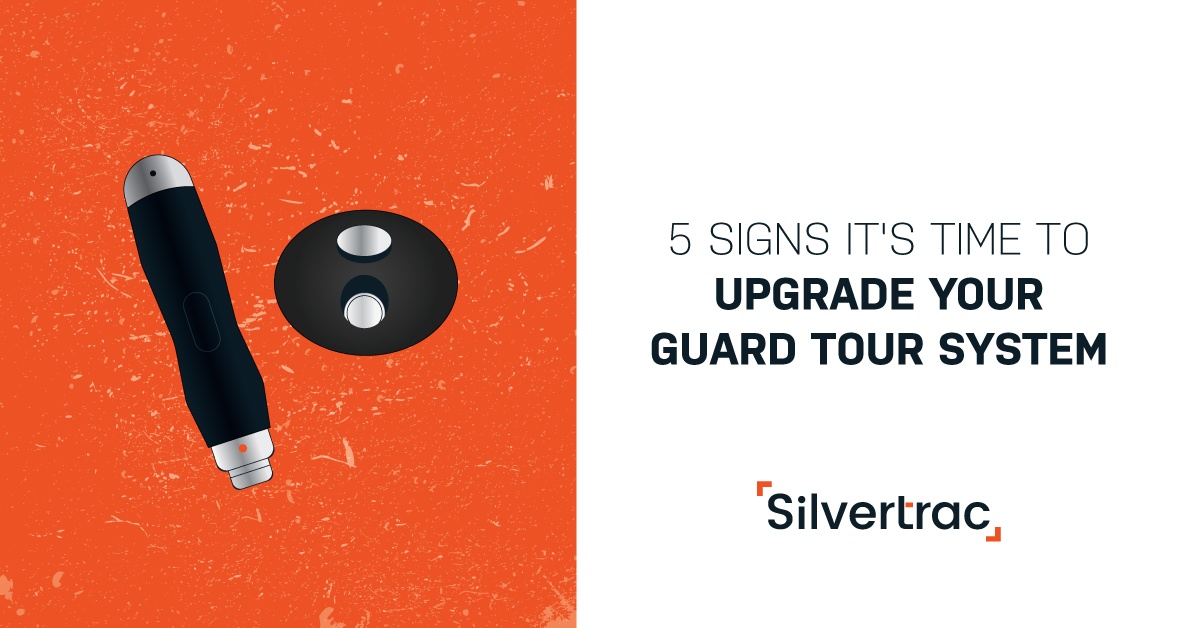
If your existing security guard tour system isn’t furthering the success of your company, then it may be time to reconsider your approach to guard management.
The security industry already operates under razor-thin margins. There is typically no room in the budget for tools that don’t consistently deliver a strong ROI.
But if a tool gives you and your clients peace of mind that the job is getting done the right way, you will find a way to budget for it. Any effective guard tour software, like TrackTik, should help you:
- Increase officer accountability
- Discover inefficiencies that can be optimized
- Improve client retention
- Attract more clients
Here are five signs that it may be time to part ways with your current security guard tour system. Evaluating options already? The Complete Buyer’s Guide for Physical Security Workforce Management Software includes evaluation checklists and the vendor questions worth asking.
Key takeaways
- Losing an account to guard performance is a systems problem.
The right guard tour system alerts you when performance slips, long before a client decides to leave. - Random post inspections waste supervisor time.
GPS-verified visit data shows exactly which sites need attention and which have been overlooked. - Collecting tour data is not enough.
Modern software collects and analyzes it automatically, so nobody drives to a site to download a wand. - Workarounds and buggy features are a warning sign.
If your team has learned to live with a tool’s gaps, you are paying for software that is holding you back. - ROI should be obvious every month.
TrackTik connects checkpoint-verified tours, incident reporting and client-ready reports, so the value of your system is visible to you and your clients.
1. You Lose an Account Due to Guard Performance
If you take pride in delivering outstanding service and keeping open lines of communication with your clients, you should never unexpectedly lose a customer.
Getting blindsided by an account termination is unsettling and should encourage you to review the management systems you have in place.
As an owner, you (or someone in your organization) should always have eyes on officer performance. An effective guard tour app should alert you in real time when officer performance begins to slip. The best solutions also capture GPS and time stamps, creating an evidence record that ends accountability disputes.
It’s one thing to lose an account because the client has a budget cut or a change in need. But guard performance should never jeopardize an account if you have the right tools in place.
2. You’re Doing Randomized Post Inspections
If you’re sending a supervisor into the field to randomly check on properties or sites, you’re wasting a lot of time and money. The supervisor ends up spending unnecessary time with their favorite officers or sites, and it’s hard to calculate the real value of having this position staffed.
Instead, use a solution that shows exactly how the supervisor spends their time, including:
- Sites visited, with GPS and time verification
- Incident reporting summaries
- Documentation of training that was conducted
- Officer performance issues
- A list of sites that haven’t been visited in a while
Effective guard tracking software will also notify your supervisors when particular sites have additional needs, so you can tend to these issues without taking the shotgun approach. When inspections are targeted, they become far more valuable. Here’s how to conduct a security post inspection that actually improves performance.
3. It Takes More Time to Manage Than It Saves
Software should make business processes easier, save time and free up resources. Simply collecting tour details isn’t enough. A modern solution should allow for easy collection and analysis of that information through real-time dashboards and reporting, so you can automate your management processes.
Going on site once or twice a week to collect tour information from a wand or pipe is a major time drain, and it keeps you reacting to problems days after they happen.
If your current solution is costing you more time than it saves, it’s time to upgrade.
Legacy Systems vs. Modern Guard Tour Software
| Area | Wand, pipe or basic app | Modern software like TrackTik |
|---|---|---|
| Data collection | Downloaded manually on site | Synced automatically from the officer’s device |
| Missed checkpoints | Discovered days later | Flagged in real time with an exception alert |
| Checkpoint options | One tag type | NFC, QR, barcode or GPS checkpoints |
| Incident reporting | Separate paper or email process | Filed during the tour with photo, video and GPS evidence |
| Client proof | Spreadsheets assembled on request | Reports shared anytime through the Client Portal |
4. You’re Settling for a Faulty Software System
If you find yourself turning a blind eye to deficiencies or bugs, struggling to reach the vendor’s support team, or hearing about customers jumping ship in droves, you’ve got a problem.
Making concessions or dismissing difficult-to-use features as “not that important” is a sign that you’ve got the wrong system in place.
Finding a vendor that works with you as a partner, rather than treating you as a monthly or annual check, can be difficult, but they exist. Look for dedicated implementation support, responsive service and a platform that keeps growing with your business. If you are weighing the decision now, read when to replace your security management system (and when to wait).
The guard tour system space is a competitive market, so there is no reason to settle.
5. You Groan When You Get the Invoice
If you don’t immediately know that you’re seeing an exceptional ROI on your guard tour management system, it’s time to look into adopting a new one. You should be confident every month that your system is delivering the level of performance you expect. Learn how a guard tour system improves safety and increases your ROI.
The best proof comes from firms that have made the move. Armour Security grew from 3 guards to 1,250 across six provinces on TrackTik, using GPS-verified checkpoints, patrol dispatch and client reporting to build an accountable, scalable business. When you can show that kind of return, the invoice stops being a pain point. For help building the business case, see how to justify security software costs.
What to Look for in a Modern Guard Tour System
If two or more of the signs above sound familiar, use this checklist to evaluate your next system:
- Flexible checkpoints. Support for NFC, QR, barcode and GPS, so every site can use the method that fits it.
- Real-time exception alerts. Notifications for missed checkpoints, late tours and unusual activity while there is still time to act.
- Built-in incident reporting. Officers should file time-stamped incident reports with photo and video evidence without leaving the tour.
- Client-facing proof. Reports and dashboards your clients can see on their own schedule.
- One connected platform. Tours linked to scheduling, billing and payroll, so the data you collect in the field flows straight to the back office.
- Data you own. Clear terms on exporting your historical data if you ever change vendors.
How to Switch Guard Tour Systems Without Disrupting Service
Switching systems does not have to put your clients at risk. A phased approach keeps coverage steady while your team adjusts:
- Secure your data. Confirm you can export tour history and incident records from your current vendor. Here is why data ownership matters when switching vendors.
- Audit your tours and checkpoints. Use the switch to fix coverage gaps. Start with these 31 areas to consider when placing checkpoints.
- Pilot at one or two sites. Choose sites with engaged supervisors and clear success measures.
- Train officers and supervisors. Keep training short, hands-on and focused on the daily workflow.
- Roll out in phases and measure. Track tour completion, missed checkpoints and incident response time, then share the results with clients.
Summary
Using dated tech like pipes, wands, or inefficient and buggy software can take a toll on your budget, time and efficiency. Take the time to evaluate your current management process.
Five signs it’s time to reevaluate your approach:
- You’ve lost an account due to guard-related issues
- You still do randomized post inspections
- The current tool takes more time than it saves
- You’re settling for a faulty, unreliable system
- You groan when you get the invoice
If there is room for improvement, our team would love to show you how TrackTik helps security operations stay on top of guard performance and prove it to every client. Request a live TrackTik demo today.
Frequently Asked Questions
Latest Articles





Featured Resources





See Trackforce in action
Book a walkthrough with our team and see how it fits your operation.