Bring Your Own Device, Best Practices for Physical Security

Trackforce
May 27, 2022 · 11 min read
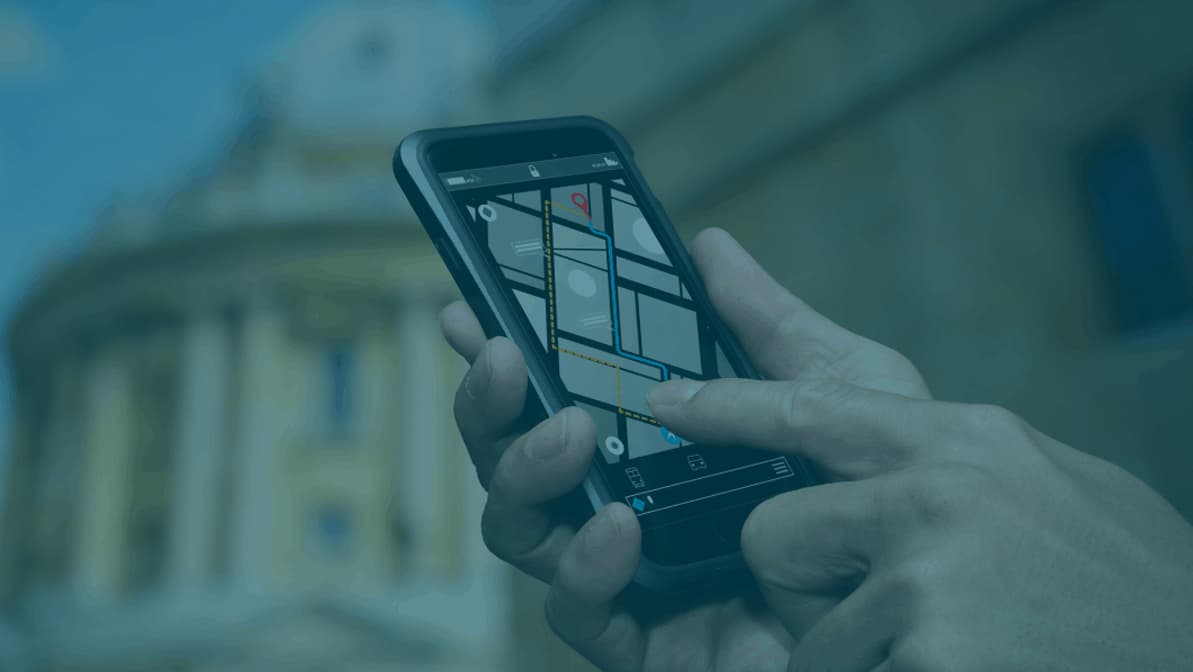
Whether security company owners want to believe it or not, technology is changing quickly. And as a new generation of security officers joins the industry, Bring Your Own Device (BYOD) isn’t going anywhere.
So what is it, and how can physical security companies benefit from BYOD? Read on to find out.
Key takeaways
- BYOD is already the norm.
About nine in ten U.S. adults own a smartphone, so most officers arrive with a capable device in their pocket. - A written policy is non-negotiable.
Define who it covers, when it applies and where, and spell out what happens to company data when an officer leaves or loses a phone. - Separate work data from personal data.
Keep site photos, reports and post orders inside the security app, never in the camera roll or email. - Choose an app built for it.
TrackTik runs on Android and iOS and keeps operational data in the platform, so access can be revoked without touching an officer’s personal phone.
What Is a Bring Your Own Device Policy?
Bring Your Own Device, or BYOD, is a practice that allows employees to safely use their own personal devices for work-related purposes. In the physical security space, this often means allowing officers to use company-approved guard management software downloaded to their own phone.
Because technology changes so quickly, BYOD reduces costs, gives officers current features and lets them use the device they know best. But using BYOD well requires strategy, which means there are a few things to think about before starting.
What Physical Security Companies Should Consider
Security companies have been taking BYOD more seriously. At a minimum, companies need to think about how officers will use their personal devices. Visibility and control are key, and that calls for a BYOD policy.
The Three Ws of a BYOD Policy
A BYOD policy balances visibility, control and officer privacy. Security companies can have strict control over how officers use their personal devices on shift, but only within the company’s chosen guard management application. Every company will set its own policy to balance client and company needs, and the three Ws are where to start.
- Who does the policy affect? Anyone from officers touring on site to managers monitoring officer and site activity on their personal devices.
- When is the policy active? Make clear when the policy is in effect, when the app is in use and when an officer is on shift. Some policies also require the device to connect to a corporate Wi-Fi network as an added security measure.
- Where does the policy take effect? Be clear about which sites are covered and whether different sites have different rules.
Overall, a good BYOD policy must be clear. It must tell officers how their device information will be processed, if any is collected, and what will happen when an officer leaves the company.
What a BYOD App Should Give You
The right mobile app turns an officer’s phone into a complete field tool while giving operations full visibility:
- Real-time incident and activity reporting with mobile incident reporting and ReportPro AI for consistent, complete reports.
- Guard tour monitoring through the security guard tour app, using NFC, QR codes or GPS checkpoints.
- Real-time tracking so supervisors know where officers are on shift, as covered in GPS real-time tracking.
- Digital post orders that put site instructions on the officer’s phone instead of a binder.
- A cloud-based system so data lives in the platform rather than on the device.
- Command center visibility in the TrackTik Command Center, with real-time notifications for supervisors.
BYOD vs. Company-Issued Devices
Many security companies end up with a mix: BYOD for most officers and company devices for specific sites or clients. This comparison helps decide which fits where.
| Factor | Bring your own device | Company-issued device |
|---|---|---|
| Upfront cost | Little to none | Device, case and data plan for every post |
| Learning curve | Low, officers know their own phone | Higher, especially for new hires |
| Device control | Limited to the security app | Full control of the device |
| Lost or broken device | Officer’s responsibility, policy defines next steps | Company replaces it |
| Best fit | Most commercial, retail and residential sites | High-compliance sites, shared post phones, clients that require it |
Not All BYOD Use Cases Are the Same
Balancing security and privacy risk can be hard. Protecting client information while also protecting an officer’s privacy can quickly blur with BYOD. Plan for these two situations before they happen.
When an Officer Leaves the Company
Security company owners must safeguard their clients’ security no matter what, and that includes BYOD. When an officer leaves, decisions need to be made in advance. Will access to the app be revoked automatically along with the user account? Will employees sign a specific confidentiality agreement?
When There Is a Security Breach
When sensitive information about a client’s site moves outside work-related activity, the BYOD policy needs to kick in. What if an officer’s phone is stolen? Should the device be remotely wiped? Doing so could erase the officer’s personal information, so it is usually better to revoke the officer’s app access first and confirm before crossing that line.
Pros and Cons of Bring Your Own Device
Like any change in technology, BYOD has real pros and cons to consider.
Pros of BYOD
- Savings on purchasing and replacing technology. Imagine not having to buy a phone for every officer you hire. Officers without their own devices are increasingly rare as younger generations enter the industry.
- No learning curve. Officers already know how to use their own device, so work can start on day one, and managers have fewer company assets to track.
- More up-to-date technology. Officers carry the cost of their own upgrades, and if your app runs on both Android and iOS, they can use the device they prefer with less technology anxiety.
According to Pew Research Center, about 91% of U.S. adults now own a smartphone, including 97% of adults ages 18 to 29.
Cons of BYOD
- Detailed security plans are required. A simple policy won’t do, especially if officers tour multiple sites. Consider how site and client information is kept safe, including photos taken for reports and any downloaded documents that could hold sensitive or proprietary information.
- Some employees may not have their own devices. It may be rare, but an employee may not be able, or willing, to use a personal device for work. Your policy needs a contingency, such as a fallback company device.
- Reimbursement obligations. In some jurisdictions, employers must reimburse employees for work use of personal phones. Review the rules for every state or province you operate in; this guide to personal cell phone laws is a good starting point.
BYOD Best Practices for Security Companies
Make a Plan
It’s worth repeating: a written BYOD policy is crucial. Like any other business policy, officers need guidance on who, what and when the policy applies, and your company needs protection against misuse.
Manage Risk
How will your company handle proprietary information and compliance? Depending on the industries your clients serve, every BYOD policy should include a risk profile. Some clients may prefer company devices while others are comfortable with BYOD. Decide site by site once your team has evaluated the risk.
Keep Devices Updated
Even Apple and Samsung ship security fixes with every software update, and officers use the same phone for personal browsing and apps. Require that personal devices stay on a supported, updated operating system to prevent vulnerabilities that could compromise client security and privacy.
Protect Officers Working Alone
A personal phone is also a safety device. Pair BYOD with lone worker protection so officers on isolated posts can raise an alert and supervisors can see their last known location.
BYOD Policy Checklist
Use this list to check that your policy covers the essentials before you roll it out:
- Eligible roles and sites, and which clients require company devices instead.
- Minimum operating system version and a required screen lock or biometric unlock.
- Which app permissions are needed, such as location and camera, and when they are used.
- A rule that site photos, reports and documents stay inside the security app.
- Lost or stolen device procedure, including how quickly access is revoked.
- Offboarding steps for departing officers, with app access removed on the last day.
- Reimbursement or stipend terms that meet local law.
- A fallback device for officers who can’t or won’t use their own phone.
- A signed acknowledgment from every officer.
How TrackTik Supports a Secure BYOD Program
TrackTik, the Trackforce platform for security operations, is designed for officers using a mix of personal and company devices.
- One app on Android and iOS, so the same tours, post orders and reports work regardless of which phone an officer brings.
- Data in the platform, not on the phone. Reports, photos and checkpoint scans are submitted to TrackTik, so revoking a user’s access protects client information without wiping a personal device.
- Role-based access, so officers see only their sites and tasks while supervisors and the dispatch team see the bigger picture.
- Field-ready workflows for mobile patrol, guard tours and incident reporting, all from the officer’s own phone.
- Enterprise-grade security practices, detailed on the Trackforce Trust page.
Premier Protective Security uses TrackTik end to end to support officers on patrol, including guard tours and lone-worker monitoring. Trackforce’s GuardTek platform is also available on Android and iOS for GuardTek customers.
A Simple BYOD Rollout Plan
- Draft the policy using the checklist above and have it reviewed for local employment and privacy law.
- Pilot one site with a small group of officers on their own phones and a fallback device on hand.
- Train in 30 minutes, covering app login, tours, incident reports and what to do if a phone is lost.
- Review after 30 days: tour completion, report quality, any lost-device events and officer feedback.
- Expand site by site, keeping company devices where clients or compliance require them.
BYOD Works When the Policy and the App Work Together
BYOD practices let your company save money on device purchases and maintenance, and as the next generation joins your team, officers will only become more comfortable with technology. A clear policy protects clients and officers alike, and the right app keeps work data where it belongs. To see how TrackTik runs on your officers’ own phones, request a demo.
Frequently Asked Questions
Latest Articles



Featured Resources





See Trackforce in action
Book a walkthrough with our team and see how it fits your operation.