

Protect profit before payroll closes.
Margin Insight shows how every contract is performing while the period is still running. It spots overtime and coverage gaps as they happen, puts a dollar figure on the risk and points your team to the fix, so you can act before the loss is locked in.
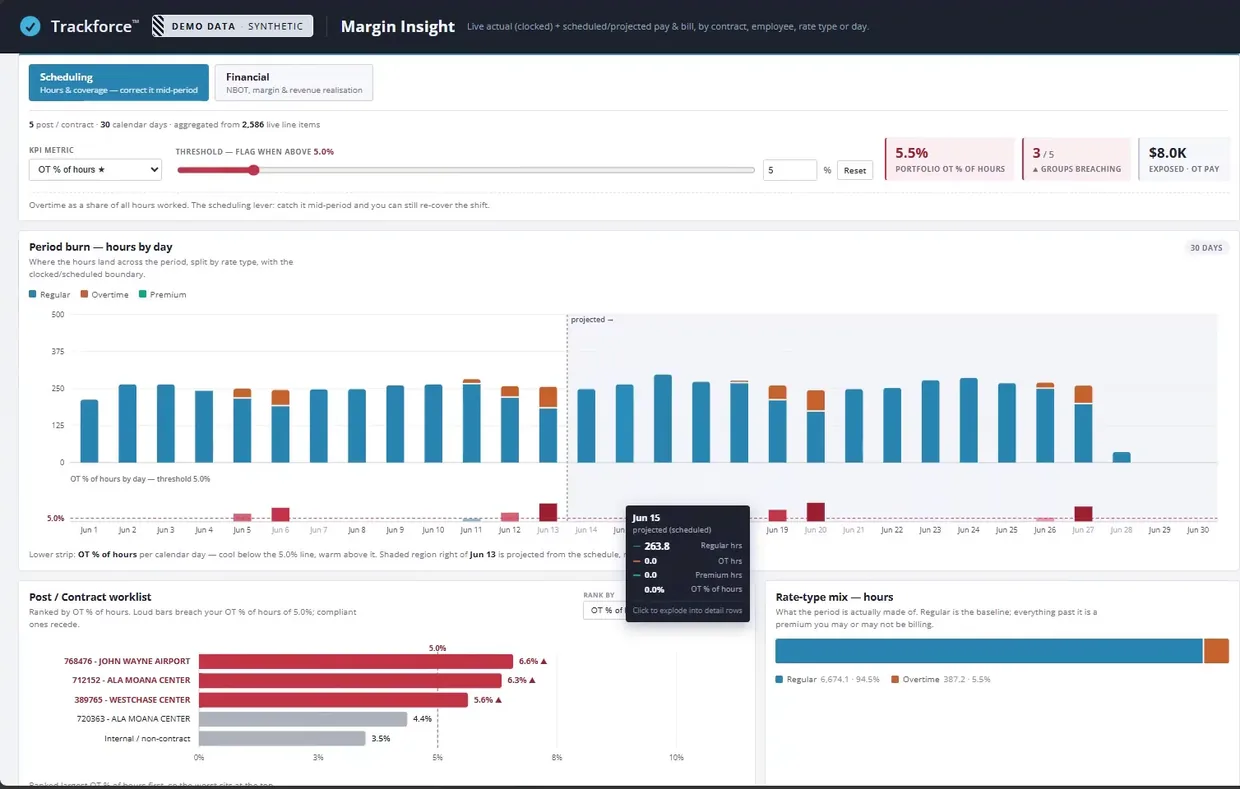
Act on margin while the period is still open.
Most security companies see how a period performed only after shifts are approved, payroll runs and invoices go out. By then the overtime is paid and the gap is locked in. Labor can make up 65% of a security company’s costs, and Trackforce estimates unbilled overtime can cost 6 to 10% of profit. Margin Insight moves that view into the period, while your team can still change the schedule.
See where the period is heading.
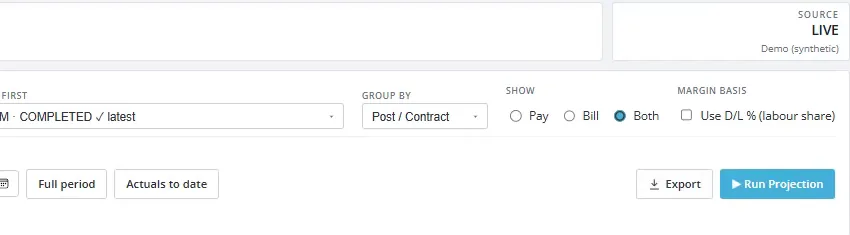
Margin Insight combines the hours your officers have already worked with the hours still on the schedule. You get a projected view of every contract’s profitability for the current period, and the same view for any past period.
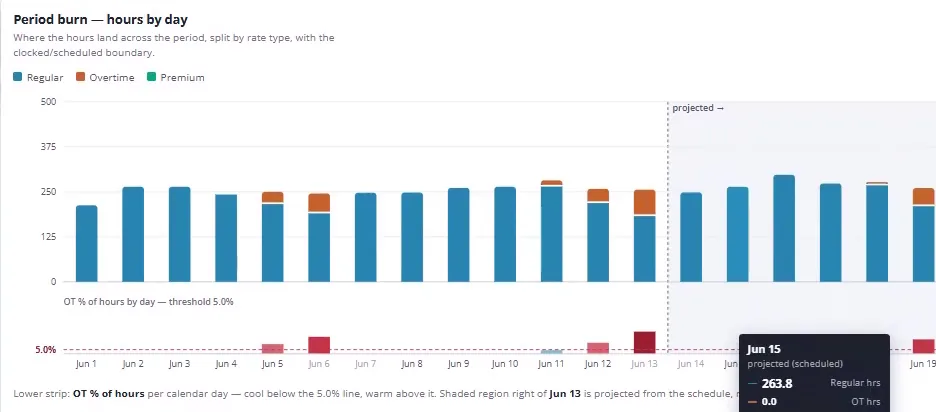
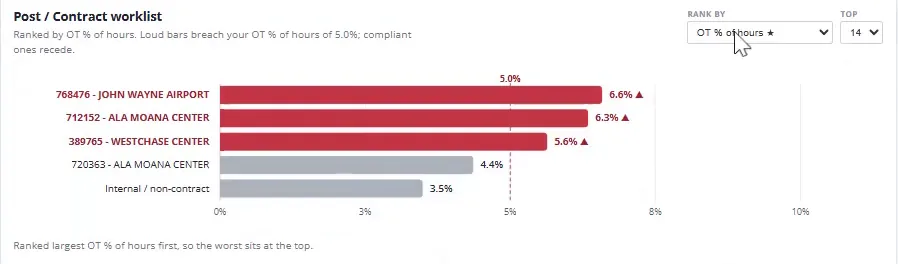
Catch overtime before it crosses the line.
Set your limit, such as overtime as a share of hours, and step in before it’s crossed. Margin Insight ranks every post and contract against your limit and shows the dollars exposed, so your biggest risks get attention first.
Schedulers and finance, working from the same screen.
Toggle between the Scheduling and Financial lenses without leaving the dashboard. Schedulers catch overtime before it hits and adjust coverage. Finance sees exactly where margin is taking the hit. Both read the same live TrackTik data, so there are no separate reports to run and nothing to enter by hand.
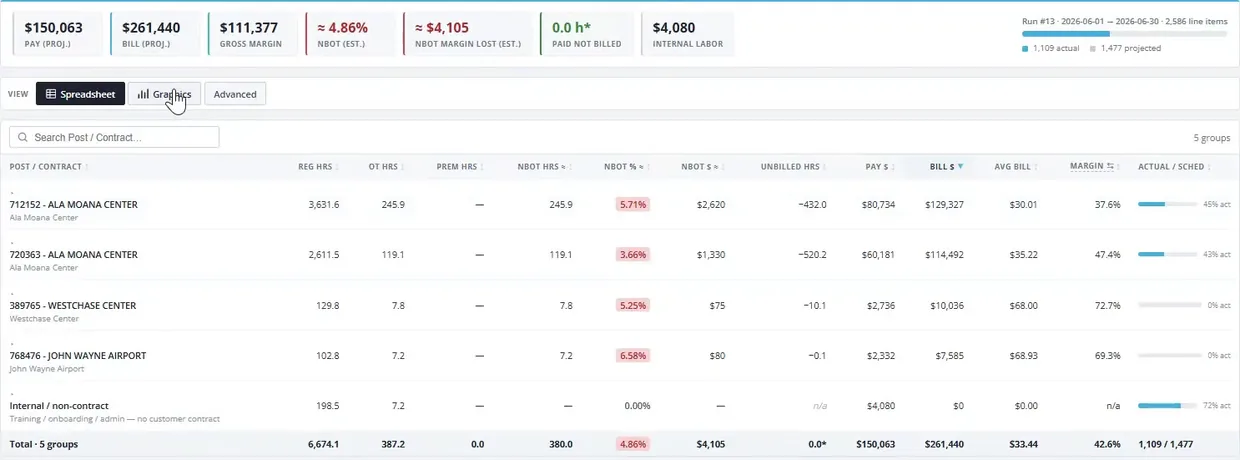
Walk into every client review with proof.
Export every figure alongside the source records behind it. Finance, operations and your clients can trace each number back to the shifts it came from, so margin conversations stay focused on the fix.
Ready to protect your profit before the period closes?
See Margin Insight on a period from your own book of business.