So vermeiden Sie die Kosten für Firmenhandys – sogar in Kalifornien

Trackforce
November 19, 2015 · 10 min read
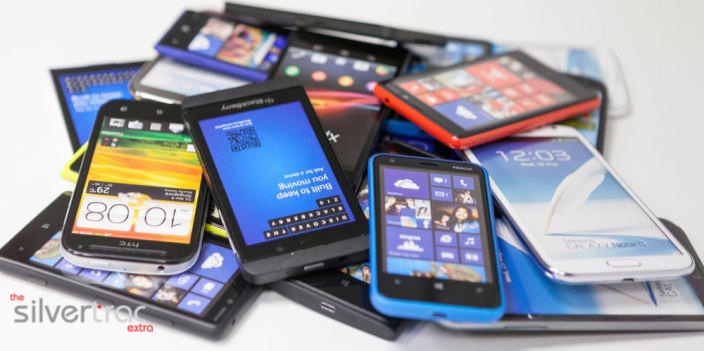
Vor einigen Monaten haben wir in einer Folge die Vor- und Nachteile der Nutzung von Firmenhandys im Vergleich zu einer „Bring Your Own Device“-Richtlinie (BYOD) behandelt. Wir sind zu dem Ergebnis gekommen, dass BYOD in den meisten Fällen kostengünstiger und bequemer ist und sich positiver auf die Mitarbeiterzufriedenheit auswirkt.
Es gab jedoch einen wesentlichen Nachteil, den wir in dieser Folge nicht angesprochen haben. Die gesetzlichen Bestimmungen in einigen Bundesstaaten machen es deutlich schwieriger und teurer, wenn Ihre Mitarbeiter ihre privaten Handys für berufliche Zwecke nutzen. Dies gilt insbesondere für Kalifornien.
Glücklicherweise konnten wir während unserer Teilnahme an der CALSAGA-Konferenz wieder Kontakt zu unserem Kunden Lawrence Borgens von Delta Protective Services aufnehmen. Lawrence hat eine sinnvolle Vorgehensweise gefunden, die es ihm ermöglicht, eine BYOD-Richtlinie umzusetzen, ohne dass dabei hohe Kosten entstehen oder gegen kalifornisches Arbeitsrecht verstoßen wird.
Die wichtigsten Erkenntnisse
- BYOD is usually cheaper and more popular with officers.
Officers prefer phones they know, and companies skip buying and managing a fleet of devices. - California requires reimbursement.
When officers must use personal phones for work, employers owe a reasonable share of the phone bill. - A simple stipend can cover it.
Delta Protective Services folded phone reimbursement into its existing uniform maintenance allowance. - Put it in a written policy.
A clear BYOD policy and reimbursement method protects both the company and its officers. - The app matters.
TrackTik runs on officers’ own iOS and Android phones and is independently audited for data security.
Lawrences Werdegang
Lawrence started out in the Marine Corps for a few years before moving into the private security field. He did some work with a private investigator, put himself through a bodyguard school in Aspen, Colorado, and even spent some time in L.A. doing private security for big-name entertainers and executives.
After he tired of L.A., he moved out to Stockton, California and founded Delta Protective Service, a contract private security and patrol service. His first client was a bowling alley, so the company was just him in a uniform standing out in the parking lot.
Delta Protective Services ist seit 23 Jahren im Geschäft und hat sich seitdem stark weiterentwickelt. Schon recht schnell kamen noch ein paar weitere Objekte hinzu, sodass er weitere Wachleute einstellen musste. Dann richtete er einen Streifendienst ein, der zunächst nur aus seinem Auto mit einem Logo an der Seite bestand. Heute beschäftigt sein Unternehmen über 100 Sicherheitskräfte.
Wie Silvertrac sein Unternehmen beeinflusst hat
When customers started complaining about guards not being at their posts and other basic issues, Lawrence went looking for a way to fix this issue. He started with the simple button and wand system, but pretty quickly realized that caused more problems than it solved. Here are signs it’s time to upgrade your guard tour system.
He decided to look for a more comprehensive solution, and after checking out a couple different options, he found Silvertrac.
“When I saw that there was a security guard app and I could put it on a company cell phone, take pictures, put the text comment… we’ve got Google Maps to see where they’re actually at, the whole nine yards, it was kind of a no brainer,” he said.
How Lawrence Got Rid of Company Cell Phones
Eines der Probleme, auf die Lawrence stieß, als er sich einen unserer Mitbewerber, GuardTrax, genauer ansah, war, dass diese Hardware im Paket mitlieferten, anstatt eine App auf der eigenen Hardware zu installieren. Das war genau das Gegenteil von dem, was er wollte, nämlich überhaupt keine Firmenhandys nutzen zu müssen.
Angesichts der kalifornischen Gesetze zur Nutzung von Mobiltelefonen durch Mitarbeiter ist dies zwar schwierig, doch er hat eine Lösung gefunden, indem er die Erstattungszahlungen an Mitarbeiter für die Nutzung ihrer Telefone in die einheitliche Unterhaltspauschale einbezieht.
Delta Protective hat den Mitarbeitern die Kosten für ihre Uniformen bereits erstattet, daher umfasst die Erstattung nun lediglich die Minuten und Daten, die die Mitarbeiter für ihre Arbeit nutzen. Dies gilt nicht als Vergütung und ist daher nicht steuerpflichtig.
Wir haben die Kosten berechnet: Pro Mitarbeiter belaufen sich diese auf etwa 16 Dollar pro Monat, was deutlich günstiger ist, als die Hardware und die Komplettpakete für das gesamte Unternehmen zu bezahlen. Das liegt daran, dass die Mitarbeiter bei Silvertrac nur bei jedem Abruf Datenvolumen verbrauchen.
„Das ist das Schöne an unserem System: Es verzichtet auf Funktionen wie Geofencing oder eine ständige GPS-Ortung, wodurch wir den Datenverbrauch wirklich stark einschränken“, sagte Johnny.
Editor’s note: This conversation took place in 2015. Silvertrac now offers GPS and geofencing, so data use depends on which features you turn on.
Good for Employees and the Bottom Line
Lawrence führt dieses Programm erst jetzt ein, geht jedoch davon aus, dass es bei den Mitarbeitern gut ankommen wird, die es ohnehin schon nicht mochten, mit ihnen unbekannten Firmenhandys arbeiten zu müssen.
„Ich hatte schon Mitarbeiter, die zu mir kamen und sagten: ‚Hey, ich weiß nicht, wie man dein Handy bedient‘, weil wir ein Android-Handy nutzen, sie aber vielleicht ein iPhone haben, und ich muss ihnen dann beibringen, wie man mein Handy bedient“, sagte er. „Deshalb sind sie tatsächlich schon einmal zu mir gekommen und haben gefragt: ‚Kann ich nicht einfach mein eigenes Handy benutzen?‘“
Mitarbeiter ziehen es nicht nur oft vor, ihre eigenen Handys zu nutzen, sondern gehen wahrscheinlich auch sorgfältiger damit um als mit einem Firmenhandy.
Erfolgsgeschichte von Silvertrac
Wir fanden es toll, von Lawrences cleverer Strategie zu erfahren, wie er die Firmenhandys abgeschafft hat, und waren außerdem begeistert davon, wie er die Silvertrac-App erfolgreich in seinem Unternehmen einsetzt.
What California Law Requires
California Labor Code section 2802 requires employers to reimburse employees for necessary expenses they incur doing their jobs. In Cochran v. Schwan’s Home Service (2014), the California Court of Appeal held that when employees must use their personal cell phones for work, the employer must reimburse a reasonable percentage of the phone bill, even if the employee has an unlimited plan.
The court did not set a specific amount, so employers need a reasonable, documented method. That is why approaches like Delta’s, a regular reimbursement tied to actual work use, are common. For more detail, see employer solutions to personal cell phone laws.
This article is general information, not legal or tax advice. Rules differ by state and change over time, so confirm your reimbursement policy and its tax treatment with employment counsel and a tax professional.
Company Phones vs. BYOD With Reimbursement
| Faktor | Company-issued phones | BYOD with reimbursement |
|---|---|---|
| Anfangskosten | Buy or lease every device | No devices to buy |
| Monthly cost | Full plans for every phone | A reimbursement or stipend per officer |
| Berufserfahrung als Beamter | Unfamiliar devices to learn | Officers use phones they already know |
| Device care | Lost, broken or neglected phones | Officers tend to look after their own phones |
| Steuerung | Full control of the device | Control through the app and a written policy |
| California compliance | No personal-phone reimbursement needed | Reasonable reimbursement required |
Still weighing your options? Read what you should know about guards using their own phones and what cell phones are best for security guard companies.
How to Set Up a BYOD Reimbursement Program
- Decide whether phone use is required. If officers must use personal phones for work, plan to reimburse.
- Choose a reimbursement method. A flat monthly amount based on typical work use is simpler to manage than itemized bills.
- Document your reasoning. Keep a record of how you set the amount and review it regularly.
- Write a BYOD policy. Cover required apps, security, acceptable use and what happens when an officer leaves.
- Pay it consistently. Include it in regular payroll or an existing allowance, as Delta did.
- Review with advisors. Confirm the approach with employment counsel and a tax professional.
BYOD Policy Checklist for Security Officers
- Which apps officers must install, and when they must be logged in
- Minimum phone requirements, such as operating system version and battery life
- Screen lock and password requirements
- What company data officers can and cannot store on their phones
- How lost or stolen phones must be reported
- How reimbursement is calculated and paid
- What happens to company data and access when an officer leaves
How TrackTik Supports BYOD Security Teams
- Works on the phones officers already have. The TrackTik security guard tour app runs on iOS and Android.
- Evidence from any device. TrackTik incident reporting captures photos, video, audio and GPS location from officers’ own phones.
- Access that follows the person. Deactivate a departing officer’s account in TrackTik people management and their access ends.
- Independently audited security. TrackTik holds SOC 2 Type II, ISO 27001 and ISO 27017. See Trackforce certifications.
For security firms moving away from company phones, book a TrackTik demo to see how it works on any phone.
Häufig gestellte Fragen
Neueste Artikel





Empfohlene Ressourcen





Sehen Sie Trackforce in Aktion
Vereinbaren Sie einen Termin für eine Vorführung mit unserem Team und finden Sie heraus, wie sich das Produkt in Ihren Betriebsablauf einfügt.