How Security Dashboard Software Connects Data, Communications and Reporting

Trackforce
November 12, 2020 · 11 min read
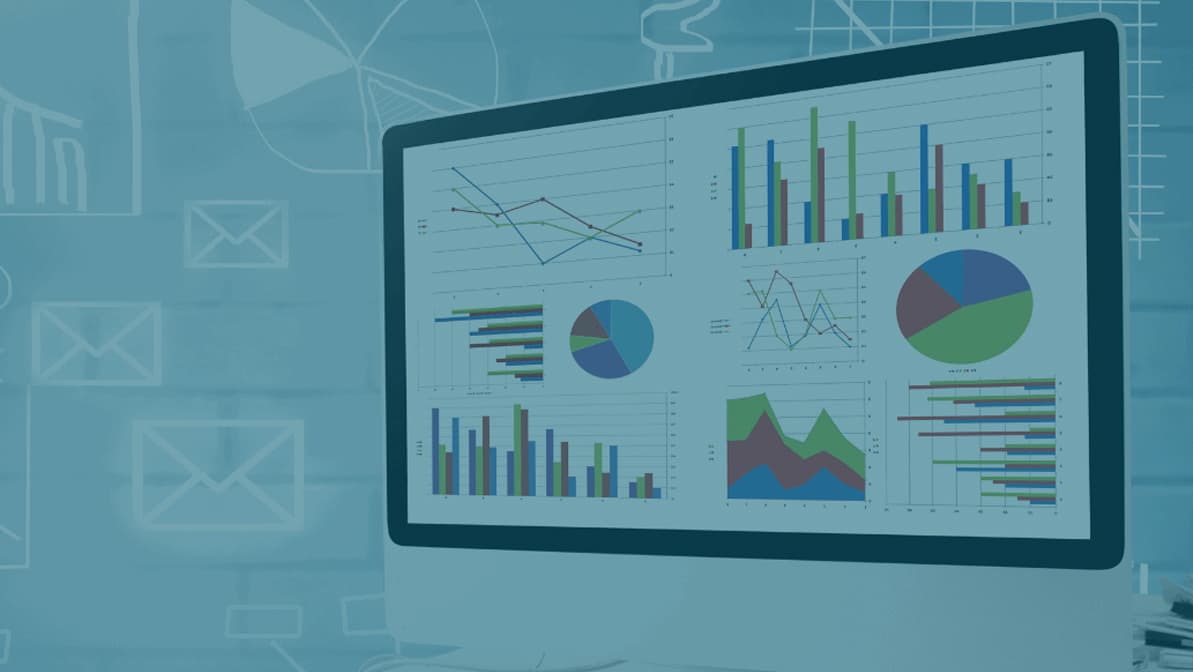
Real-time data is one of the clearest indicators of how healthy a security operation really is. When supervisors can see guard activity, incident status and tour completion as it happens, they stop managing by phone call and start managing by evidence. That is why more security companies are replacing separate radios, spreadsheets and paper reports with security dashboard software that connects data, communications and reporting in one place.
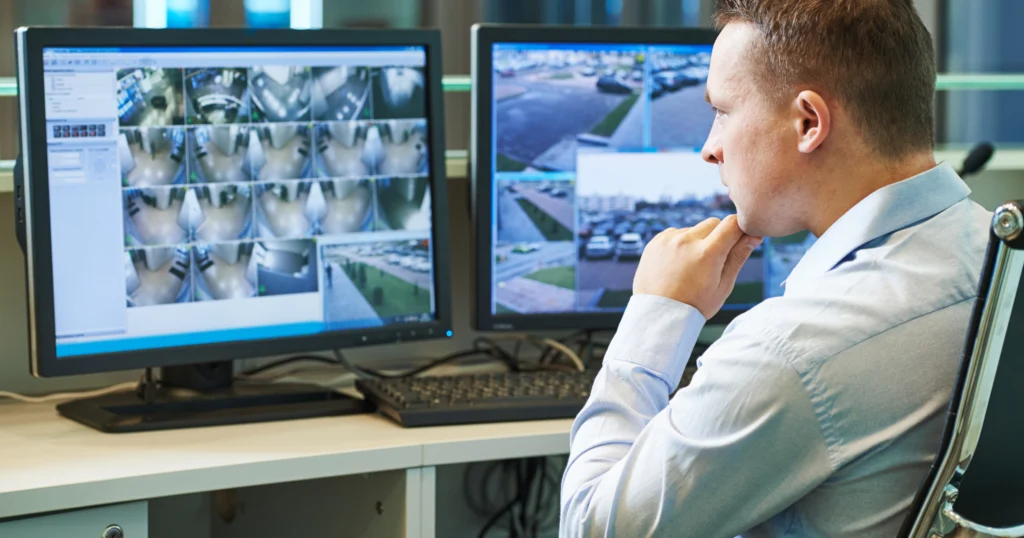
The data officers capture in the field can easily be visualized on a live dashboard and shared with one or more stakeholders. Why is this essential for security guard operations? With access to guard data in real time, supervisors get immediate feedback on incidents and events occurring across all sites.
This article explains how TrackTik brings those three pieces together, what a real-time dashboard should show, where push-to-talk fits into guard communications, and how to set up a connected workflow step by step.
Puntos clave
- Disconnected tools create blind spots.
When radio calls, paper reports and spreadsheets live apart, supervisors often learn about a problem after the client does. - A real-time dashboard is the shared source of truth.
TrackTik turns tour scans, GPS positions, incidents and tasks into a live view that supervisors can act on immediately. - Push-to-talk keeps the radio habit without the radio.
Officers keep fast voice communication, and supervisors can reach one officer or a whole channel from the same app used for tours and reports. - Reporting closes the loop with clients.
Scheduled reports, automatic notifications and a client portal turn each shift into proof of service. - One platform beats three separate tools.
With data, communications and reporting in TrackTik, information moves from the field to the dashboard to the client without being retyped, which means faster response and fewer errors.
Situational Awareness and Real-Time Data: A True Partnership
Security team activity, including incidents encountered, tours completed or missed, and reports outstanding, is the foundation of strong situational awareness. Real-time data and analytics have helped organizations move beyond basic preparation for future threats toward more proactive and reliable security protocols.
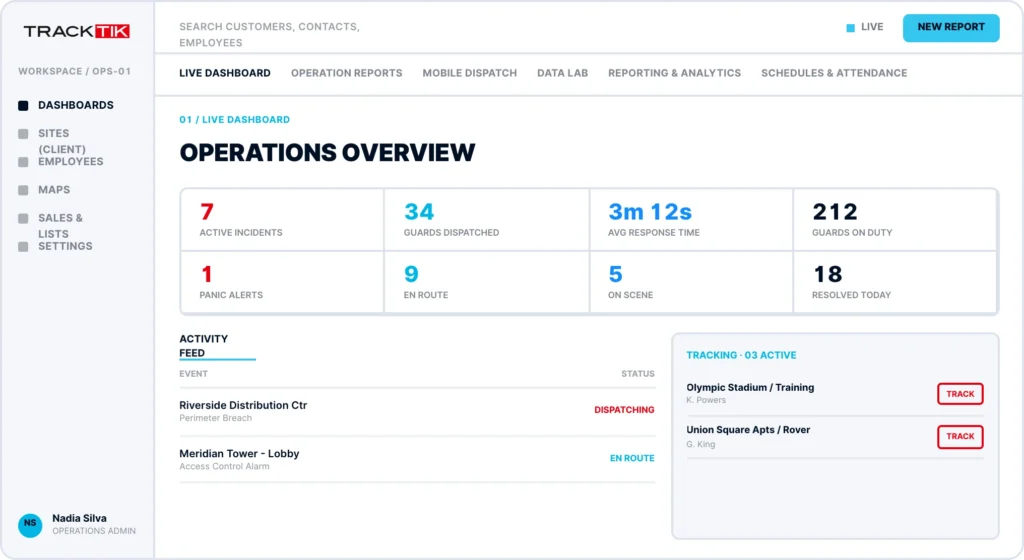
With real-time data visualized on the TrackTik dashboard, security companies have oversight of remote team activity and on-site incidents. Combined with real-time GPS guard tracking, supervisors know where every officer is and what they are working on without picking up a radio.
What a Real-Time Security Dashboard Should Show
A dashboard is only useful if it answers the questions a supervisor asks on every shift. Whether you call it a live operations view or a security incident dashboard, it should surface:
- Live guard locations and shift status. Who is on post, who is running late and who has not checked in.
- Tour and checkpoint completion. Progress on every guard tour, with GPS, NFC or QR verification at each checkpoint.
- Open incidents by priority. New reports appear as they are filed, so the most urgent events are handled first.
- Exceptions and alerts. Missed checkpoints, panic button activations and lone worker alerts that need a response now.
- Trends over time. Incidents per site, tour completion rates and response times that show whether service is improving.
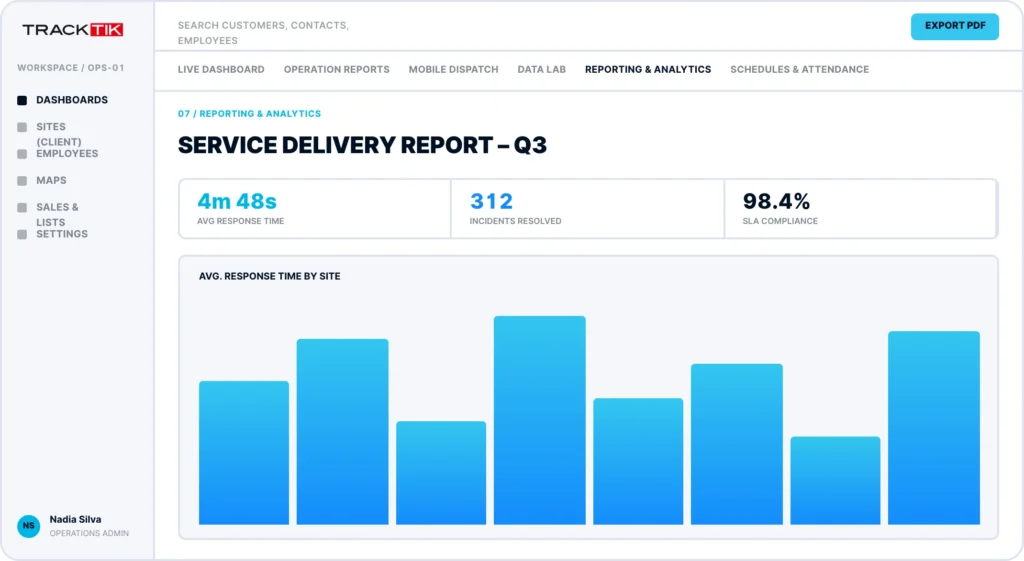
For a deeper look at why this view matters to supervisors, clients and owners, read why guard management software needs a live dashboard.
The Hidden Cost of Disconnected Tools
Many security companies still run on three separate systems: radios for communication, paper or spreadsheets for reporting, and phone calls for status updates. Each one works on its own. The problem is the gaps between them, where information is delayed, retyped or lost. Here is how the two approaches compare.
| Área | Disconnected tools | Conectado en TrackTik |
|---|---|---|
| Incident awareness | Supervisors hear about it by phone, or the next morning | The incident appears on the live dashboard as it is filed |
| Field communication | Radios with limited range and no link to the record | Push-to-talk on the same device officers use for tours and reports |
| Proof of patrols | Paper logs or spreadsheets completed after the fact | GPS, NFC or QR verified checkpoint scans with timestamps |
| Informes para clientes | Reports rebuilt by hand at month end | Scheduled reports, automatic notifications and a client portal |
| Toma de decisiones | Gut feel and anecdotes | Dashboards and KPIs across every site |
The difference shows up most when something goes wrong. In a disconnected operation, a supervisor pieces together what happened from calls and paperwork. In a connected one, the record already exists.
Security Companies Use Push-to-Talk (PTT) to Improve Guard Communications and Accountability
Not all solutions offer push-to-talk (PTT) as an alternative to walkie-talkies or other radio communications. In TrackTik, push-to-talk turns any device into a two-way radio, so officers communicate from the same app they use for tours, reports and time and attendance.
What is the most effective way to communicate critical information to your team during non-emergency times: written communication, verbal communication or both? In practice, it is usually both. Written instructions such as post orders and pass-down notes give officers something to refer back to, while voice is faster when a situation is developing.
Security companies have adopted PTT as one of the most effective ways for supervisors to communicate with guards in the field immediately. With TrackTik, supervisors can easily relay the protocols that are key to managing a strong security workforce. TrackTik PTT can be used to:
- Replace traditional walkie-talkie style communication entirely
- Transmite órdenes directas a uno o varios guardias que estén de patrulla mediante canales personalizados
- Monitor single or group channels to stay aware of guard behavior and reinforce company standards on site
Why PTT Is a Go-To Choice for Guard Companies: 3 Reasons
- There is variability in channel use. Supervisors can speak to one officer, a single site team or a wider group, so the right message reaches the right people without flooding everyone else.
- It is well suited to lone and remote workers. An officer working alone can reach a supervisor in seconds. TrackTik also pairs communication with a panic button and impact detection, so a supervisor is alerted even when the officer cannot speak.
- Verbal communication is still the leading choice. When a situation is unfolding, a short voice message is faster than typing. PTT keeps that habit and moves it onto the device officers already carry.
Want more detail on adoption and how PTT compares with radios? Read how push-to-talk is improving security guard communications.
Los supervisores pueden prestar apoyo a sus guardias mientras patrullan desde cualquier lugar
Managing guards remotely is now part of everyday operations, especially when resources are limited and spread across many sites. With the right technology, supervisors can make informed decisions while they are off site.
Alongside the real-time dashboard, TrackTik incident and activity reports give supervisors insight into their guards on patrol, providing much-needed visibility. From collecting data for stronger shift guidance to providing insight into officer activity, incident and activity reporting has helped security teams establish best practices to mitigate at-risk areas.
Report quality matters as much as report speed. ReportPro AI adds AI assistance directly to TrackTik incident reporting, turning rough field notes into polished reports and generating executive summaries, so supervisors spend less time rewriting reports and more time acting on them.
How to Connect Data, Communications and Reporting in TrackTik
Bringing these pieces together does not require a single big-bang project. Most security companies follow a sequence like this:
- Map every site, post and tour. Set up checkpoints and tours so every patrol produces timestamped, verified data from day one.
- Define what counts as an exception. Missed checkpoints, late shifts, high-priority incidents and panic alerts should trigger automated alerts rather than waiting for someone to notice.
- Set up communication channels. Create push-to-talk channels by site or team, and use post orders and pass-down notes for written instructions officers need to see on their device.
- Build role-based dashboards. Give supervisors a live operational view, operations leaders KPIs across sites, and executives trend reporting through TrackTik Business Intelligence.
- Schedule reporting for clients. Configure daily, monthly or annual reports with automatic email or text notifications, and give clients real-time access to reports through the TrackTik client portal.
Example: One Incident, One Connected Workflow
Here is how a connected workflow plays out on a typical night shift. The scenario is illustrative, but every step uses standard TrackTik capabilities.
The officer reports. During a scheduled tour, an officer finds a propped-open loading dock door. They file an incident from the mobile app, attach photos and keep moving.
The dashboard surfaces it. The incident appears in the Command Center with its priority, location and the officer’s position, alongside every other active alert across the portfolio.
The supervisor responds. Using push-to-talk, the supervisor tells the officer to hold position, then uses TrackTik Service Dispatch to send the nearest available officer to assist.
The client is informed. Escalation rules notify the client contact automatically by email or text, so they hear about it from you first rather than the next morning.
The pattern becomes insight. A week later, dashboard trends show that the same door is a repeat issue after hours. The supervisor adds a checkpoint to the tour, and the next client review includes the data that justified the change.
All in One: Real-Time Dashboards, Communications and Reporting
How can security companies gain stronger insight into their operations? With a real-time dashboard, alongside communications and comprehensive reporting, supervisors have immediate oversight of incidents and events occurring across all sites.
The payoff extends beyond the shift. When every tour, incident and report lives in one operating record, you can prove the value of your security program to clients and leadership with current data instead of anecdotes.
See it in practice: request a TrackTik demo to watch the dashboard, push-to-talk and reporting work together.
Preguntas frecuentes
Últimos artículos
Recursos destacados





Descubre Trackforce en acción
Reserva una visita guiada con nuestro equipo y descubre cómo se adapta a tu negocio.