The Difference Between Geofencing and Breadcrumb Tracking

Trackforce
May 7, 2015 · 9 min read
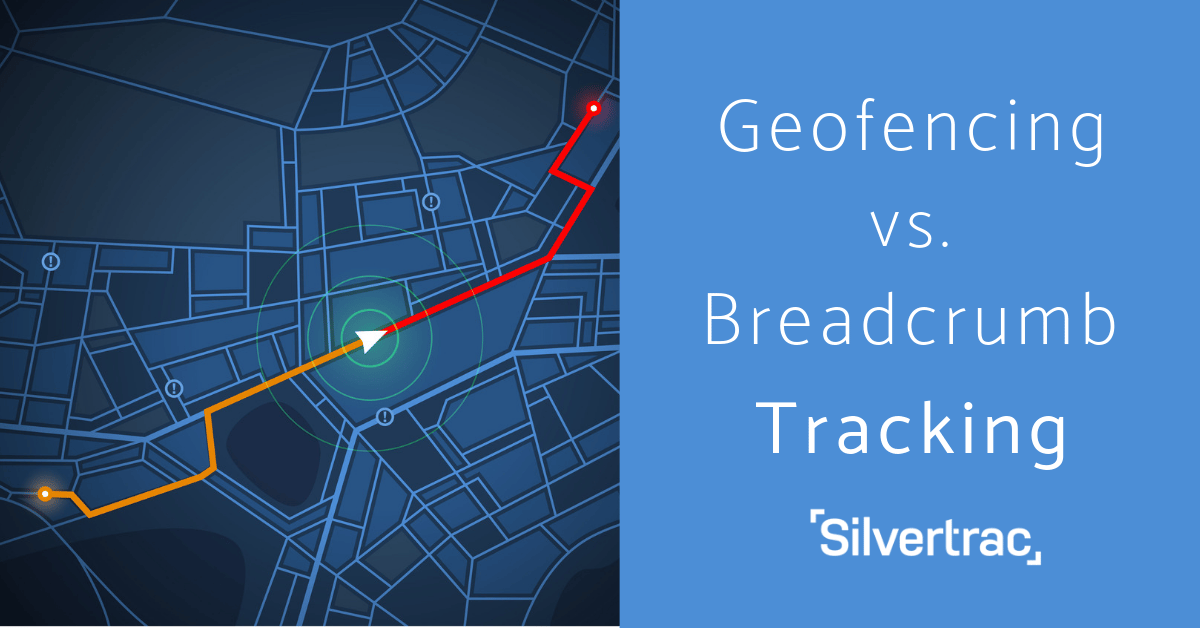
Ever wondered what the difference is between “Geofencing” and “Breadcrumb Tracking”? Chances are pretty high that you’ve heard of one or both of these tactics in the security industry. So we’re here to set the record straight.
First, let’s define both approaches and then talk about the pros and cons.
Editor’s note: This article is based on an episode of our podcast recorded in 2015. Smartphone battery life, GPS efficiency and mobile data costs have changed a lot since then, and modern platforms like TrackTik no longer force you to choose between the two approaches. Jump to how geofencing and breadcrumb tracking compare today.
Key takeaways
- Breadcrumb tracking verifies activity.
GPS location is captured each time an officer scans a checkpoint, files a report or completes a task. - Geofencing watches boundaries.
A virtual perimeter around a site, zone or route triggers an alert when an officer leaves a permitted area or enters a restricted one. - Live GPS tracking fills the gaps.
It shows where officers are between scans, which breadcrumbs alone cannot. - The 2015 trade-offs are mostly gone.
Today’s smartphones handle location tracking without a separate device. - TrackTik combines all three.
GPS-verified checkpoints and incident reports, live tracking and geofenced zones work together in one platform.
Geofencing
Geofencing refers to a technology that allows you to constantly track an officer’s movement throughout the entire shift. This allows the company to establish a virtual fence around the property and enable alerts if the officer breaks the perimeter.
Geofencing also lets you receive alerts if the officer is not moving around the property or remains inactive for an extended period of time.
For example, if you have an officer run around the property three times and then take off in their car, geofencing would allow you to see the path in which the officer traveled and could then send an alert to a supervisor notifying them that the officer had left.
Requirements (in 2015):
- A separate device: almost all consumer level devices (like smart phones) are unable to withstand the constant GPS connection due to limited battery life.
- A HUGE data package or sim card: Sending a constant GPS reading can require large amounts of data.
Breadcrumb Tracking
Breadcrumb tracking refers to a technology that captures the GPS location of a handheld device on a per instance basis. Each time an incident is reported or a checkpoint is scanned the GPS location of the officer is captured to verify that they were on the property.
Breadcrumb tracking is designed to verify the location of reported issues, rather than creating a virtual fence around the officer.
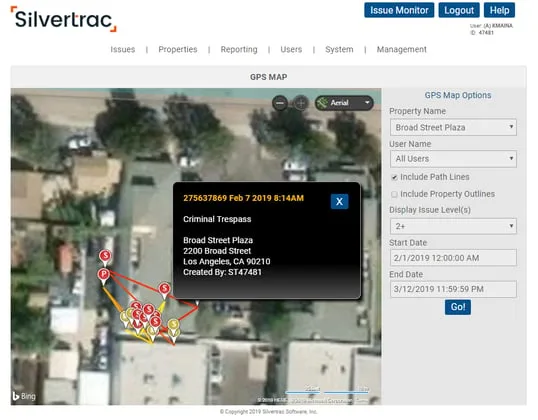
The example above shows small pinpoints where certain issues were reported. But we’re not going to see the areas the officer walked without submitting issues or scanning checkpoints.
Requirements (in 2015):
- Most solutions that utilize breadcrumb tracking do not require any additional hardware or devices.
- Because the data is sent and received on a per instance basis there is not a major requirement in regards to data usage.
Pros and Cons: Geofencing
- Pro: The constant view of the officer on site to ensure that they are there and moving around.
- Pro: Receiving notifications if the officer is leaving the site.
- Con: Adding an additional device to the officer’s tool belt.
- Con: High cost of both the data plan and the technology.
- Con: Geofencing is really only a tool for the guard operator and does very little to deliver value to the customer.
Pros and Cons: Breadcrumb Tracking
- Pro: All incidents and reported activity can be verified via GPS
- Pro: No additional devices or data packages, which results in lower costs
- Pro: Breadcrumb Tracking minimizes the investment into accountability. With a GPS guard tour software, the user is able to deliver value to the customer while still satisfying the basic accountability requirements.
- Con: If the officer fails to interact with the handheld device, there won’t be any GPS data available.
- Con: The officer could leave the property without anyone being notified.
Conclusion: Invest in the Minimum Viable Solution
When it comes to investing in technology, every dollar counts. Make sure that you get the most out of your investment by utilizing the Minimum Viable Solution.
Do you really need to track the officer’s every step throughout the shift? Rather, why not verify the location of reported issues and hold the guard accountable to the desired outcome of the customer? Does it really solve the customer’s problems if you just draw a virtual fence around the property to prove that the officer doesn’t leave?
What are your thoughts on Geofencing vs. Breadcrumb Tracking? Are there any pros or cons that we missed above?
Geofencing vs. Breadcrumb Tracking Today
The core advice from 2015 still holds: invest in what delivers value to your client. What has changed is the cost of getting there. Today the terms usually mean three related things:
- Breadcrumb tracking: GPS location captured with each event, such as a checkpoint scan, incident report or completed task, creating a verified trail of activity. See how checkpoint verification works.
- Live GPS tracking: the officer’s location shown continuously on a map during the shift, so supervisors can see what happens between scans.
- Geofencing: a virtual boundary around a site, zone or patrol route that triggers an alert when an officer leaves a permitted area or enters a restricted one. Our guide to GPS and geofencing for security guard tracking covers this in depth.
How the comparison has changed since 2015
| Factor | In 2015 | Today with TrackTik |
|---|---|---|
| Device | A separate GPS device for continuous tracking | The officer’s own iOS or Android smartphone |
| Battery and data | Constant GPS drained batteries and needed large data plans | Modern smartphones handle location tracking far more efficiently |
| Gaps between scans | Breadcrumbs showed nothing between check-ins | Live tracking shows officer movement between scans |
| Leaving the site | Required dedicated geofencing hardware | Geofenced permitted and restricted zones with automatic alerts |
| Value to the client | Location data mainly helped the operator | GPS-verified tours and incident reports clients can see |
Which approach should you use?
Breadcrumb tracking is the foundation for proof of service on every site. Add live tracking and geofencing where the risk or the contract calls for it:
- Lone workers on overnight or remote posts, where knowing an officer’s location matters for safety. The TrackTik security guard tour app adds lone worker protection on top of location data.
- Large or open sites such as campuses, industrial yards and parking structures, where checkpoints cannot cover every area.
- Mobile patrol routes, where you need to confirm a vehicle stayed on route between stops.
- High-risk or restricted areas, where an alert should fire the moment an officer enters or leaves a zone.
- Contracts that require continuous coverage, where the client expects proof that the post was never left unattended.
GPS alone proves location, not that the work was done, as we explain in the pros and cons of GPS guard tracking. That is why the strongest proof combines location with checkpoint scans and time-stamped evidence, the approach behind the evidence layer that ends guard accountability disputes.
How TrackTik combines both approaches
- GPS, NFC, QR code and barcode check-ins that capture location with every scan
- Incident reports enriched with GPS location, photos and video
- A live dynamic map of all personnel through TrackTik security operations
- Geofencing for permitted and restricted zones, with automated alerts
- Automated alerts for missed checkpoints
Want to see geofencing and breadcrumb tracking working together? Book a TrackTik demo.
View Previous Episode: 006: Retired Commander of L.A. County Sheriff’s Department on Leadership vs. Management
Frequently Asked Questions
Latest Articles





Featured Resources





See Trackforce in action
Book a walkthrough with our team and see how it fits your operation.