Pros & Cons of Using GPS for Security Guard Tracking

Trackforce
July 15, 2021 · 11 min read
Maintaining accountability is one of the most difficult parts of running a security company. You can’t watch your officers 24/7, and when something goes wrong, the first question a property manager will ask is “where was your guy?”
If you don’t have an answer, you could be in danger of losing the contract.
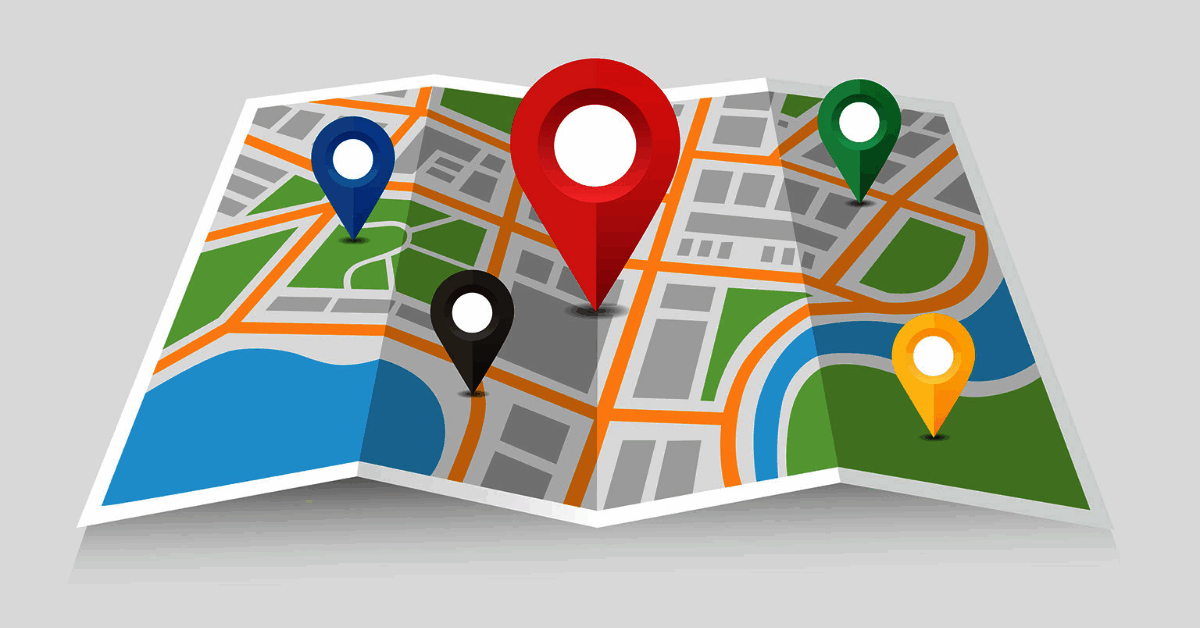
To combat gaps in accountability, many companies use GPS systems to track officer movement and provide confirmation of an officer’s presence on the property. In some systems, both supervisors and clients can log into a security patrol software portal to view GPS maps, see where officers are on the property, and ensure they’re moving along their guard tours.
However, security guard tracking with GPS doesn’t necessarily provide a high level of accountability on its own. This article will look at a few pros and cons of using GPS tracking systems in your security company and what you can do to make the most out of them.
Key takeaways
- GPS proves where an officer was, not what they did.
Location data answers “where was your guy?” but not whether the work got done. - The biggest wins are accountability and defense.
Location history settles disputes quickly and stops officers from gaming the system. - Mobile patrols benefit most.
GPS shows route progress, driving behavior and which officer is closest when a call comes in. - GPS has blind spots.
Signals weaken indoors and in dense areas, so pair GPS with NFC or QR checkpoint scans. - Full accountability needs documentation.
TrackTik combines GPS with verified checkpoints, time-stamped photos and client-ready reports in one platform.
What GPS Proves and What It Can’t
Clients judge your service by the questions they ask after something goes wrong. Here is how GPS on its own compares with GPS inside a complete guard tour system.
| The client asks | GPS alone | GPS plus a full guard tour system |
|---|---|---|
| Was the officer on site? | Yes, with location history | Yes, with location history and geofence alerts |
| Did they reach every checkpoint? | Approximately, based on location | Verified with NFC, QR, barcode or GPS checkpoint scans |
| What did they find? | No answer | Time-stamped notes, photos, video and audio on every report |
| Was the issue handled? | No answer | Incident reports, follow-up tasks and supervisor alerts |
| Can I see the proof? | Map data only | Client-ready reports on completed tours and incidents |
| Does it work indoors or with no signal? | Often unreliable indoors | NFC and QR scans work indoors, and the app captures activity offline |
Pro: You Always Know Where Your Security Officers Are
The most obvious value that a GPS-based security guard tracking system offers is taking away the ability to “game the system.” Is your officer ducking out to grab a coffee or take a nap in their car? GPS can tell you.
Some GPS-enabled guard tour systems even allow supervisors to set up geofencing around properties that trigger automatic alerts if guards aren’t in the right place at the right time.
Pro: Defend Against False Claims
If an angry client calls and says your officer wasn’t on-site at some point during a shift, GPS records are an easy way to resolve the situation. A guard tour system that uses GPS will show you and your client where all of your officers are or have been, ensure they’re performing their guard tours to completion, and even help track your service vehicles.
Security guard tracking software like TrackTik records your officer’s GPS location with each checkpoint scan and report entry, giving you both live and historical views of officer location.
Pro: Efficient Mobile Patrols
Beyond accountability, a GPS system can be used to make sure mobile patrols are safe and efficient. Certain mobile patrol software uses GPS to keep track of speeding, hard stops, and fast acceleration in order to offer a comprehensive view of your officers’ driving habits.
GPS tracked mobile patrols can also give management an idea of how thoroughly a security vehicle patrol is being executed. After all, an officer won’t be able to perform a complete survey on a property at 35 MPH. Monitoring the way your team drives can help ensure the long life of your vehicles as well.
Lastly, using a GPS system with your mobile patrols can give you valuable information to make your patrols more cost-effective. By tracking all of your mobile patrol routes, you might catch some inefficiencies that, when removed, could bring down the cost of your patrols. These five steps to optimizing a mobile patrol route are a good place to start.
GPS also speeds up response. When an alarm or client call comes in, it shows which officer is closest, and TrackTik security guard dispatch sends the nearest available officer with a live ETA.
Con: GPS Can Lead to a False Sense of Security
GPS-based security guard tracking can show that an officer was on site, but GPS tracking on its own can’t prove that the time spent on site actually provided value to the customer. For many companies, GPS used by itself as an accountability measure can lead to a false sense of security that the job is being done right.
Full accountability involves more than just being there. It means more than even hitting basic checkpoints on a property walk. Officers should be providing a service for clients that goes above and beyond, covering everything from tracking hazards to documenting potential oversights that could lead to future incidents. In order to do this properly, they need the right tools, and GPS alone isn’t up to the task.
Con: GPS Doesn’t Provide Full Accountability
Security guard tracking is an important piece of effective guard management, but without other processes in place, it will only tell part of the story.
On the other hand, a complete guard tour system is designed to be a communication and documentation tool that provides end-to-end coverage. TrackTik can do everything that a GPS-only system does, tracking officers and their movements, and also provides a platform for documenting what they actually get done during a site walk or patrol.
When an incident occurs on a shift, guard management software provides the tools needed to conduct thorough incident reporting and communicate with management, clients, and other stakeholders.
In addition, when putting together reports, GPS alone doesn’t provide you with all of the data you need to establish trends and illustrate the value your company is creating for the client. That can be a major oversight when it comes time to upsell a customer on additional services or ask for referrals.
GPS is a valuable tool, but it’s not the be-all and end-all for security companies. When you’re focused on selling quality of service, you need something beyond GPS tracking. Guard management software that incorporates GPS technology as well as photographic documentation, detailed notes, and other accountability features is more appropriate for your needs.
Con: GPS Is Less Reliable Indoors and in Dense Areas
GPS depends on a clear view of satellites. Inside large buildings, parking garages and basements, or between tall buildings, location readings can drift or drop out, which makes indoor tours hard to verify with GPS alone. Continuous tracking also draws on phone batteries during long shifts.
That is why most security teams pair GPS with physical checkpoints. NFC tags and QR codes confirm an officer was at an exact spot, even where satellite signals are weak. For a side-by-side look, see checkpoint verification: NFC vs. QR vs. GPS compared.
Choosing the Right Tracking Method
“GPS tracking” covers several different tools. Most operations use a mix, based on the site and what the client needs to see.
- Live GPS tracking: Shows where each officer is right now on a map, which is ideal for dispatch, mobile patrols and lone worker oversight.
- Breadcrumb tracking: Records a trail of location points over a shift, so you can review the exact route an officer took.
- Geofencing: Draws a virtual boundary around a site and triggers an alert when an officer enters or leaves it. Learn more about geofencing vs. breadcrumb tracking.
- Checkpoint scans: NFC tags, QR codes and barcodes prove an officer reached a specific point, indoors or out, and can open a task or report form on the spot.
How to Roll Out GPS Tracking Without Losing Officer Trust
Officers who feel watched rather than supported are more likely to resist new tools or leave. A thoughtful rollout protects both accountability and morale.
- Explain the why. Position GPS as protection for officers as much as oversight. Location records clear officers of false accusations, as shown in the evidence layer that ends guard accountability disputes.
- Track only on duty. Limit location tracking to working time and company-approved devices or app sessions.
- Give written notice. Several states, including Connecticut, Delaware and New York, require employers to give written notice of certain kinds of electronic monitoring, and each law covers different activity. Review the requirements in every state you operate in with employment counsel.
- Use the data fairly. Recognize strong performance as readily as you correct problems, and coach before you discipline.
- Connect GPS to safety. Pair location tracking with panic buttons and lone worker monitoring so officers see a direct benefit.
- Share the proof with clients. Turn location, tour and incident data into reports clients can trust. TrackTik business intelligence puts that data into dashboards you can share.
In Summary
While GPS is a necessary part of effective security guard tracking, it doesn’t illustrate all the routine preventative measures that make your security team valuable. Choosing a guard tour system like TrackTik, which incorporates GPS tracking and reporting along with other accountability features, will help your company prioritize communication and client success.
Ready to prove the work, not just the location? TrackTik combines GPS, verified checkpoints, incident reporting and client-ready proof in one platform. Book a TrackTik demo to see it on your own sites.
Frequently Asked Questions
Latest Articles


Featured Resources





See Trackforce in action
Book a walkthrough with our team and see how it fits your operation.