How to Engage Your Customers as a Top Security Company

Trackforce
February 25, 2015 · 8 min read

Before we get started I want to note that I am writing this particular post for those security companies who are currently using Silvertrac. I meet with Silvertrac users every day and this topic popped up in a few of my recent conversations. So, as you may have noticed by the giant title above, I’ll be talking about how to engage your customers as a security company.
As a Silvertrac customer, you may begin to notice that some customers are reluctant to actually log in and use the issue monitor. They probably love the reports and think the system is great. In fact, some customers might even pay you extra to use Silvertrac. So you might be thinking…
Key takeaways
- Clients who never log in never see your full value.
If you are emailing the same reports they could pull themselves, they are missing what your team does every day. - Clients ask, “What’s in it for me?”
Logging in has to save them time or help them look good, or they will not do it. - Setup drives engagement.
Specific issue types let clients see what happened at a glance instead of reading a generic report. - Training removes the barrier.
A short walkthrough and a clear reason to log in turn passive clients into active ones. - Make the work impossible to miss.
TrackTik’s client portal, automatic reports and real-time alerts keep clients engaged without extra effort.
Why Aren’t Your Customers Logging In?
Why do you (or your supervisors) have to send your customers the same reports they could pull on their own if they logged into Silvertrac’s reporting software?
I’m not claiming to know all the answers, but I have noticed differences in the way customer users engage with the system. Here’s what I’ve learned:
Your Customers Love Silvertrac (Most of Them, at Least)
Before we go any further, let’s get one thing straight. Over the last 10 years Silvertrac has worked with more than 7,000 property and facility managers. When Silvertrac is properly implemented, it’s a huge time and money saver for your customer.
Silvertrac focuses on developing security guard reporting software that helps deliver value to your customer. If you haven’t already, learn how to shift from a vendor to a partner.
Your Customers Are Always Asking, “What’s In It for Me?”
If Silvertrac really is that great then why don’t your customers log in and use it more often?
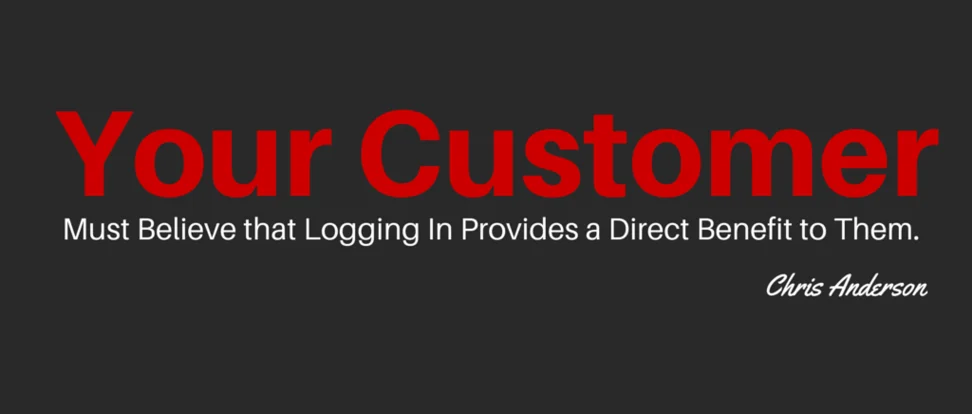
The answer? Your customer has to believe that logging in provides a direct benefit to them.
If logging in doesn’t save them time or money then you’re going to be stuck downloading and emailing that DAR (daily activity report) over and over.
Discovering the Benefit of Logging In
I have compiled a few tips below that will help you get your customer engaged.
1. It Starts With Proper Setup
If all your issue types say “Property Patrol” or something generic, it’s not shocking that your customer would rather not log in.
Your issue types need to properly summarize what the officer is doing throughout that shift. That means that the officer needs to report more often, which will increase the visibility on the property.
The goal here is that your customer could log in to the issue monitor and see exactly what happened on the property without having to expand an issue.
It’s then a much faster process than scanning through the DAR.
If you need help organizing and improving the setup of a property, contact your Customer Success Manager and they’ll be happy to work on this with you.
2. Proper Training Is a Must
In order to see a benefit in logging into Silvertrac, we have to make sure your customer knows how to use it. Silvertrac has implemented tons of cool tools to help make this an easier process for you and your customer.
But we’d love to help even more. If you need support training your customers, reach out to the Trackforce customer success team and they’ll help you plan it.
The goal is to make your customers satisfied with the security service you are providing. Some customers will be completely satisfied without ever logging in. But for those who you’d like to see more engaged, try using the tips mentioned above.
I’d love to know what you think! Are there other ways you’ve been successful in getting customers engaged with Silvertrac?
What Clients Get From Logging In
Show property management clients exactly what’s in it for them:
| Client benefit | What they can do |
|---|---|
| Answers without waiting | Check what happened overnight without calling or emailing you |
| Proof for their boss | Pull reports and summaries to share with ownership or residents |
| Faster resolution | Submit requests and see when they are handled |
| Early warning | See trends, such as rising parking or noise issues, before they become complaints |
| Confidence in the service | See patrols, incidents and photos as they happen |
Generic vs. Specific Issue Types
| Generic issue type | Specific issue types clients understand |
|---|---|
| Property patrol | Pool gate locked, clubhouse secured, parking lot checked |
| Incident | Trespasser removed, noise complaint, vehicle break-in |
| Maintenance | Light out, door not latching, water leak |
| Parking | Unpermitted vehicle, fire lane blocked, vehicle towed |
Specific issue types work just like well-written tasks. See how to maximize communication in private security through tasks.
A 30-Day Client Portal Adoption Plan
- Week 1: Clean up issue types so they are specific and easy to scan.
- Week 1: Set up the client’s login and confirm they only see their own sites.
- Week 2: Walk the client through the portal in a short call or meeting.
- Week 2: Show them one task that saves them time, such as pulling last night’s activity.
- Week 3: Point them to the portal when they ask for information, instead of emailing it.
- Week 4: Check in, answer questions and ask what else would help them.
Engaged clients are easier to keep. See how to improve your client retention rates and how to improve client relations with guard management software.
How TrackTik Keeps Clients Engaged
- A client portal built for clients. The client portal in TrackTik security operations lets clients see patrols, incidents and reports for their own sites.
- Reports that arrive automatically. Daily activity and incident reports reach clients without manual work.
- Evidence they can see. TrackTik incident reporting adds photos, video, audio and GPS location to every report.
- Trends worth sharing. TrackTik business intelligence turns field data into summaries clients can take to their boss.
- Proof of the extra work. TrackTik Site Tasks records the work between tours so clients see everything your team does.
Book a TrackTik demo to see the client experience for yourself.
Frequently Asked Questions
Latest Articles





Featured Resources





See Trackforce in action
Book a walkthrough with our team and see how it fits your operation.