Cada segundo cuenta: el nuevo TrackTik Command Center está redefiniendo el concepto de respuesta rápida

Trackforce
May 8, 2025 · 11 min read
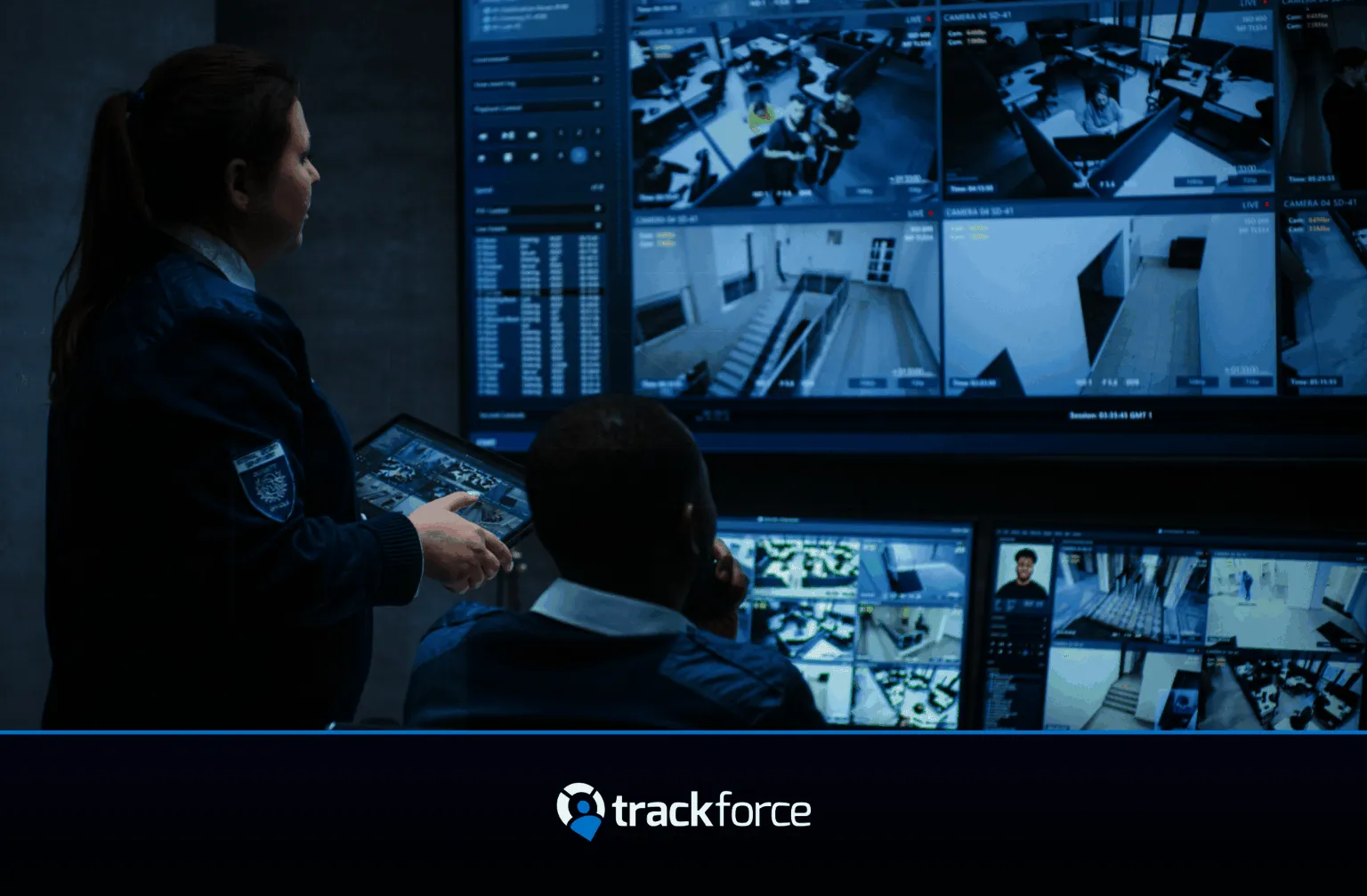
In the constant buzz of security alerts, how do you cut through the noise and focus on what truly matters? That is the problem the TrackTik Command Center was built to solve: a single workspace that gives dispatch operators instant visibility into every alert, every officer and every open incident, so the team responds faster, manages escalations consistently and works from one picture instead of five screens.
This article explains the problems the Command Center addresses, how each feature works, what happens in the first minute of an incident, three real-world scenarios, and the metrics a security operations center can use to prove the difference. It applies equally to contract security firms running a dispatch desk and to enterprise security teams running an in-house SOC.
Puntos clave
- Response time is lost in the gaps between systems.
Operators juggling alarm panels, radios, maps and spreadsheets lose minutes before anyone is dispatched. - The Command Center is one window for the whole incident.
Alerts, officer locations, dispatch, escalation and documentation sit in a single operator workspace inside TrackTik. - Standardized response removes operator-to-operator variance.
Pre-defined procedures mean a 2 a.m. alarm is handled the same way as a 2 p.m. alarm, by whoever is on the desk. - It connects to what you already run.
A REST API brings alarms, AI video analytics and remote guarding platforms into the same queue, so detection and response stop being separate systems. - Every response becomes a record.
Because the Command Center runs on the TrackTik platform, each incident is logged against the site, the officer and the client, ready for audits, reviews and invoices.
Common Issues in Security Dispatch
Dispatch operators coordinate patrol units, log incidents and respond to crises, often for dozens of sites at once. The role of the modern security dispatcher has grown well beyond answering a radio, and several things routinely slow the work down:
- Information fragmentation. Operators navigate multiple screens and systems, and every switch between them delays a decision.
- Limited real-time visibility. Without live officer locations, finding the nearest responder during an emergency means phone calls and guesswork.
- Inconsistent protocols. When there is no standardized response procedure, the outcome depends on who happens to be on the desk, and errors climb during high-stakes situations.
- No record of the response. If the dispatch happened over radio and the notes live in a notebook, nobody can prove what was done, when, or by whom.
These inefficiencies do more than complicate operations. They delay response, and delayed response is what turns an alarm into an incident and an incident into a loss. This is physical security’s last-mile problem: detection has become fast and automated, while the response behind it is still manual.
How the TrackTik Command Center Works
Each capability maps directly to one of the problems above. The table gives the summary; the sections that follow explain each one.
| Problema | Command Center capability | Result |
|---|---|---|
| Information fragmentation | One-window view of alerts, incidents and officers | Faster response, better situational awareness |
| Inconsistent handling | Standardized response procedures and documentation | Consistent outcomes regardless of operator |
| No live visibility | Map and dispatch monitoring with officer locations | Nearest responder dispatched in seconds |
| Siloed systems | REST API integration with alarms, cameras and AI analytics | Detection and response in one queue |
| No proof of response | Automatic incident logging on the TrackTik platform | Audit-ready records for clients and compliance |
One-window view
All of the information appears in one place: a consolidated workspace for incident tracking and management. There is no switching between screens or systems, so the time from alert to action drops, and seeing the whole picture in real time is an immense help in high-pressure situations where the operator needs to decide quickly and correctly.
Standardized processes
Structured response documentation gives every operator a pre-defined way to handle each type of event. Team members respond the same way, which reduces errors and incident mismanagement, and the result is a reliable response no matter who is on shift. The same structure feeds TrackTik security incident reporting, so the operator’s log and the field officer’s report describe the same incident in the same terms.
Map and dispatch monitoring
A real-time map shows patrol and officer locations, so the operator can identify and dispatch the nearest unit to an incident site immediately through TrackTik security guard dispatch. Shorter travel means shorter response, and shorter response keeps incidents from escalating. For firms running vehicle patrols, the same view covers mobile patrol units across a territory.
Scalable integration (REST API)
The Command Center integrates with other security systems and devices such as alarm panels, cameras and video analytics through a REST API. Operations teams bring data from different sources into one queue, and the system evolves alongside organizational needs and new technology rather than being replaced by it. See the current list of TrackTik integrations.
The First 60 Seconds of an Incident, Before and After
The value of a single operator view is easiest to see in the first minute after an alarm fires.
- Alert arrives. Before: the operator notices it on the alarm panel, then opens the site record in another system to find out where zone 3 is. After: the alert lands in the Command Center queue with site, zone, type and priority already attached.
- Find a responder. Before: radio call, wait for replies, guess who is closest. After: the map shows every officer and patrol vehicle; the nearest one is a tap away.
- Dispatch and brief. Before: verbal instructions, repeated if the first officer was busy. After: the dispatch goes to the officer’s TrackTik security guard tour app with the alert details and the response procedure attached.
- Escalate if needed. Before: the operator remembers who to call. After: the standardized procedure tells them, and the escalation is logged.
- Document. Before: notes written up after the shift, if at all. After: the incident record already exists, time-stamped from the first second, ready for the client.
The TrackTik Command Center in Action
How do these features work in real life? Three scenarios show the difference the Command Center makes to response times and control.
1. Detección y respuesta ante intrusiones
«Se ha activado la alarma en la zona 3 del muelle de carga. Necesito que se envíe la unidad de patrulla más cercana».
When an intrusion alarm activates, the Command Center immediately displays the alert on the operator’s screen with the location and incident type. The integrated map lets the operator identify and dispatch the nearest patrol unit, the officer receives the assignment in the mobile app, and the escalation protocol runs as the situation unfolds, including notifying the right people at the right time.
- Visualización de alertas rápidas y difusión de información
- Gestión eficiente de los envíos gracias a la cartografía integrada
- Comunicación en tiempo real con el personal de campo
- Escalation procedures that run the same way every time
2. Gestión de personal y prevención de carencias
«Tenemos una baja en la puerta B y nos falta personal. Hay que buscar un sustituto».
Automated absence detection prevents the security gaps caused by no-shows. When an officer does not clock in for a shift scheduled in TrackTik guard management, the Command Center flags the absence and alerts the operator. Integrated communication channels help operators and managers find a replacement quickly, and escalation protocols and backup plans keep coverage continuous. Supervisors can even cover a last-minute call-off from their phone with licensed officers only.
- Detección automática de ausencias
- Comunicación integrada para una resolución rápida de problemas
- Protocolos de escalado y planes de contingencia
3. Vigilancia y respuesta potenciadas por la inteligencia artificial
«La cámara de vigilancia con IA ha detectado actividad sospechosa en el aparcamiento C».
When a camera flags suspicious behavior, the detection triggers an alert that is sent straight to the Command Center through the API. REST compatibility lets organizations bring AI video analytics and remote guarding platforms into the same workflow; Trackforce and Scylla is one example of detection feeding directly into TrackTik dispatch. Every event is logged, so there is a record for analysis and for training.
- Integración con sistemas de vigilancia basados en inteligencia artificial
- Procesos automatizados de alerta y gestión de incidencias
- Registro detallado de incidentes con fines de análisis y formación
Metrics a Command Center Should Improve
If a security operations center cannot measure its response, it cannot prove it. These are the numbers worth tracking before and after a Command Center rollout; TrackTik business intelligence reports each of them by site, by operator and by period.
- Alert-to-acknowledge time. How long an alert waits before an operator opens it.
- Acknowledge-to-dispatch time. How long it takes to assign a responder once the alert is seen.
- Dispatch-to-on-scene time. The travel component, which the map view shortens by picking the nearest unit.
- Escalation rate and false-alarm rate. How often incidents go up the chain, and how much operator time false alarms consume.
- Documentation completeness. The share of incidents with a full record within the shift, which should approach 100% once logging is automatic.
For a broader checklist of what a well-run SOC looks like, see nine security operations center best practices.
Faster Response, Better Control
The TrackTik Command Center does more than shorten incident response times. It improves operational control, supports integration with the systems you already run, and strengthens compliance and audit capability, because every response is recorded on the same platform that holds your sites, officers, schedules and reports. Fragmented systems and slow response should not be the reason a security operation falls short.
Ready to see it against your own alert volume? Book a TrackTik demo and we will walk through the Command Center with your sites and integrations in mind.
Preguntas frecuentes
Últimos artículos





Recursos destacados





Descubre Trackforce en acción
Reserva una visita guiada con nuestro equipo y descubre cómo se adapta a tu negocio.