5 Essential Steps to Optimizing a Security Mobile Patrol Route

Trackforce
September 10, 2015 · 9 min read
Mobile security patrol routes are a great way to win new business, but they can also become costly and unprofitable when managed poorly. The added costs and unpredictability of a security patrol are a challenge, but they can be managed by following a few simple steps.
Key takeaways
- Start with the client’s why.
Knowing the purpose and timing of each stop is the foundation of an efficient route. - Let software build the route.
Route optimization handles time windows, geography and on-the-fly changes like alarm responses. - Know your true cost per hit.
Wages, insurance, vehicles, fuel and equipment all belong in the number you price from. - Fill the route strategically.
Sell accounts that fit your existing routes instead of adding stops that erase your margin. - Review and repeat.
With TrackTik, patrol and incident data show exactly when a route needs to change.
Step 1: Establish Client Expectations
To run an effective patrol route, you have to understand what the client wants from your officers, and why. It’s not enough just to know the different stops on the route, your guards need to know the reason the client wants them at each location.
In some locations, the client may just be looking for visibility to act as a deterrent. In other situations, the guard might need to arrive at a specific time to lock up a building or inspect some equipment. Understanding the priority and time-sensitiveness of each stop on the route will make it easier to build an efficient route that accomplishes all the necessary goals.
Step 2: Build and Optimize the Route
Now that you’ve established priorities and determined which stops on the route are time-sensitive and which are flexible, it’s time to build the actual route. Fortunately, there are plenty of tools online that can take over this job for you and build optimized, responsive routes for your officers.
One of our favorite apps was BestRoute. This free app integrates with Google maps and builds optimized routes for up to 30 stops. What’s more, it can react and update routes if unusual circumstances force your officer to deviate from the original plan.
“Let’s say he gets called and he needs to go to an alarm response in the middle of the route, it will adjust where he’s going to go next based on his current location,” said Johnny Page, co-host of The Silvertrac Extra podcast.
BestRoute is great, but it does have certain limitations. There are other paid options that are more robust, such as Route4Me, which is $50/month and is used by big logistics companies such as UPS.
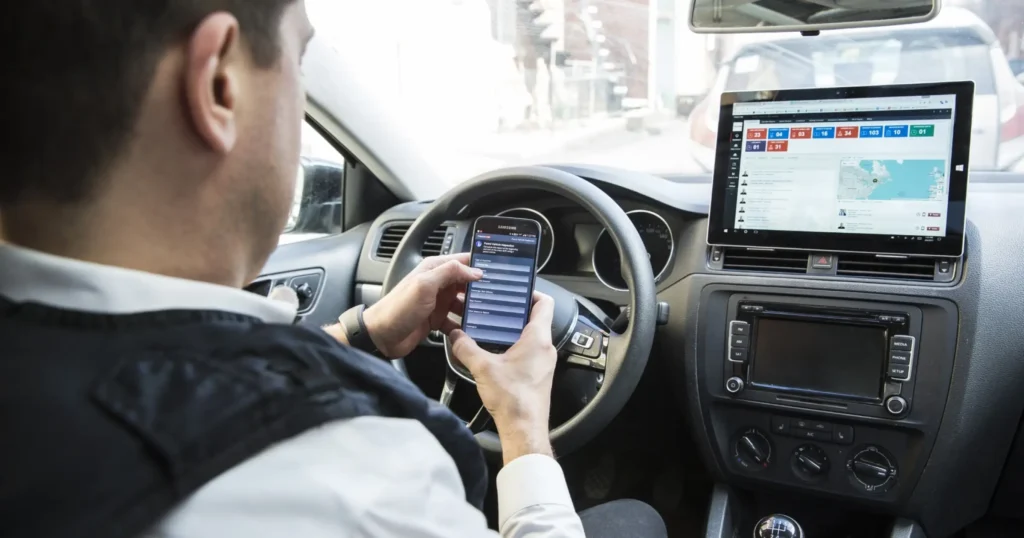
Consumer route apps come and go. BestRoute, for example, is no longer listed in the Google Play store. That is why it pays to plan routes inside the same system that tracks the patrol. TrackTik Mobile Patrol builds the fastest routes, with just enough unpredictability to stay reliable, and lets supervisors watch every run sheet progress in real time.
Route design tips that save time and fuel
- Lock in time-sensitive stops first, then fit flexible stops around them.
- Group stops by geography to cut drive time between hits.
- Vary arrival times at visibility stops so patterns are harder to predict.
- Leave buffer time for alarm responses. TrackTik security guard dispatch helps operations send the closest available officer when a call comes in.
- Choose the right GPS approach. Learn the difference between geofencing and breadcrumb tracking.
Step 3: Manage and Minimize Costs
We’ve talked about the importance of managing costs before, including how to make money on your mobile patrols. Using a cheap or leased model car can be just as effective and much more cost efficient than going out and buying a big fancy new car.
Doing Step 1 right and establishing customer expectations will be a big help in this step. The worst thing you can do is over-promise to customers and end up being forced to choose between losing money on a patrol or trying to carry it out with not enough resources and delivering poor service.
A cost-per-hit worksheet can help you get a handle on expenses by measuring the actual cost of every stop. In addition to the basics like guard wages, it should account for things like:
- Insurance
- Workers’ comp
- Uniforms
- Equipment maintenance
- Gasoline
- Depreciation
It takes a little bit of time to put it all together, but at the end you’ll have an exact sense of your costs per each 15 minutes and what you’ll need to do to turn a profit.
Building your cost per hit
| Cost | What to include | How to lower it |
|---|---|---|
| Labor | Wages, overtime and payroll taxes | Denser routes and balanced schedules |
| Insurance | Liability coverage and workers’ comp | Strong safety practices and clean claims history |
| Vehicle | Lease or payment, fuel, maintenance and depreciation | Efficient routes and right-sized vehicles |
| Equipment and uniforms | Radios, flashlights, phones and uniforms | Tracking issued items so fewer go missing |
| Technology | Patrol software and mobile devices | One platform instead of several separate tools |
For help outfitting the car itself, see what equipment to include in a security patrol vehicle. Once you know your number, build it into every contract. TrackTik Contracts & Invoicing stores each contract’s billing rates and services and generates invoices from the work actually delivered.
Part of getting the most productivity out of routes is going beyond hits and selling your ability to solve problems rather than just show up at a location. Maybe a client wants you to hit a stop at the same time every day, but if you dig deeper into their real motivation you can come up with a solution to their problem that gives your officer more flexibility to squeeze that stop into different times in their route.
Step 4: Get the Route to Full Capacity
Once you’ve established a route and know your costs, you can build a wish list of accounts along the route that you can try to add so you can squeeze in more hits without adding much to expenses.
This is where it’s so important to have good communication between the operations manager and business development manager.
“Allowing what the business development managers can sell to dictate the stops you’re making is a great way to get to the end of the month and find out that you weren’t profitable,” said Johnny.
If, instead, you target properties that can integrate easily into your existing routes, you’ll be able to deliver high-quality service to all your customers with relatively low costs.
Charles Gaines of First Security Systems explained his approach to optimizing mobile patrols in The Keys to Success When Launching a Mobile Patrol.
Step 5: Review and Repeat
This should be a regular process that you continue to run with your patrols. Patrol software systems such as TrackTik can give you valuable information on the types of incidents and their frequency to let you know if you need to change up the route or add new stops. By digging deeper into the root causes of problems, you can go beyond hits and create highly efficient routes that solve real issues for clients rather than just have guards show up at random locations.
Metrics to review every month
- Hits completed versus scheduled.
- On-time arrival for time-sensitive stops.
- Time on site at each stop.
- Alarm response times.
- Incident frequency by stop and time of day.
- Revenue and cost per hit for each route.
TrackTik Business Intelligence turns these numbers into real-time dashboards, and TrackTik incident reporting shows where incidents cluster, so you know which stops need more attention.
How TrackTik Mobile Patrol Helps You Optimize Every Route
- Optimized routes designed for efficiency, with built-in unpredictability.
- Real-time visibility into the progress of every run sheet.
- Customer-ready reports that prove every hit to your clients.
Book a TrackTik demo to see how it fits your mobile patrol operation.
Frequently Asked Questions
Latest Articles





Featured Resources





See Trackforce in action
Book a walkthrough with our team and see how it fits your operation.