How to Use a Security Guard Tour System to Manage your Workforce

Trackforce
May 1, 2018 · 9 min read
Key features of a security guard tour system include a live dashboard, automation, and the ability for information to be shared faster, on a broader scale.
These days, many companies don’t merely target local clients. They hope to expand their reach worldwide. While this is to be expected with tech companies like Amazon or Google, it is also increasingly prevalent in the world of security providers.
While international expansion offers many opportunities, it also presents its fair share of challenges. How do you manage teams when guards are located in different cities or countries? How do you respond appropriately to an incident?
These new challenges make a quality security guard tour system essential for managing a global team. Here’s a closer look at how these modern tech tools can make a difference.
Key takeaways
- Distance should not mean less visibility.
A guard tour system gives multi-site and multi-country teams the same oversight as a single site. - Live dashboards show what is happening now.
GPS, geofencing and notifications reveal late shifts, missed checkpoints and inactive users as they happen. - Automation saves time on both ends.
Electronic checkpoints and pre-filled report fields cut officer paperwork, and automatic shift notices cut office workload. - Manage by exception.
Alerts only for what needs attention let a small office team oversee a large, spread-out workforce. - TrackTik connects tours to the rest of the operation.
Tours, dispatch, scheduling and reporting share one platform, so the right person can act fast anywhere.
Live Dashboards
Understanding where your guards are located and what they are doing is an essential part of security management, especially in regards to accountability and incident response. With a widespread team, having a way to keep track of guard activities and provide support when needed will make all the difference in your ability to deliver quality results to a global client base.
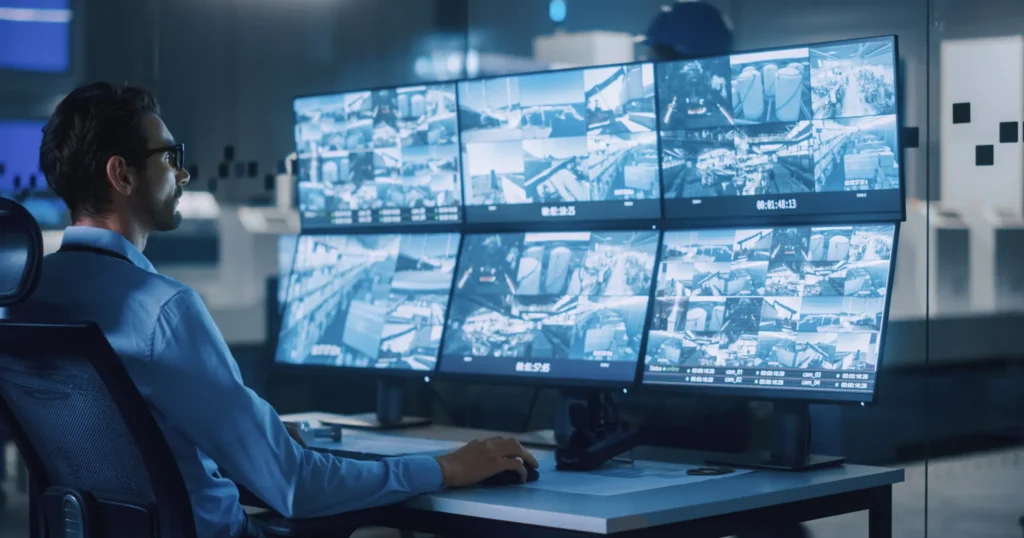
Live dashboards provide a real-time view of guard activities, with mapping solutions displaying GPS and geo-fencing data. Customizable notifications can be displayed for a wide variety of items, including late shifts, inactive users, checkpoint scans, report submissions, and more. With so much data readily available, your office team will be able to oversee performance with ease, even when guards are spread across great distances.
The use of a live dashboard becomes even more valuable when dealing with unexpected setbacks. For example, if a guard doesn’t show up for an assigned shift, the dashboard system can be used to quickly locate the nearest available guard who could fill the assignment. Similarly, in an emergency situation, such features could make all the difference in helping your team quickly mitigate the problem by identifying the nearest support resources.
By providing a clear overview of the entire guard team, your back office staff will have no trouble managing a widespread group of security professionals.

Automation
Automation is another vital aspect of today’s tech upgrades. After all, the large staff requirements of most global security companies means that a high number of communications and updates are sent out on a daily basis. The larger your team, the more time consuming this task becomes. Worse yet, when coordinating guard teams are spread out across multiple time zones, it can be hard for messages to arrive in a convenient manner.
This is where automation steps in. A modern security guard tour system uses automation to streamline various aspects of the work, improving efficiency and reducing the risk for human error.
For example, many guard tour systems make use of electronic checkpoints, which automatically record when a guard arrived at the location. When submitting reports, customizable templates allow certain areas (like location and timestamp) to be filled automatically, reducing how much time a guard needs to spend filling out reports.
Automation tools can also reduce the work of your back-office staff. For example, many systems are designed to automatically message a guard when a change has been made to their shift assignment. These messages can be delivered via text message, email, or even push notification, whatever option will be most convenient for the recipient. By automating these and other basic tasks, your office staff will be left with more time to focus on the managerial tasks that make the biggest difference for your global business.
A Global Mindset
Even when your guard team is spread over multiple countries, there is no reason why you can’t enjoy the efficiency and reliability of a smaller security provider. By taking advantage of the features available in today’s security guard tour systems, your guards and office staff will be better equipped to achieve the maximum performance in their jobs.
Guard Tour System Features at a Glance
Here is what each core feature does, and why it matters when your team is spread across many sites:
| Feature | What it does | Why it matters for multi-site teams |
|---|---|---|
| Checkpoint check-ins | Confirms visits by NFC, barcode, QR code, GPS or manual check-in | Proof of presence at every site, without a supervisor on hand |
| GPS tracking and geofencing | Shows officer locations and flags activity outside defined zones | See every site on one map and spot problems early |
| Checkpoint actions | Opens a form, displays a message, asks questions or triggers an alert at a checkpoint | Site-specific instructions follow the officer automatically |
| Exception-based alerts | Sends SMS and email notifications only for what needs attention | A small office team can oversee a large workforce |
| Message boards and post orders | Shares updates and instructions with officers in the field | Fewer miscommunications across time zones |
| Lone worker safety | Monitors officers working alone and lets them raise an alarm | Protects people you cannot see directly |
Choosing a check-in method? Compare options in checkpoint verification: NFC vs. QR vs. GPS.
How to Roll Out a Guard Tour System Across Multiple Sites
- Map checkpoints at each site. Start with the areas that matter most to each client. These 31 areas to consider when placing guard tour checkpoints are a good checklist.
- Build tours and schedules. Set routes, frequencies and grace periods that match each contract.
- Configure checkpoint actions. Decide what officers must do, report or confirm at each point.
- Set your alerts. Choose who is notified about missed checkpoints, late starts and incidents, and how.
- Train officers and supervisors. Pair the rollout with training. See what works in guard tour training.
- Pilot, then scale. Launch at a few sites, fix what you learn and roll out region by region.
- Review the data weekly. Track tour completion and exceptions with TrackTik business intelligence.
Dashboard Metrics to Watch
- Tour completion rate by site and officer
- Missed or late checkpoints and the reasons behind them
- Late shift starts and inactive users
- Report submissions per shift
- Response times from alert to action
Tracked over time, these numbers show where coverage is strong, where coaching is needed and how to prove the ROI of your guard tour system.
Managing a Distributed Workforce With TrackTik
Whether you run a growing security firm or a global enterprise security program, TrackTik connects tours to everything else your team does:
- Tours in the field. The TrackTik security guard tour app guides officers step by step and includes lone worker protection.
- Live oversight. TrackTik guard management and the TrackTik Command Center give supervisors one view of every site.
- The nearest available officer. TrackTik security guard dispatch finds and sends the closest qualified guard when a shift or incident needs coverage.
- Scheduling and shift notices. TrackTik people management notifies officers of changes and helps fill open shifts fast.
Book a TrackTik demo to see how it works across your sites.
Frequently Asked Questions
Latest Articles





Featured Resources





See Trackforce in action
Book a walkthrough with our team and see how it fits your operation.