Using Trackforce’s Configurable Reporting Templates for Managing Incidents and Guard Activity

Trackforce
October 22, 2020 · 15 min read
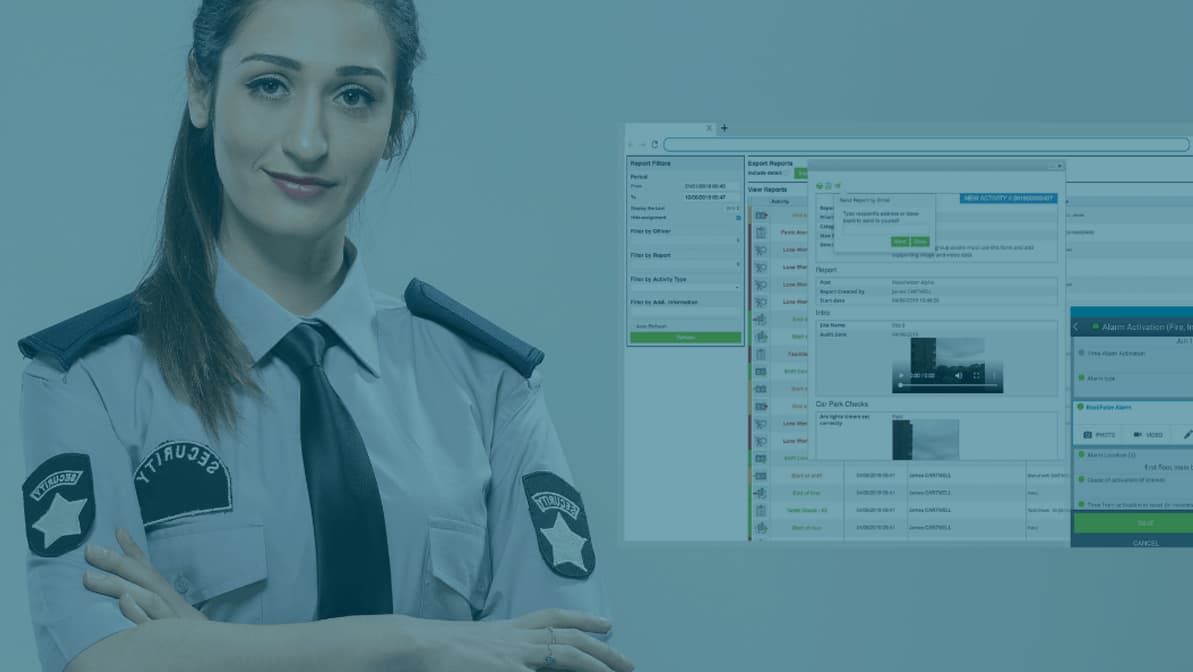
What is one area security teams must excel in? When it comes to standardizing business operations, configurable, or adaptable, reporting templates revolutionize how security companies approach the reporting process.
Configurable reporting templates allow for supervisors to adapt form fields and form requirements to fit SOPs, contract requirements, and state regulations. Plus, configuring reports, especially incident or daily activity reports, standardizes security company processes so that operations run predictably and efficiently.
Trackforce’s configurable reporting templates simplify the reporting process and make it easy for supervisors to adjust one or multiple reports used across multiple sites. This ensures that guards know what to report and how, while standardizing processes for error-free operations.
In this article, we’ll talk about what security companies can do to standardize their reporting and how to configure reports for better reporting — all for improving the one area security teams must excel in.
Read Parts 1 And 2 Of The Series On Configuring Security Guard Incident And Daily Activity Reports:
- Part 1: What’s In a Report? Physical Security Incident Reporting the Right Way
- Part 2: How Configurable Reporting Templates Standardize the Security Guard Incident Reporting Process
Key takeaways
- A report template is a control, not a form.
Every required field, dropdown and attachment rule decides what your officers capture on shift and what you are able to prove months later. - Configure once, deploy everywhere.
A single configured template rolls out across your portfolio, so a report from a hospital lobby and a report from a distribution yard stay comparable. - Build for the audience, not the author.
Client reporting, internal review and regulatory obligations each need different fields, and the template is where you reconcile all three. - Evidence belongs inside the report.
Time-stamped photos, GPS position, signatures and voice-to-text notes captured at the moment of entry are what make a report hold up under scrutiny. - TrackTik turns templates into an operating record.
Because incidents, tours, site tasks and dispatch events all land in one platform, the data your templates collect feeds live dashboards, client reporting and your next contract renewal.
What Security Companies Can Do to Standardize Their Reporting
If reporting is one thing, it’s that it must be reliable. The best way to establish a reliable report is to create baseline templates. Templating consists of setting up multiple reporting areas with the intention that it be simple and repeatable.
When a report is repeatable, it means it can easily be standardized for use across multiple sites. The best standardized report template consists of what needs to be documented in order to uphold SOPs, contractual obligations, and other regulations.
Trackforce simplifies the standardization process with easy-to-use report template creation. The templating process organizes how companies use, adapt, and measure their reports for consistency across one or multiple sites.
Organized reports allow you to:
While not all templating solutions are created equally, Trackforce’s incident reporting software makes it so that security companies can quickly adapt and comply with reporting to uphold any strict regulations or contract requirements.
Here are 7 features of security guard incident reporting found in Trackforce:
- Flexible field options to digitize hardcopy forms
- Drag and drop for template creation
- Voice to text functionality for ease of use
- Media attachment support like time-stamped photos, audio, video, GPS location, and notes
- Configurable notifications and automatic alerts to stakeholders
- Guard authentication and supervisor follow-up abilities
- Reporting analytics to track status
How to Configure Security Incident and Daily Activity Reports (DARs)
Processes such as evidentiary collection, guard response, report accountability, and documenting follow-up procedures must ensure that security companies gain the most from their data collection.
With configurable reports, security companies can benchmark across sites for critical analysis and better risk mitigation. Benchmarking can be used to compare which sites have more violations, which are performing well, and which may need further action.
Trackforce helps supervisors and security operators configure reporting to reduce the risk of potential errors or miscommunication. Here’s how:
Digitally Track Critical Incident and Activity Reports
In moving away from paper reporting, security companies have made it possible to attach supportive evidence directly to a report with digital reporting. This means guards on the front-line can take photos, videos, or comments and can attach them for supervisor review.
With digital reports, any incidents or daily activities reported can be logged and visualized on a real-time dashboard. Supervisors can visualize site health and incident activities for review to determine which sites need immediate attention from stakeholders.
Establish a Fool-Proof Way to Create Report Credibility
Security operators rely on their security team to produce credible reports strong enough to be used during litigation, if needed. Configurable reporting has made it even easier to ensure guards on the front-line can document required information, such as a signature, time-stamped entries or GPS guard location, needed to establish credibility.
Create Response Fields for Simple Guard Reporting
Digital reports make guard reporting simple and error-free. Supervisors have the option to create required fields with pre-written responses that give front-line guards the option to select the appropriate choice when filling out a report. Selected responses make it simple for supervisors to tailor each report so that it captures exactly what stakeholders or security company operators need to know.
Which Fields Belong on Every Report Template
Most weak templates fail the same way: they collect plenty of text and almost no structured detail. The fields below are the ones that consistently earn their place, because each answers a question someone will eventually ask. Use the third column to decide where a field should be optional and where it should block submission.
| Field | What it proves | Make it required when |
|---|---|---|
| Date, time and time zone | When the event happened, with no dispute later | Always |
| Site and precise location on site | Where it happened, specifically enough for a client to act | Always |
| Reporting officer and authentication | Who observed it and who is accountable for the account | Always |
| Category and severity | How this event compares with others across your portfolio | Always |
| Narrative | What happened, in the officer’s own words | Always |
| Photo or video attachment | The condition of a scene that words alone will not settle | Property damage, safety hazards, vehicle incidents |
| GPS position | That the officer was where the report says they were | Mobile patrol and unstaffed or remote sites |
| Signature | Acknowledgement by a client contact or a named subject | Client notifications, refusals, escorts, releases |
| Persons and vehicles involved | The identifying detail an investigation needs months on | Trespass, theft, altercation, suspicious activity |
| Notifications sent, and to whom | That escalation actually happened, and when | Anything with a contractual response time |
| Follow-up action and owner | That the incident was closed out, not just recorded | All medium and high severity events |
Two of these rows do the heaviest lifting. Category and severity are what make reporting measurable, because without them you cannot triage, benchmark sites or show a client that serious events are genuinely rare. Notifications and follow-up are what turn a report from an observation into a record of service delivered.
Building a Report Template in TrackTik: A Practical Sequence
Configuration goes faster when you work from the obligation inward rather than from the form outward. This is the sequence that tends to hold up once a template reaches real officers on real shifts.
- Start with the obligation, not the form. Pull the SOP, the reporting clause in the contract and any state licensing requirement, then list in writing what each one demands. Everything in the template should trace back to one of those three sources.
- Separate the audiences. Mark every field as client-facing, internal-only or regulatory. Fields that serve nobody get cut, and fields that serve a client get written in language a client will understand.
- Choose each field type deliberately. Use dropdowns and checkboxes for anything you intend to report on later, and free text only where officer judgement is genuinely needed. ReportPro AI helps here, cleaning up a dictated narrative so officers spend their attention on observing rather than on spelling.
- Set required fields sparingly but firmly. A template with forty required fields gets padded with filler. A template with the right eight gets completed properly, on shift, while the detail is still fresh.
- Attach evidence rules to the categories that need them. Require a photo on property damage, a GPS stamp on mobile patrol, a checkpoint reference where the event was found during a guard tour, and a signature on any client notification.
- Wire up notifications before rollout. Decide who is alerted, at what severity and through which channel, so the escalation path lives in the template rather than in somebody’s habits. High-severity categories should route straight to the command center so a dispatcher sees the event as it is filed.
- Pilot on one site, then standardize. Run the template at a single site for two weeks, review what officers actually filled in against what you asked for, then roll the corrected version across your security operations.
Step seven is the one most teams skip, and it is the cheapest quality control available. A two-week pilot surfaces the ambiguous field labels, the dropdown that is missing an obvious option and the required field officers work around, all before the template is live across fifty sites.
Incident Report or Daily Activity Report? Configure Them Differently
Incident reports and daily activity reports are often built from the same starting template, which is why so many DARs read like thin incident reports and so many incident reports read like padded DARs. They answer different questions and deserve different configurations.
| Incident report | Daily activity report | |
|---|---|---|
| Purpose | Document a specific event and what was done about it | Show continuous coverage and the routine condition of a site |
| Trigger | An event, hazard, breach or client request | The end of a shift or a completed tour |
| Detail | Deep and narrow, written to survive scrutiny | Broad and consistent, written to be scanned |
| Evidence | Photos, video, signatures, named parties, timestamps | Checkpoint scans, tour completion, timestamps |
| Audience | Client contact, legal, insurers, sometimes police | Client contact and your own supervisors |
| Good looks like | A stranger can reconstruct the event from the report alone | A client can see at a glance that the shift was covered |
If your DAR template is still a blank text box, start with the seven things every daily activity report should include and configure those as discrete fields rather than as instructions officers are expected to remember. For teams still evaluating tools, choosing a DAR solution covers the questions worth asking before you commit.
Five Configuration Mistakes That Cost You Later
These show up repeatedly, and every one of them is cheaper to fix during configuration than after a year of data has been collected the wrong way.
Turning Template Data Into Proof a Client Will Pay For
A well-configured template is quietly a commercial asset. Structured categories, severity levels and timestamps are what allow you to walk into a renewal meeting and show a client exactly what their spend bought: how many hazards were found and corrected before they became claims, how response times tracked against the contract, and which recurring problems belong to the property rather than to your officers.
That only works if the reporting data and the billing data describe the same reality. When completed reports, tour records and site tasks sit in the same platform as contracts and invoicing, an hour you billed has a documented activity behind it, and a disputed line item takes minutes to answer rather than a week of spreadsheet archaeology.
The same logic applies inside corporate and enterprise security departments, where the audience is a risk committee or a facilities executive rather than an external client. The template decides whether the quarterly security review is a narrative you assemble by hand or a report you generate from the record your officers already produced.
Latest Articles





Featured Resources





See Trackforce in action
Book a walkthrough with our team and see how it fits your operation.