What Are the Benefits to Using Configurable Reporting Templates for Your Operations?

Trackforce
October 29, 2020 · 12 min read

What Configurable Reporting Means for Corporate Security Management
When data is gathered and reported in real-time, corporate security management is able to take action as reporting occurs, often with operational visibility that could allow for a proactive response against critical incidents or emergencies.
Proactive operational management is what real-time reporting provides. Accurately collecting and analyzing incident reporting data will help mitigating risk. Organized data starts with creating and using templated reports. Report templating is a fool-proof way to ensure that what’s collected matches up to what needs to be collected.
Whether security teams partner with security guarding providers, manage their own in-house guards, or have a mix of both, corporate security management can use reporting templates to align departmental processes for better consistency in operations.
Consistency for maintaining reporting compliance, upholding departmental and government regulations, and ensuring if reports must be presented in hardcopy, so that they are printed accurately.
This means less time scavenging for information and more time evaluating the data received by guards on patrol.
Key takeaways
- A report template is a control, not a form.
It decides what gets captured before an officer is standing in front of an incident, which is why standardization survives staff turnover. - Configurability is what keeps a standard alive.
Rigid forms get worked around. Flexible fields, pre-written responses and voice-to-text keep officers inside the process instead of beside it. - Evidence beats narrative.
Time stamps, GPS coordinates and attached media turn a report from an account of what happened into something that holds up in a dispute, an audit or an insurance claim. - Follow-up belongs inside the template.
If the form does not define who gets notified and what happens next, standardization stops at data collection and never reaches action. - TrackTik ties the template to the operational record.
Reports captured in TrackTik feed the same record as tours, posts and dispatch, so your dashboard reflects what actually happened rather than what was written up afterwards.
What to Look for in a Reporting Template Solution
Quickly adapting and compiling a report to uphold strict regulations or requirements can be a challenge. With corporate security guard software, even if a hardcopy is required, you can rest assured that guards on patrol are collecting exactly the correct information needed to maintain consistency.
While not all templating solutions are created equally, there are 7 items supervisors should keep in mind when venturing out for enterprise security solutions.
- Flexible field options to digitize hardcopy forms
- Drag and drop for template creation
- Voice to text functionality for ease of use
- Media attachment support like GPS location and time-stamped photos, audio, video, and notes
- Configurable notifications and automatic alerts to stakeholders
- Guard authentication and supervisor follow-up abilities
- Reporting analytics to track status
All of these elements aim to help standardize the reporting process so that reporting remains consistent, trustworthy, and a holistic representation of overall corporate security management.
Organized reports allow you to filter by officer, report type, activity type, or additional information.
Select who should receive the report.
Preview completed report and attached elements, like video or photos.
Complete report on mobile for easy guard access.
The Anatomy of a Report Template That Holds Up
A template earns its place when the report it produces can survive scrutiny months later. Each element below does a specific job, and the third column is the one worth reading closely, because it is where most reporting programs are found wanting.
|
Template element |
What it captures |
Why it matters when the report is challenged |
|---|---|---|
|
Required fields |
The facts that must appear on every report of this type |
Closes the “the officer did not think to write that down” gap that ends most internal investigations |
|
Pre-written response options |
Consistent language for the observations that recur most often |
Stops forty officers describing the same event forty different ways, which is what makes trend analysis possible |
|
Time stamps at entry |
When the observation was recorded, not when the shift ended |
Separates contemporaneous reporting from reconstruction, which is the first thing a lawyer will probe |
|
GPS location capture |
Where the officer was standing when the entry was made |
Corroborates presence without asking anyone to rely on memory |
|
Media attachments |
Photos, video and audio bound to the specific entry |
Turns a claim into evidence a client, an insurer or an adjuster can actually assess |
|
Officer authentication |
Who filed the report and who reviewed it |
Establishes a chain of accountability that satisfies auditors and protects the officer who did the job properly |
|
Escalation rules |
Who is notified, and within what window |
Converts a report into a response instead of an archive entry nobody opened until it mattered |
If you are starting from a blank page, our breakdown of what every daily activity report should include is a practical place to begin before you formalise anything.
Common Mistakes That Make Templates Worse, Not Better
Standardization can backfire. These are the patterns that quietly degrade data quality while appearing to improve it.
The tell is usually visible in the output. If your reports read well but your incident data cannot answer a simple question about the last quarter, the template is collecting prose instead of facts. Our look at the good, bad and ugly of security incident reports shows what that difference looks like side by side.
What are the Benefits to Standardized Reporting?
Reporting standardization includes three key areas: they are required, there is an agreed level of quality or attainment, and they have maximized repeatability.
Repeatable elements must be adaptable, configurable, and consistent for guards on duty to use. This is where templating comes in.
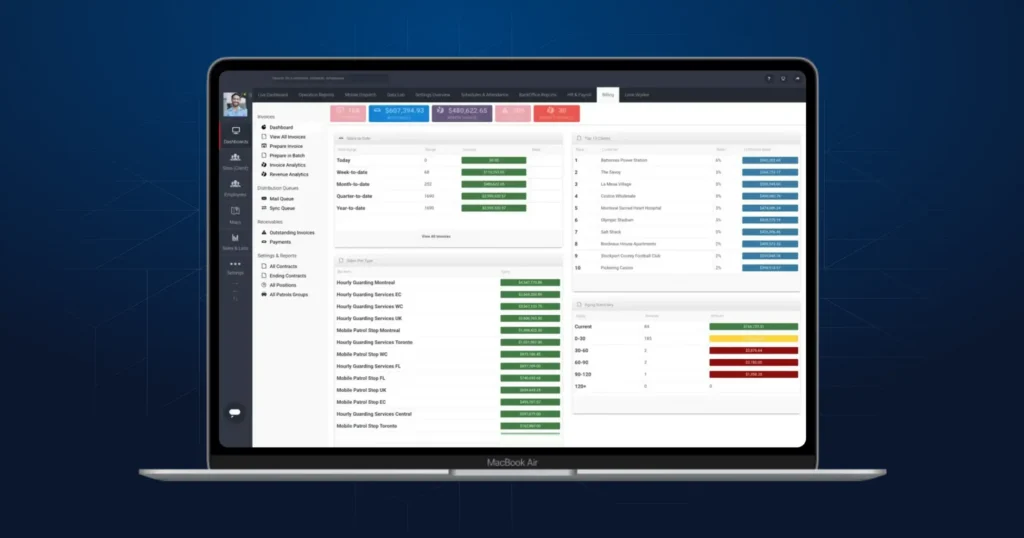
With templating, supervisors can establish baseline standards for common and specialized reports of any level. Documented reporting is tracked in real-time and visualized on a reporting dashboard. Supervisors are able to configure a dashboard to review historical reporting data as well as set up notifications to stakeholders.
Stop Rewriting Reports: Your Guide to AI-Powered Incident Reporting
Download the guide
What to Standardize
There are a few elements security operators must review in order to create comprehensive reporting templates.
- Evidentiary Collection: Organize which reports require evidentiary attachments, like photos, and which could benefit from additional media, like video.
- Guard Response: Determine how guards can and should respond to report fields — will any be required or optional? Which fields would benefit from having pre-written responses? How can guard responses be simple and capture exactly what stakeholders require?
- Report Accountability: Identify what ways guards need to prove accountability, like with guard signatures, time-stamped entries, or GPS guard location marked on the report.
- Follow-Up Procedures: Document how supervisors should follow-up with reports and set up processes so that guards won’t have to make that determination.
From Template to Evidence: How TrackTik Closes the Loop
A template only delivers value if what it captures goes somewhere useful. This is the point where most reporting programs stall, because the form lives in one system and the operational record lives in another, and reconciling them becomes a monthly chore nobody enjoys.
In TrackTik, the report is part of the same record as everything else the officer did on shift. Security incident reporting is configured per site and per report type, so a healthcare lobby and a distribution yard can run genuinely different forms without fragmenting your data model. Because the entries carry their own time stamps and GPS coordinates, the report is corroborated by the tour and post data sitting alongside it rather than depending on it.
Writing quality is usually the weakest link, and it is the hardest thing to fix through training alone. ReportPro AI helps officers turn what they observed into a clear, complete, professionally worded report at the moment of entry, which raises the floor on every report rather than only the ones a supervisor happens to review.
From there the data becomes something you can manage against. Business intelligence turns standardized fields into trends across sites, officers and report types, and the command center applies your escalation rules in real time so a serious entry reaches the right person while it still matters. That is the difference between a reporting archive and an operating picture.
It also raises the floor on accountability. When entries are time-stamped and location-bound, discrepancies surface on their own, which is why a structured template is the practical first line of defence if a report is ever falsified.
A Four-Phase Rollout Plan for Reporting Templates
Most template projects fail on adoption rather than design. Rolling out in phases gives officers time to absorb the change and gives you evidence before you commit the whole portfolio.
|
Phase |
What you do |
What good looks like |
|---|---|---|
|
1. Audit |
Collect every report format currently in use across sites, including the informal ones kept in notebooks and spreadsheets. |
You can state how many versions exist and which sites are improvising |
|
2. Standardize |
Agree the required fields, response options and escalation rules for each report type, and write them down before configuring anything. |
One agreed template per report type, with named owners |
|
3. Pilot |
Run the new templates on one representative site for 30 days with two supervisors reviewing output daily. |
Officers complete reports without asking for help, and rejected reports fall week over week |
|
4. Scale and review |
Roll out portfolio wide, then review each template quarterly against the data it produced rather than against opinion. |
Template changes are justified by reporting data, not by whoever complained most recently |
If you want a deeper walkthrough of the configuration itself, we cover it in how configurable templates standardize the incident reporting process.
Security Teams Can Save Time and Bring Back Value to Their Reporting Processes
Security teams can truly benefit from being proactive in their operations. One way to do so is to bring back value to the reporting process. With tools gained from report templating, standardization, and real-time dashboards for viewing historical reporting data, supervisors can take action and notify stakeholders immediately, saving time and gaining peace of mind.
Are you a physical security professional looking for the best corporate security software?
You’ve come to the right spot. At Trackforce, we specialize in enterprise security solutions made to enhance holistic security methods across all departments. Our corporate security software is made for security by security professionals. Take a look at how we may help your organization succeed.
Frequently Asked Questions
Latest Articles



Featured Resources





See Trackforce in action
Book a walkthrough with our team and see how it fits your operation.