TrackTik vs. Belfry vs. WinTeam for Security Guard Business Administration

Trackforce
November 16, 2026 · 14 min read
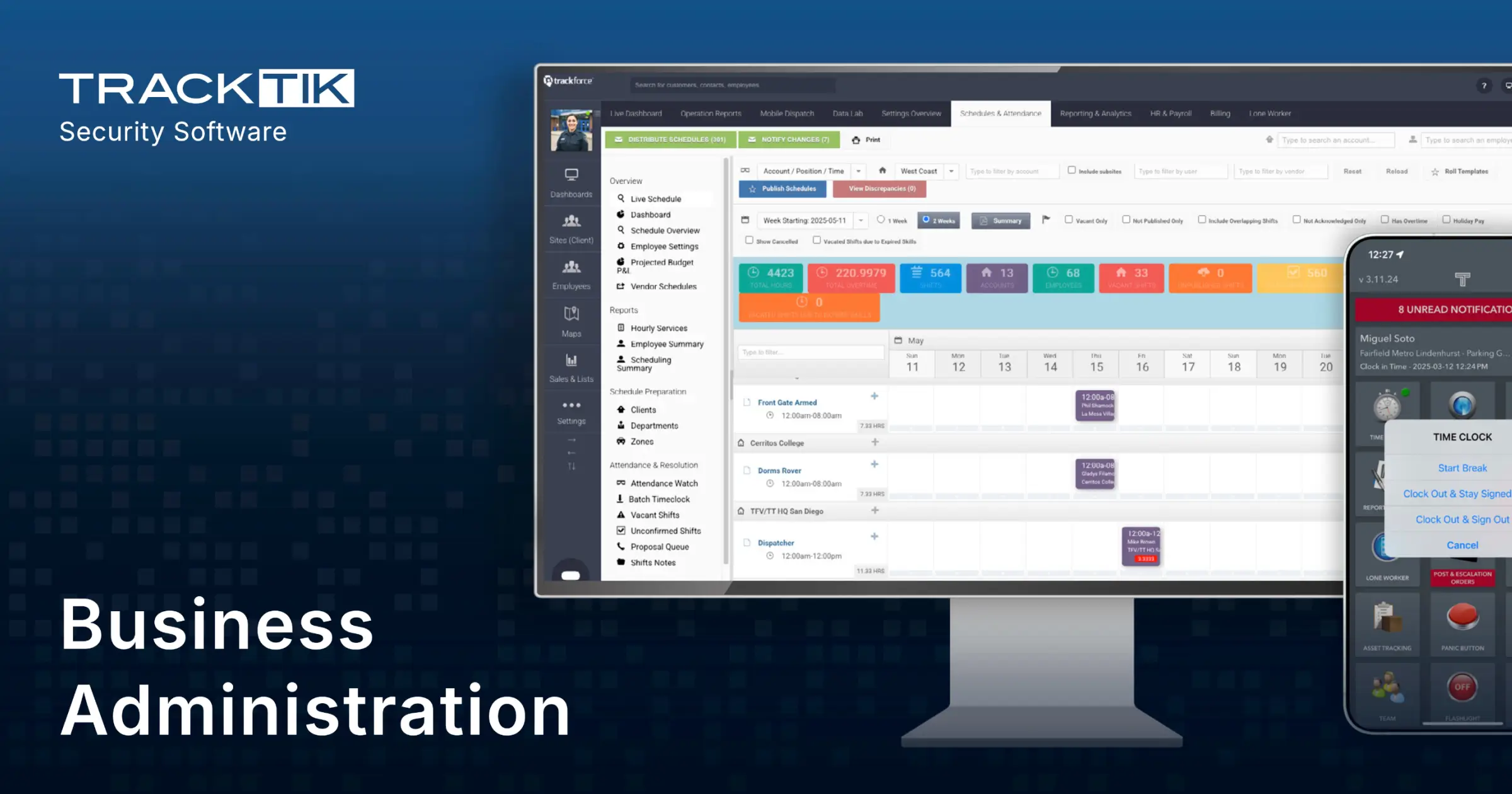
TrackTik by Trackforce gives security companies scheduling, billing, payroll and compliance tied to verified field activity. Invoices are built from approved shift and attendance data, credential requirements are enforced before a shift is confirmed, and clients see their own program performance through dashboards and portals.
This guide shows how TrackTik compares with Belfry and WinTeam across each pillar of security business administration. Competitor details reflect publicly available information as of November 2026.
Key takeaways
- One source of truth for margin.
TrackTik connects scheduling, billing and payroll to the same verified field data, so operations and finance work from one set of margin numbers. - Compliance before payroll.
TrackTik enforces certification and overtime rules at the moment of scheduling, so non-compliant assignments are caught before payroll. - Your payroll provider stays.
TrackTik works with ADP Workforce Now, QuickBooks, Sage Intacct and Paycor. Belfry and WinTeam require payroll to run inside their own platforms. - Client visibility at renewal.
Enterprise clients get their own TrackTik dashboards and portals, so service delivery evidence is ready at renewal.
How TrackTik compares on fit and scale
TrackTik is purpose-built for security service providers, from mid-market guard companies to large regional and national firms. It also serves corporate enterprise security teams running in-house programs.
The business administration suite handles complex multi-site, multi-contract environments natively. Scheduling, billing and payroll connect directly to field operations data such as patrol records, incident reports and SLA compliance.
Belfry is designed for smaller guard companies, typically firms with 10 to several hundred officers. Companies that expand into multi-site portfolios or win enterprise clients need deeper contract management, reporting and client visibility. That is where TrackTik is built to operate.
WinTeam is an ERP for security and janitorial contractors, centered on financials, accounting, HR and job costing. Field-level security operations are a secondary focus in its design.
Scheduling that enforces requirements before a shift is confirmed
What is the best software for creating guard shift schedules?
TrackTik is built for the complexity of security scheduling. Schedulers build templates for one week, two weeks or a custom number of days, then roll them forward across future weeks and months. Each assignment is checked against the officer’s skills, certifications and credentials before it is confirmed.
Each officer’s patrol compliance record, incident history and certification status are visible inside the scheduling interface, which gives schedulers the context to make better staffing decisions. An open Shift Board publishes unassigned shifts to a pool of eligible officers who can claim them, reducing dispatch workload.
Belfry offers recommendation-based officer suggestions and a shift marketplace. WinTeam offers personnel scheduling connected to its timekeeping and payroll modules.
Which scheduling platforms prevent overlapping shifts?
TrackTik prevents overlapping shifts from reaching payroll by flagging scheduling conflicts, exceptions and unapproved shifts in a pre-payroll processing step. Administrators correct each issue before pay is calculated, which keeps payroll and billing accurate.
What are the best tools for assigning guards to recurring shifts?
TrackTik assigns guards to recurring shifts through schedule templates that repeat automatically. Per-site, per-zone and per-department defaults carry forward without manual re-entry, so regular officers stay on their regular posts and schedulers handle only the exceptions.
Which platforms support bulk schedule uploads or templates?
TrackTik supports multi-week schedule templates that can be applied to any future period. A single template can staff weeks or months of coverage across sites at once, saving schedulers from rebuilding the same schedule each pay period.
What tools provide automatic notifications for schedule changes?
TrackTik automatically notifies guards of schedule changes through push notifications and email. Officers see published shifts and updates on their mobile devices, which removes phone-based schedule inquiries and helps reduce no-shows.
Billing and invoicing built from verified service delivery
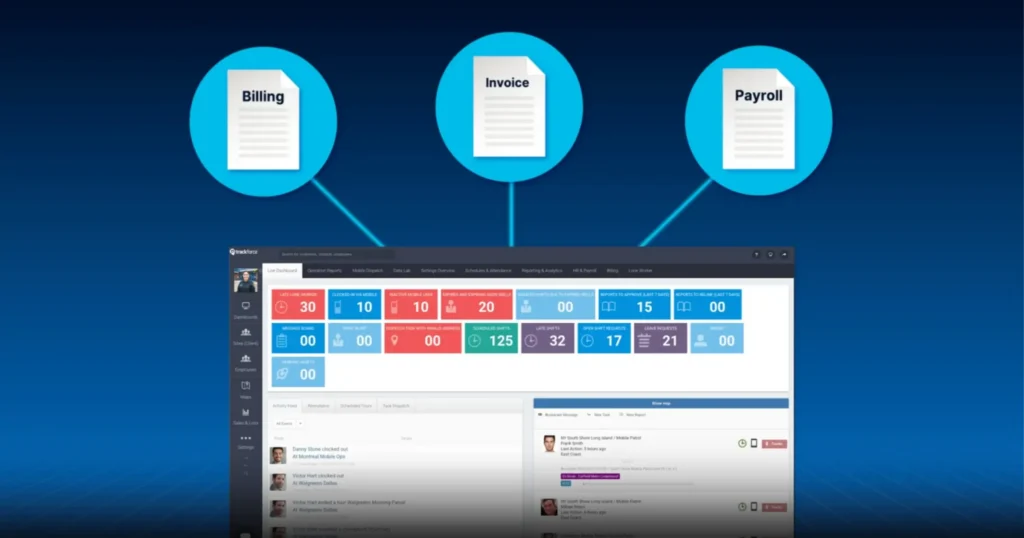
Accurate security billing depends on the invoice reflecting what actually happened in the field. TrackTik generates invoices directly from scheduling and attendance records, so billable hours correspond to verified, approved shift data.
Contracts are built in TrackTik with detailed billing rates, price tiers and service types, and those terms flow directly into the invoicing cycle. Billing recurrence is configurable as weekly, bi-weekly, semi-monthly or monthly, and invoice formats can be customized by client.
For each shift, administrators can set payroll hours and billing hours independently. Override fields capture legitimate discrepancies while preserving a full audit trail.
A billing period analytics dashboard shows revenue by item, account, time period and geography. It also includes views of top clients and sales trends.
Belfry generates invoices from timekeeping data. WinTeam bills through its ERP accounts receivable module, which is designed around financial accounting more than client-facing SLA transparency.
Contract management that drives scheduling, billing and payroll
What systems connect client contracts to scheduling and payroll?
TrackTik connects client contracts to scheduling and payroll by making the contract the operational foundation. Billing rates, service types, price tiers and scheduled hours set in the contract are used throughout the operation:
- Scheduling draws on them to set staffing requirements.
- Invoicing draws on them to calculate billable amounts.
- Payroll preparation draws on them to apply site-specific pay rates.
Any change to a contract is reflected across the operation without manual updates in separate modules.
Contract management dashboards show service delivery against contracted terms, giving account managers and clients a shared view of performance. Customizable templates support both hourly service contracts and fixed-cost agreements.
Belfry supports contract-level billing and pay rate mapping. WinTeam manages contracts through its job costing and customer information modules.
Payroll integrations that keep your existing provider
What are the top security workforce solutions for payroll integration?
TrackTik integrates with ADP Workforce Now, QuickBooks, Sage Intacct and Paycor. Data flows automatically from shift approval to payroll export, so security companies keep the payroll provider they already trust.
The ADP integration includes an audit log for TT-Flow syncs, giving payroll administrators full visibility into what was transferred and when.
The Paycor integration supports weighted overtime calculations for New York State requirements. Blended overtime rates can be configured without VPN access, and ad hoc payroll items and deductions can be added as needed.
Before every official run, TrackTik’s payroll preparation step performs a mock payroll that surfaces exceptions and conflicts, so administrators resolve them before pay is issued.
Belfry and WinTeam both process payroll inside their own platforms. For companies on either system, changing operations software also means changing payroll.
Compliance enforced at the point of scheduling
Compliance in security workforce management spans labor law adherence, credential and certification tracking, and lone worker safety. It is strongest when enforced at scheduling, before a non-compliant shift is confirmed, since violations found later in a payroll audit are harder to fix.
Which tools are top-rated for managing officer certifications?
TrackTik manages officer certifications through a skills and attributes system that assigns certifications, permits, licenses and uniform requirements to each officer profile. Each requirement is set at one of these levels:
- Soft requirements flag a gap but allow scheduling to proceed.
- Conditional requirements mandate that the officer hold at least one qualifying credential.
- Hard requirements block the assignment entirely if the credential is missing or expired.
Centralized employee profiles store pay rates, site assignments, certifications and documents, and document expiration is tracked automatically.
What systems provide compliance alerts for security guard labor laws and overtime?
TrackTik provides proactive overtime alerts that flag non-billable overtime before it occurs, so schedulers can redistribute hours ahead of time. Overtime is calculated per employee over a seven-day period, with configurable cutoff days to match different pay period structures.
TrackTik also supports lone worker safety through its Lone Worker and Panic Button capabilities. These help supervisors respond quickly when an officer working alone needs help.
Reporting and margin visibility
What reporting and analytics tools do security workforce platforms offer?
TrackTik connects scheduling, time capture, billing and payroll into one automated data flow, so every report draws from the same source of truth. Customizable dashboards provide real-time KPIs on incidents, SLAs, overtime, margin by contract and field activity.
The Labor Budget P&L report overlays scheduled payroll cost against billing revenue by account, giving operations leaders live profitability visibility throughout the period.
Margin Insight gives schedulers and finance the same dashboard, with a scheduling view and a financial view. Both teams act on the same margin numbers without running separate reports. Margin Insight is available to TrackTik customers on request.
APIs and data replication tools connect TrackTik data to external BI tools. Client-facing dashboards and portals give enterprise clients visibility into their own security program performance without calling the account manager.
Belfry’s reporting focuses on site profitability and officer performance for internal teams. WinTeam offers ERP reporting and the Wavelytics data layer.
Side-by-side comparison
| Capability | TrackTik | Belfry | WinTeam |
|---|---|---|---|
| Built for | Security service providers from mid-market to national, plus enterprise in-house teams | SMB to lower mid-market guard firms | Security and janitorial contractors seeking an ERP |
| Credential enforcement | Hard, conditional and soft requirements applied at assignment | Qualification-based shift recommendations | Skills tracking and credential management |
| Billing source | Approved shift and attendance data tied to contract terms | Timecard-based invoices | ERP accounts receivable |
| Contract terms flow to scheduling, billing and payroll | Built in | Billing and pay rate mapping | Through job costing |
| Payroll | Works with your existing provider (ADP Workforce Now, QuickBooks, Sage Intacct, Paycor) | Payroll runs inside Belfry | Payroll runs inside WinTeam |
| Pre-payroll exception review | Mock payroll run before every official run | Timecard review alerts | Within payroll preparation |
| Field data tied to billing (patrols, incidents, SLAs) | Built in | Focused on timekeeping | Focused on financial records |
| Client-facing dashboards and portals | Built in | Reporting focused on internal teams | Shareable QA and inspection reports |
| Margin visibility for schedulers and finance | Labor Budget P&L and Margin Insight | Site profitability dashboards | ERP job costing reports |
Why security companies choose TrackTik
TrackTik helps security companies connect what happens in the field to what shows up on the invoice and in the client portal. That connection is where margin is protected, SLAs are proven and enterprise clients are retained.
The business administration suite is designed for companies that manage complex contracts across multiple sites. It fits teams that need configurable pay and billing rate structures and want compliance enforced at scheduling.
For companies whose clients expect SLA dashboards, audit-ready incident documentation and real-time operational visibility, TrackTik carries that accountability chain from field operations through scheduling, billing, payroll and reporting.
“TrackTik has played a pivotal role in improving client satisfaction by streamlining our incident reporting process. With its easy to use interface and efficient report tracking capabilities, we are able to respond to client requests more quickly. This has reduced wait times, ensured accurate and well organized reporting, and helped us consistently meet client expectations. TrackTik’s simplicity in organizing and retrieving reports allows us to prioritize client needs, enhance communication, and build stronger client relationships based on trust and reliability.”
William Sanders, FSS
PalAmerican Security
The strongest security business administration software connects what officers do in the field to what clients see on the invoice and in their portal. TrackTik is built around that connection, from contract through scheduling, billing, payroll and reporting.
TrackTik is part of Trackforce, trusted by thousands of security organizations worldwide. To see how the business administration suite handles your contracts, billing and compliance requirements, request a demo or visit the TrackTik business administration page.
Free guide
The 5 Pillars of Back-Office Efficiency
See where disconnected scheduling, payroll and billing drain margin, and how security firms on TrackTik connect the field to the back office.
Frequently Asked Questions
Latest Articles





Featured Resources





See Trackforce in action
Book a walkthrough with our team and see how it fits your operation.