Enhancing Security Risk Evaluations with 5 Intelligence Collection Tools

Trackforce
January 3, 2025 · 15 min read

Intelligence gathering is likely an integral, if sometimes unrecognized, part of your security organization. It is also the raw material of every good security risk evaluation: the structured process of deciding which risks at a site matter most and what your team will do about them.
This article walks through that evaluation process from start to finish. You will see where five free intelligence collection tools fit, how to score risks with a simple likelihood and impact matrix, what to include in a site risk evaluation checklist, and how to turn findings into post orders, guard tours and client reports. For a deeper look at the free tools themselves, read 5 intelligence gathering tools to improve your security risk assessments.
Key takeaways
- A risk evaluation turns raw intelligence into decisions.
It weighs each identified risk against agreed criteria, so you know what to treat first, what to monitor and what to accept. - Three intelligence types do most of the work.
Open-source, human and imagery intelligence answer nearly every question a site-level evaluation raises. - Score risks the same way every time.
A likelihood × impact matrix keeps priorities consistent across sites, supervisors and clients. - Findings only matter once officers act on them.
Every high-priority risk should become a post order, a tour checkpoint or a site task. - Evaluation is a cycle, not a one-time report.
Re-evaluate on a schedule and after trigger events, using the operational data your team already records.
Understanding Intelligence Gathering
In private security, intelligence gathering means acquiring information about potential threats to people, properties or organizations so you can protect them. It plays a pivotal role in shaping risk evaluations and security strategies.
The U.S. Office of the Director of National Intelligence describes six basic intelligence collection disciplines. For security risk evaluations, three are especially relevant: open-source intelligence (OSINT), human intelligence (HUMINT) and imagery intelligence (IMINT).
OSINT (Open-Source Intelligence)
OSINT includes publicly accessible information from websites, databases, news outlets and social media. Understanding what information is readily available about a location helps you assess potential threats before you ever set foot on site.
HUMINT (Human Intelligence)
HUMINT involves gathering information directly from people, such as conducting site surveys and talking with property managers, tenants and current security personnel to better understand a property’s security environment.
IMINT (Imagery Intelligence)
IMINT covers visual data like maps, satellite imagery and GPS data. It is crucial for understanding a property’s surroundings, including main roads, public transit, access points and nearby public areas.
Five Tools to Enhance Security Risk Evaluations
These five tools are free or free to start, easy to use, and each falls into one or more of the intelligence categories above. They can strengthen the intelligence capabilities of security firms of any size.
- Map Compare: Map Compare shows multiple map types side by side, allowing a detailed analysis of an area during a risk evaluation. The layered view helps you spot access routes, blind spots and nearby features that could introduce risk.
- Google Earth: This straightforward IMINT tool helps you plan risk evaluations. Custom drawings and measurements on the map make it easy to sketch perimeters and outline potential patrol routes.
- Crimemapping.com: This platform combines OSINT and IMINT to show reported crime trends around a property. Including these insights in client reports highlights surrounding security issues and helps you refine security plans or adjust service offers.
- Citizen: Available in many major U.S. metro areas, the Citizen app draws on all three intelligence types. It relays user-reported incidents in real time, building awareness of nearby activity that might affect your security strategy.
- OSINT Combine: OSINT Combine offers a set of free OSINT tools, including Social Geo Lens, which searches geo-tagged social media posts on a map to gauge public sentiment and identify incidents near the areas you serve.
Each tool answers a different question during the evaluation. Use this quick reference to decide which one to open at each stage.
| Tool | Intelligence type | Question it helps answer | Best used during |
|---|---|---|---|
| Map Compare | IMINT | What do the site and its surroundings look like across different map layers? | Scoping and site planning |
| Google Earth | IMINT | Where are the perimeters, access points and practical patrol routes? | Scoping and tour design |
| Crimemapping.com | OSINT, IMINT | Which crime types are reported near the property, and how often? | Threat identification and likelihood scoring |
| Citizen | OSINT, HUMINT, IMINT | What is happening around the site right now? | Ongoing monitoring and re-evaluation |
| OSINT Combine Social Geo Lens | OSINT | What are people posting about the area or the property? | Threat identification and client briefings |
A Step-by-Step Security Risk Evaluation Process
Collecting intelligence is only the start. The evaluation is where you decide what that intelligence means for this site, this client and this budget. The international risk management guideline ISO 31000 treats evaluating risk as its own stage, between analyzing a risk and treating it. The seven steps below keep that process consistent across every site you protect.
- Define the scope and the client’s objectives. Confirm the property boundaries, operating hours, the people and assets that matter most, and any contractual or regulatory requirements.
- Collect intelligence before and during the site visit. Start with OSINT and IMINT from your desk, then validate it with HUMINT: walk the site at different times of day and interview managers, staff and current officers.
- Identify threats and vulnerabilities. List what could realistically happen, such as theft, trespass, vandalism, workplace violence, fire or medical emergencies, and the conditions that make each one easier, like poor lighting or an unmonitored door.
- Review existing controls. Note what already reduces each risk: cameras, access control, current post orders and patrol frequency. A risk with strong controls rates differently from the same risk with none.
- Score likelihood and impact. Rate each risk on the same 1 to 5 scales so you can compare a loading dock with a lobby on equal terms.
- Prioritize and choose responses. Decide which risks to treat now, which to monitor and which the client accepts, and agree on the controls for each.
- Operationalize, report and schedule the next review. Turn decisions into post orders, tours and site tasks, present findings to the client, and set the date and triggers for re-evaluation.
Scoring Risks with a Likelihood × Impact Matrix
A scoring matrix replaces gut feel with a repeatable method. Rate each risk for likelihood (how probable it is over the next 12 months, given current controls) and impact (how severe the consequences would be), then multiply the two to get a score from 1 to 25. If you already follow enterprise security risk management, this approach will feel familiar, and our article on using ESRM principles to revamp your risk management plan covers the wider framework.
| Rating | Likelihood | Impact |
|---|---|---|
| 1 | Rare: no history at this site or nearby | Negligible: no injuries, minimal loss, no disruption |
| 2 | Unlikely: has happened nearby, but not at this site | Minor: first aid only, small loss, brief disruption |
| 3 | Possible: has happened at this site before | Moderate: medical treatment, notable loss or a short closure |
| 4 | Likely: happens at this site several times a year | Major: serious injury, significant loss or extended disruption |
| 5 | Almost certain: a recurring pattern at this site | Severe: life-threatening harm, major loss or lasting reputational damage |
Agree on score bands with the client so everyone reads the results the same way:
- Low (1 to 4): Accept and monitor through routine patrols and reporting.
- Moderate (5 to 9): Treat within the current contract through adjusted post orders or tour checkpoints.
- High (10 to 16): Treat promptly with added controls, and brief the client on progress.
- Critical (20 to 25): Act immediately and escalate to the client’s decision makers.
Here is how a few typical findings might score at a mixed-use commercial property:
| Risk | Likelihood | Impact | Score | Priority |
|---|---|---|---|---|
| After-hours trespass at the rear loading dock | 4 | 3 | 12 | High |
| Vehicle break-ins in the visitor parking lot | 4 | 2 | 8 | Moderate |
| Tailgating through the staff entrance | 3 | 3 | 9 | Moderate |
| Aggressive visitor at the main reception desk | 2 | 4 | 8 | Moderate |
| Fire in an unmonitored storage room | 1 | 5 | 5 | Moderate |
Scores are a starting point for discussion, not a verdict. A low-likelihood, high-impact risk like fire may still deserve specific post orders, so record the reasoning behind each rating alongside the number.
Site Risk Evaluation Checklist
Use this template on every site visit so evaluations stay comparable across properties and supervisors. Adapt the items to the property type, then record answers in the same format each time.
Perimeter and access control
- Are fences, gates and barriers intact and difficult to climb or bypass?
- Which doors, docks and gates are used after hours, and who controls the keys or credentials?
- Can visitors or vehicles reach sensitive areas without being screened?
Lighting and visibility
- Are parking areas, walkways and entrances well lit at night?
- Do landscaping, signage or stored materials create hiding spots or blind spots?
- Do cameras cover entrances and high-value areas, and does anyone monitor or review the footage?
People and operations
- How many people are on site at different times, and who works alone?
- Are current post orders accurate, accessible and understood by every officer?
- What incidents, complaints and near misses have been reported in the past year?
Surrounding area
- What crime trends appear in public crime maps for the surrounding blocks?
- Are there nearby events, construction, transit hubs or vacant properties that change foot traffic?
- How long would police, fire or EMS take to reach this address?
Response and communication
- How do officers call for help, and who receives the alert?
- Is there a clear escalation path to the client for serious incidents?
- Are emergency procedures documented and practiced?
Turning Findings into Post Orders, Tours and Site Tasks
A risk evaluation earns its value on shift. Each treated risk should map to something an officer can see, do and record. That is the practical difference between a report that sits in a folder and one that changes outcomes.
- Post orders: Rewrite site instructions to address the specific risk, for example: “Check the rear loading dock door every hour from 8 p.m. to 6 a.m. and report it if it is unsecured.” Digital post orders make sure every officer works from the latest version.
- Tour checkpoints: Add checkpoints at the vulnerable locations you identified, and set their frequency to match the risk score.
- Site tasks: Turn recurring checks, like lighting or fire door inspections, into scheduled tasks that require a photo or a short answer.
- Escalation rules: Define who is notified, and how fast, when an officer reports a high-priority risk.
- Staffing: Adjust coverage hours or add mobile patrol visits where the evaluation shows that risk concentrates at certain times.
A risk evaluation is only as good as the post orders it changes. If a finding never reaches an officer’s device, it has not reduced any risk.
When to Re-Evaluate a Site
For those evaluating new security contracts, initial intelligence collection is vital to understanding the property and addressing client needs effectively. However, intelligence gathering should continue throughout the contract.
Risk landscapes change with current events, demographic shifts and even the seasons. Regular updates to risk evaluations keep your security services adaptable and show clients that you are responding to their evolving needs. That shift from reactive reporting to proactive risk management starts with a standing review date for every site. Re-evaluate sooner when any of these triggers occur:
- A serious incident, or a cluster of smaller incidents, at the site
- A change in the client’s operations, hours, tenants or layout
- Construction, a new development or a vacant property nearby
- A shift in local crime trends or a major event in the area
- Seasonal changes, such as holiday retail traffic or shorter daylight hours
- A contract renewal or a change in scope
Presenting Findings to Clients
Clients rarely want the raw data. They want to know what you found, what it means and what you recommend. Whether you are one of the many private security firms reporting to a client or an enterprise security team reporting to leadership, a clear structure builds trust:
- Executive summary: The three to five highest-priority risks and your recommended response, on one page.
- Method: A short note on the intelligence sources, site visits and scoring scale you used.
- Risk register: The full scored list, sorted by priority, with the reasoning behind each rating.
- Evidence: Crime maps, annotated satellite images, photos and incident history that make each risk visible.
- Recommendations and costs: The controls you propose, what they change operationally and any effect on hours or pricing.
- Follow-through: How you will measure progress and when you will re-evaluate.
Most importantly, follow up with proof. Showing completed tours, checkpoint scans and resolved incidents at the risks you flagged demonstrates that the evaluation led to action.
How TrackTik Helps Turn Evaluations into Action
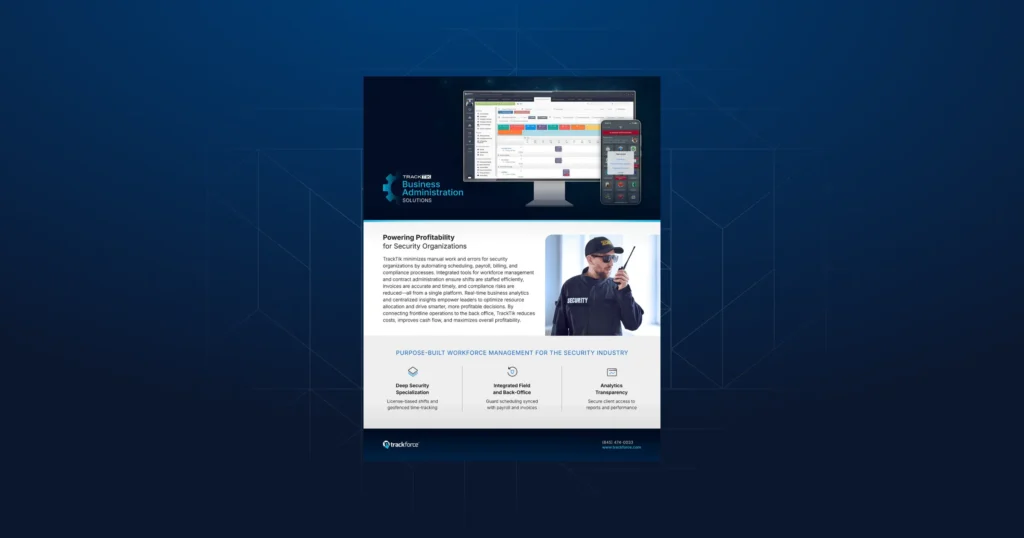
Trackforce built TrackTik so the findings of a security risk evaluation become the configuration your team runs on every shift, and so the data from those shifts feeds the next evaluation.
- Post orders and site setup: TrackTik guard management keeps site instructions, post orders and tasks on officers’ devices, so updates reach the field as soon as you publish them.
- Checkpoints that match the risk: The TrackTik guard tour system lets you place checkpoints at the vulnerable locations you identified and verify that they were visited on schedule.
- Incident data for scoring: Security incident reporting captures consistent, time-stamped records, and ReportPro AI helps officers write clear, complete reports that make your likelihood ratings more reliable.
- Trends across sites: TrackTik business intelligence surfaces patterns by site, time and incident type, so you can see when a risk score should change.
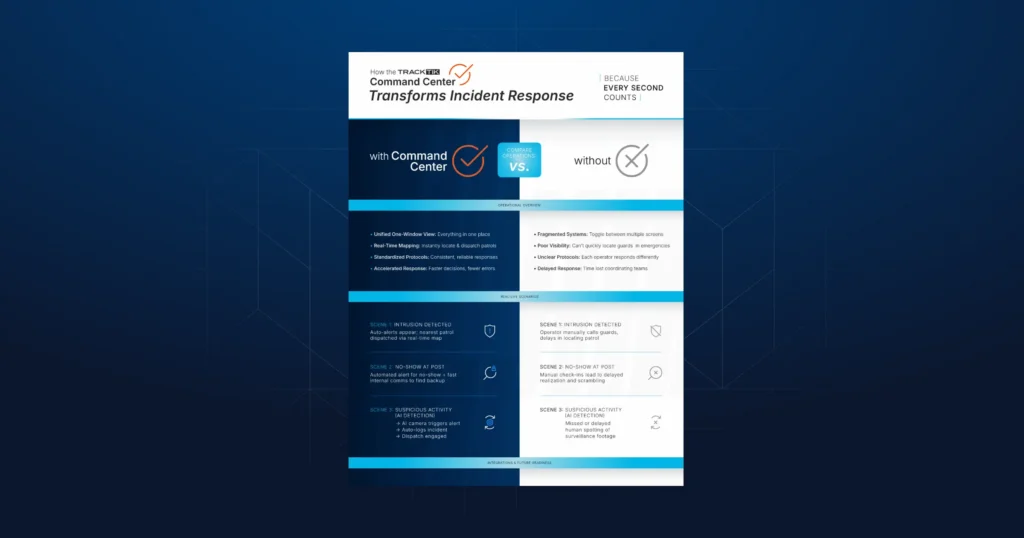
- Faster response to high-priority risks: Security guard dispatch and the TrackTik Command Center route alarms and calls to the right officer and track each response to closure.
Want to see how your own sites would map into TrackTik? Book a TrackTik demo and we will walk through it with you.
Final Thoughts
Free intelligence collection tools make it easier than ever to understand a property and its surroundings. A consistent security risk evaluation process is what turns that intelligence into decisions: scored priorities, updated post orders, smarter tours and client reports that prove the work. Build the process once, repeat it on every site, and let your operational data keep each evaluation current.
Frequently Asked Questions
Latest Articles


Featured Resources

See Trackforce in action
Book a walkthrough with our team and see how it fits your operation.