The Importance of Real-Time Alerts in the Corporate Security World

Trackforce
January 25, 2018 · 8 min read

Real-time alerts are not only beneficial for employees, but also for the rapid resolution of incidents, which helps maximize customer satisfaction.
Key takeaways
- Speed decides the outcome.
Getting the right information to the right people quickly can stop a small problem from becoming a costly one. - Not every incident needs an alert.
Some issues can be handled without the client, while others need their input right away. - Good alerts start with good reports.
Mobile reporting with required fields, priority levels and photos gives recipients what they need to act. - Transparency builds trust.
Clients who are told about serious issues the moment they happen trust their security provider more. - TrackTik automates the routing.
Automatic email or text notifications reach your team and stakeholders, with escalation to clients and third parties when required.
Corporate professionals have a lot of responsibilities, but despite the many tasks they need to handle day in and day out, there’s no denying that security is almost always the primary concern. Confidence that one’s facility and the resources within are safe from human or environmental threats is an absolute must in the corporate world — and because of this, the ability to provide real-time alerts to your clients can make all the difference for a security guard company.
The inherent value of real-time alerts should be obvious to seasoned security professionals. While there are some incidents that can be resolved easily without the need for client involvement (such as office lights being left on after hours), other situations require immediate input to ensure that proper corrective actions are carried out. In a critical situation, getting the right information to the right people in a timely manner could very well prevent a disaster.
The Right System
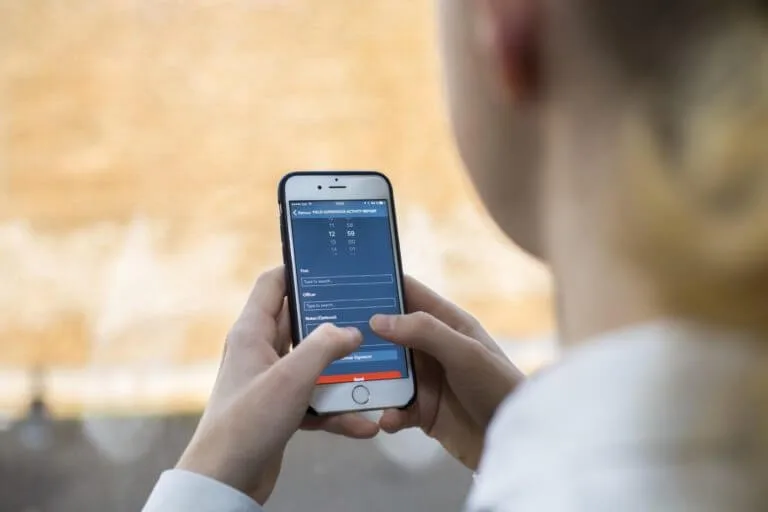
Modern security guard software has streamlined the reporting process to ensure that real-time alerts can be sent quickly and accurately. In fact, modern reporting systems can eliminate paperwork entirely, allowing guards to submit reports directly from a smartphone or tablet equipped with the appropriate app.
Customized report templates allow management to create an easy to use interface with mandatory information fields which ensures that guards submit all necessary data in each report. For example, if a guard were to discover a leaking bathroom faucet while on patrol, they could file a maintenance issue report detailing the type of problem, its location, and priority level. Perhaps most importantly, guards can also indicate whether an issue poses a safety hazard. Guards can even upload photos and diagrams to provide more in-depth information about a particular problem.
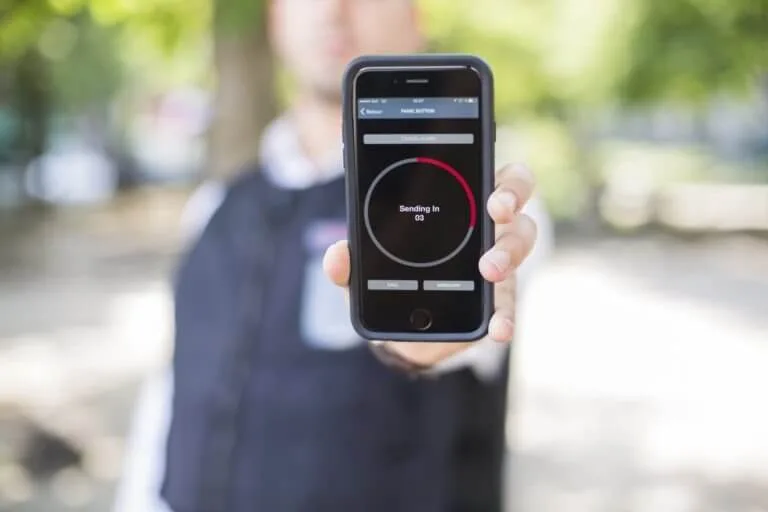
When an incident report is submitted, a real-time alert system then ensures that the information isn’t lost in a sea of paperwork. Instead, relevant parties (such as the security company’s back office staff or a client representative) receive an immediate notification for the incident report. This can be done via SMS messaging, email, or even a push notification. This allows users to quickly examine the contents of the report, understand the nature of the problem, and determine the follow-up actions that should be taken.
Real-Time Alert Benefits
As should be expected, real-time alerts are highly beneficial in the corporate security world, as they allow clients to quickly resolve any issues that could pose a threat to their facility or employees. In the previously mentioned example of a leaky bathroom faucet, a real-time alert for this maintenance issue would enable a client to make a quick call to a plumber to get the leak fixed right away. On the other hand, if the incident report had gone unseen for some time, it could be days before a client becomes aware of the problem — creating the potential for the leak to get that much worse.
While a leaky faucet may not seem like a very big deal, the simple truth is that for the vast majority of reported incidents, a faster response will keep the problem from getting out of hand, helping facility owners avoid financial losses. When security alerts are delivered to a client and their security provider in real time, the two parties can collaborate to find the most effective solution. Finally, real-time reporting allows for what is currently a trivial incident to be dealt with before it becomes a major incident.
Real-time alerts don’t just help security professionals and their clients quickly resolve problems — they also provide peace of mind. Clients can have greater confidence when they know that they will receive a report the moment a serious problem arises. Best of all, this increased transparency builds trust between the client and their security provider as information is shared more freely.
Which Incidents Should Trigger a Real-Time Alert?
The most effective alert programs sort incidents into tiers, so each one reaches the right people through the right channel:
- Critical: notify immediately and escalate. Fire, injury, break-ins, violence or threats to people. Alert supervisors and the client right away, and contact emergency services where required.
- Urgent: notify within minutes. Water leaks, alarm activations, doors propped open or a suspicious person on site. The client needs to know quickly to decide on next steps.
- Routine: include in the daily report. Lights left on, minor maintenance items or general observations. These belong in the daily activity report, not in an immediate alert.
How to Build an Effective Alert Workflow
- Define your incident types. Create a report template for each, with required fields for location, priority and safety hazards.
- Set priority levels. Decide which incident types and priorities trigger an immediate alert.
- Map recipients by site and client. Agree with each client who should be notified, and for which types of incidents.
- Choose the channel. Use text or push notifications for urgent items and email for everything else.
- Plan the escalation. Decide who is notified next if an alert is not acknowledged within a set time.
- Review and tune monthly. Look at alert volumes and response times, and adjust the rules with your clients.
Avoiding Alert Fatigue
Too many alerts can be as dangerous as too few. When every notification looks urgent, recipients start ignoring them, and the one that matters gets missed. Keep alerts meaningful by sending only what needs action, routing by site so people only see their own properties, rolling routine items into the daily report and reviewing alert volume regularly. For more ideas, see these security operations center best practices, including how to reduce alert fatigue.
Real-time alerts with TrackTik
TrackTik gives officers fully configurable report templates on their mobile devices, so every report captures the right details along with photos, video, diagrams and GPS location. Automatic email or text notifications reach your team and stakeholders the moment a report is filed, and issues can be escalated to clients and third parties whenever required. For alarms and video events, TrackTik Command Center brings monitoring and guard dispatch into one workspace.
Frequently Asked Questions
Latest Articles





Featured Resources





See Trackforce in action
Book a walkthrough with our team and see how it fits your operation.