The Dangers of Slipping Security Reports Under the Customer Door

Trackforce
December 28, 2015 · 9 min read

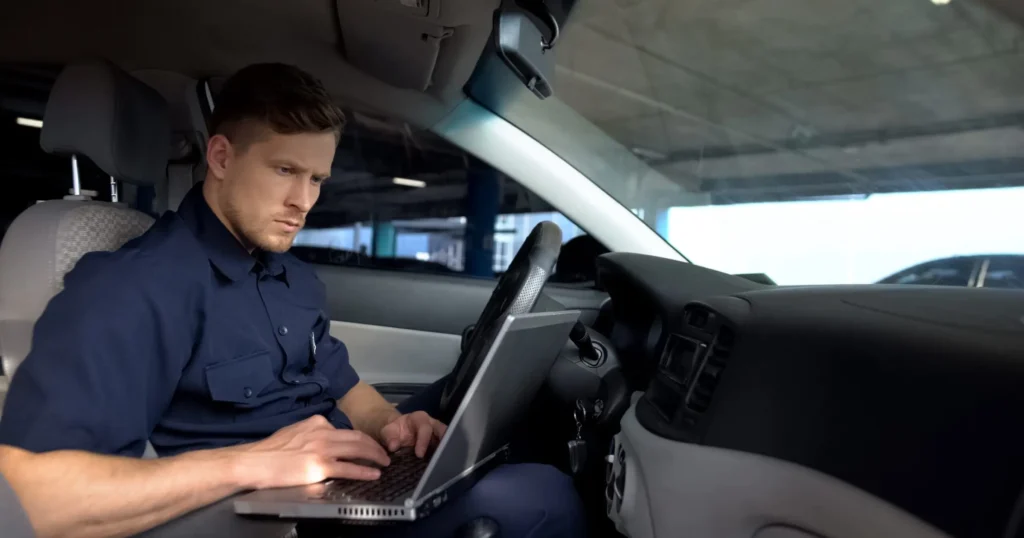
Slipping security reports under the customer’s door is an incredibly common practice in the security industry. The process looks something like this: the officer writes the report onsite, maybe on two-part carbonless paper so the customer and supervisor both get copies; then the copy is given to the customer before the supervisor even sees it. I’ve seen this in companies up to 500 officers.
Below are the three biggest dangers of this habit, a side-by-side look at paper versus real-time reporting, and a better workflow that keeps your supervisors in control and your clients informed.
Key takeaways
- When the client sees a report first, your company loses accountability.
Rushed, rounded or illegible reports go straight to the customer with no one checking them. - Quality control shifts to the customer.
If supervisors only see reports after the client does, the client is doing your management staff’s job. - Paper reports hide your data.
You cannot track incident trends, find old reports quickly or prove your value at renewal time. - Vendors slip reports under doors. Partners share insight.
Clear, consistent reporting is what separates a trusted security partner from the lowest bidder. - Real-time digital reporting fixes all three.
TrackTik captures reports as they happen, notifies supervisors and clients automatically and turns every report into usable data.
Danger #1: Low Accountability
The first danger when guards leave reports directly for the customer is low accountability. We’ve all seen some of the unprofessional reports this produces. You get reports with …
- Poor handwriting
- Poor grammar
- Times rounded off
- Incorrect spelling
Sometimes these reports can be …
- So badly written you can’t understand them
- On whatever paper is handy instead of company forms
This danger has a lot to do with why we came out with the first real-time reporting on the market. If reports aren’t written as the officer goes through the shift, you get inaccuracies. In the worst case, the officer saves himself time by writing reports before the shift.
Danger #2: Low-Quality Reports Reach the Customer First
Customers may recognize that the reports are pretty rough and accept it, because they know that if they wait for your supervisors to review reports, there will be a time lag. Your supervisors shouldn’t be editing reports anyway. It gives the wrong impression no matter what.
But if the customers always see the reports before you do, that puts the burden of quality assurance for officer performance on the customers vs. on your management staff.
The majority of guys are still doing paper. But the majority of those guys are owners. And they have no room to grow. They are going to have a very small security business.
Danger #3: Owners Miss the Data
Here’s the third danger. When reports are slipped under the customer’s door, you miss out on all the data those reports might contain. You might get some information by word of mouth or a supervisor who is really familiar with that site. But you can’t track how many times a certain kind of incident has happened on that site or even be able to summarize your productivity to the customer, so you can prove the value of your operation.
The hand-written report says, “We’re just here to do the bare minimum.” It doesn’t tell the customer that you’re their partner, looking for ways to improve the security program or contribute more value to their overall operation. You’re not tracking data; you’re just functioning as a vendor.
So at that point you’d better have the lowest price. Because someone’s going to come through the door who has good reporting, good accountability, and makes a real contribution to their business … and at that point, you lose the contract.
The company that uses paper usually has a good relationship with the existing onsite management. But then some major incident happens and corporate management asks for the reports and they go ballistic because there’s no information. Where do you even save your reports? Boxes in a storage facility? Or is the customer scanning it and emailing it to you?
Paper Reports vs. Real-Time Digital Reporting
Here is how the two approaches compare on the issues that matter most to owners, supervisors and clients:
| Area | Paper slipped under the door | Real-time reporting in TrackTik |
|---|---|---|
| Accuracy | Written from memory at the end of the shift, with times rounded off | Logged as events happen, with GPS time stamps |
| Professionalism | Handwriting, spelling and paper vary by officer | Typed, guided forms, with ReportPro AI to tighten the wording |
| Quality control | The client sees the report before any supervisor does | Supervisors are notified automatically and can follow up right away |
| Evidence | Text only | Photos, video, audio and GPS location attached |
| Storage | Boxes, binders or a client’s scanner | Securely backed up and searchable in seconds |
| Data and trends | Locked on paper | Incident trends by site and client in business intelligence dashboards |
| Client delivery | Whatever the officer leaves behind | Scheduled reports, automatic notifications or client portal access |
A Better Report Workflow
Moving off paper is not just about typing instead of writing. It changes who sees each report, and when. Here is a workflow that keeps supervisors in control:
- The officer reports in real time. Guided mobile forms capture each event as it happens, so nothing is written from memory.
- AI tightens the wording. The officer turns rough notes into a clear, professional report and reviews it before submitting.
- Critical incidents trigger alerts. Automatic email or text notifications reach supervisors immediately, and issues can be escalated to the client when required.
- Supervisors coach, not edit. They review flagged reports, follow up with the officer and fix the cause, not just the wording.
- The client gets a clear, consistent record. Reports go out on a schedule the client agreed to, or are available any time through the portal.
- Data feeds every business review. Incident trends and activity summaries prove your value at renewal time.
TrackTik incident reporting software supports every step of this workflow, from guided reporting in the field to automatic notifications and one-click sharing. If your daily reports are still on paper too, here is why you have to go paperless with your daily activity report.
Questions to Ask About Your Current Reporting Process
- Who sees a report first, your supervisor or your client?
- How long does it take for a supervisor to learn about a serious incident?
- Could you find a report from 18 months ago in under a minute?
- Could you tell a client exactly how many incidents happened on their site last quarter?
- Are report times exact, or rounded to the nearest hour?
- Do your reports include photos or other evidence?
If any of these answers make you uncomfortable, your reports are costing you more than paper and toner. Clear reporting can even help you win work, as we explain in Transforming Your Reports into a Time Saving, Contract Closing Machine.
A platform like TrackTik can help you resolve and avoid the kinds of dangers we’re talking about. Look at some of our customer spotlights to see how they experienced the process of transitioning. To see real-time reporting in action, book a TrackTik demo.
Frequently Asked Questions
Latest Articles



Featured Resources





See Trackforce in action
Book a walkthrough with our team and see how it fits your operation.