Security Managers: Stop Hating Mondays

Trackforce
January 9, 2019 · 10 min read
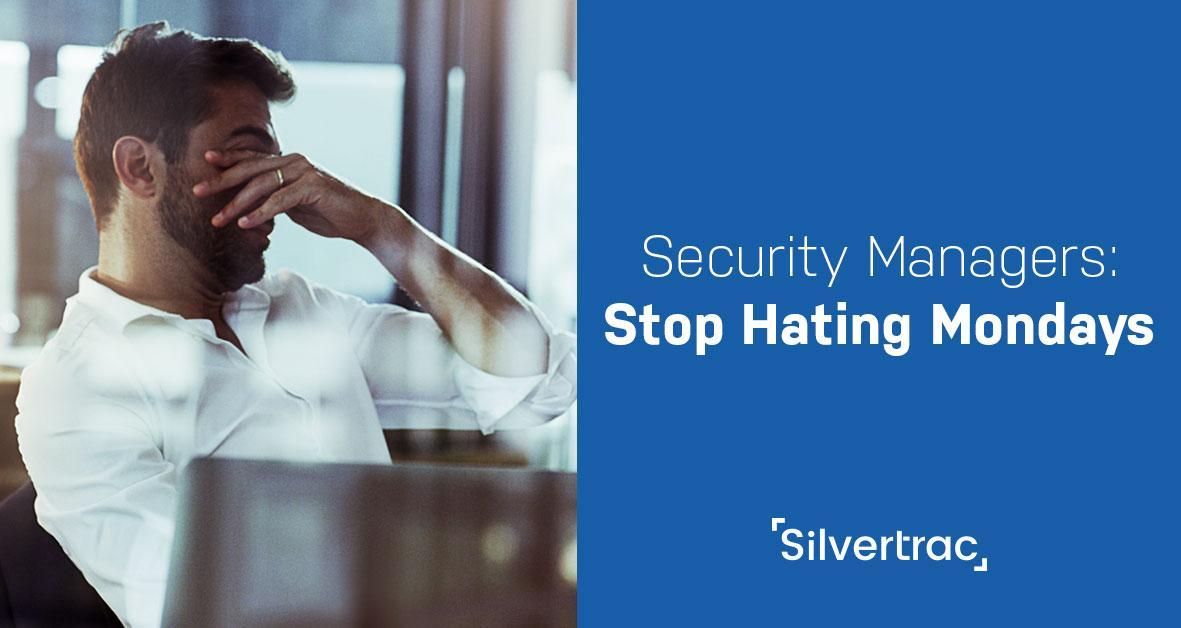
For a lot of security company owners, Monday is when you return to the office. With that comes the reality of running any company: scheduling employees, completing payroll, paying liability insurance, reviewing paperwork & reports, and so on. But security is a 24-hour a day, seven days a week kind of industry. Why would Mondays be that much tougher than any other day?
Turns out there are some good explanations for the Monday blues. Internal and external pressures make the beginning of the week a grind for company leaders. Here are some common struggles that company owners face (and some tips on how to make life a little easier).
Key takeaways
- Mondays concentrate a week’s worth of pressure.
Weekend incident reports, client follow-ups, coverage gaps and payroll all land at the same time. - Paper reporting is the biggest time sink.
Handwritten reports and log books need retyping, checking and filing before they are useful to anyone. - Clients judge you on what they hear first.
Proactive, automated reporting heads off the Monday morning complaint call. - Weekend coverage gaps start with callouts and unfamiliar sites.
Site-specific training and digital post orders keep fill-in officers from making costly mistakes. - TrackTik moves Monday’s work into the weekend.
Mobile reports, client portal access, shift broadcasting and dashboards mean you start the week reviewing exceptions, not chasing paper.
Reviewing Weekend Reports
Most company leaders are welcomed back to the office by a stack of incident reports that need editing and processing. Paperwork can be frustrating and time-consuming under even the best circumstances. But when a company uses outdated practices, it can get so much worse.
Processing paperwork can involve multiple tedious steps. Handwritten reports need typing & spellchecking; log books full of site walk documentation needs confirmation & filing. All of this to create a report for that your client may not even read.
Handmade reports suffer from another downside — a lack of data processing power. Any data-driven analysis you want to perform will need to be manually inputted and run. That relies on accurate, honest record keeping, and will likely require considerable labor on the back-end. Plus, even the best number-cruncher might miss ways to optimize patrols or high level trends that illustrate the value your services create for a client. That makes contract retention more difficult in a competitive security market.
Client Frustration
You may work all the time, but that’s not always the case for your clients. Monday morning is when most of your client POCs will be returning to the office. And when the weekend didn’t go well, that’s when you find out.
Mondays are especially tense for companies that don’t have effective, automated, client-side reporting in place. Say your officer leaves a daily report with the client that’s handwritten in illegible chicken scratch. Frustrated, your client calls for someone to explain what happened during the shift, only to wait on hold while you talk with another client whose daily report never got delivered. The longer that client waits to hear from you, the more your contract is at-risk.
The best way to deal with this kind of bottleneck is to prevent it. Using a security guard management system like TrackTik helps to streamline guard shift report delivery. Reports can be assembled throughout a guard patrol or tour and set for automatic delivery once it’s complete. No more hand scribbled reports slipped under a supervisor’s door.
S#!t Happens
When an officer calls out sick or no-shows on a shift, you need to make quick staffing decisions to fill the gap. Finding coverage can be especially challenging for security companies during the weekends. Often, that means assigning one of your officers to an unfamiliar property.
Effective guard training is really the only way to get peak performance out of your officers. When each supervisor is training their officers using different SOPs, miscommunication happens. This is especially true when an officer is moved to cover an unfamiliar property. Communication on sites should be airtight to prevent costly mistakes from happening.
Each officer should receive training specific to the property they will be working, plus occasional refresher trainings and updates as needed. Often, incidents occur when an officer is working a new property. Having one available digital resource for training helps get officers up to speed with unfamiliar assignments fast.
When your officers don’t perform over the weekend, Monday is when you have to make tough decisions. In many cases, supplemental training will be the best solution for your officer. That means finding time for you and your managers to conduct those trainings, of course.
Hire Fast, Fire Slow
In other cases, an officer’s behavior will warrant outright termination. Firing officers is never fun, but it’s especially unpleasant when finding new talent proves difficult.
Industry wide staffing shortages and high turnover make Mondays a drag for company owners who are constantly looking for new hires. In many parts of the country, security companies are discovering that it’s easier to win bids than it is to find qualified people to satisfy contracts. Many companies are forced to turn down jobs because officers are too scarce. This keeps margins thin and limits a growing company.
It also means that when an officer doesn’t do their job, company leadership is left with a difficult decision. Firing an employee takes on a new dimension when finding a replacement will be costly and time consuming. Many will hold onto officers with disciplinary problems to avoid facing this reality.
The only long term solution for escaping this cycle is finding high quality officers and improving retention rates.
What a better Monday looks like with TrackTik
Every Monday headache above has a root cause, and most of them come back to manual processes. Here is how each one changes when your operation runs on TrackTik.
| Monday headache | Why it happens | How TrackTik fixes it |
|---|---|---|
| A stack of weekend reports | Handwritten reports and paper log books need retyping and filing | Officers file reports on their phones during the shift, and ReportPro AI helps turn notes into clear, complete reports |
| Client complaint calls | Clients learn about weekend incidents late, or from an unreadable report | Shift reports and client portal access keep clients informed as activity happens |
| Last-minute callouts | Coverage gets arranged by phone, one officer at a time | Broadcast vacant shifts to qualified officers from TrackTik Business Administration |
| Mistakes at unfamiliar sites | Fill-in officers do not know the post or its procedures | Site-specific post orders on every officer’s phone with Guard Management |
| Performance surprises | Supervisors have no visibility until the paperwork arrives | Tour, checkpoint and incident data in Business Intelligence dashboards, available any time |
| Payroll and timesheet clean-up | Hours get reconciled by hand from paper sign-in sheets | Verified hours flow into reconciled timesheets, payroll and invoices in the TrackTik Back Office suite |
A 30-minute Monday morning routine
When your weekend data is already organized, Monday becomes a review instead of a rescue. Try this routine for your first half hour.
- 8:00, review exceptions. Open your dashboard and look only at what went wrong: missed checkpoints, late clock-ins and open incidents. Everything else can wait.
- 8:10, triage incidents. Read the high-priority reports first, confirm follow-up actions, and note anything a client is likely to ask about.
- 8:15, call clients before they call you. A short, proactive update on a weekend incident turns a complaint into proof of good service.
- 8:20, fill the week’s gaps. Check open shifts and known callouts for the days ahead, and broadcast them to qualified officers.
- 8:25, set coaching priorities. List the officers who need refresher training or a conversation, and put time on the calendar this week.
Weekend-proof your operation on Friday
The easiest Monday problems to solve are the ones you prevent before the weekend starts.
- Confirm weekend coverage. Every post filled, with a backup list for likely callouts.
- Update post orders for fill-in sites. Any officer covering an unfamiliar property should be able to read the site instructions on their phone before the shift.
- Set escalation rules. Decide which incidents trigger an immediate call to a supervisor and which can wait for Monday.
- Assign an on-call supervisor. Name one person who can approve shift changes and respond to clients over the weekend.
- Turn on automatic reporting. Schedule shift and incident reports to reach clients without anyone having to send them.
- Check lone worker coverage. Overnight and weekend officers working alone should have regular check-ins and a way to raise an alert.
In Summary:
Mondays aren’t great for anyone. But that’s especially true when you run a security company. You may have to deal with several headaches at the same time, including:
- A mountain of reports to edit and review
- Several clients who want to discuss incidents from the weekend
- A misbehaving officer that needs discipline
- New job applications in your inbox (or, worse, no applications)
Getting the edge on Monday morning isn’t easy. One solution is to use a guard management software like TrackTik that can streamline reporting, data collection, scheduling, training, and much more.
Frequently Asked Questions
Latest Articles



Featured Resources





See Trackforce in action
Book a walkthrough with our team and see how it fits your operation.