Why You Need Simple Guard Management Software

Trackforce
November 30, 2016 · 11 min read
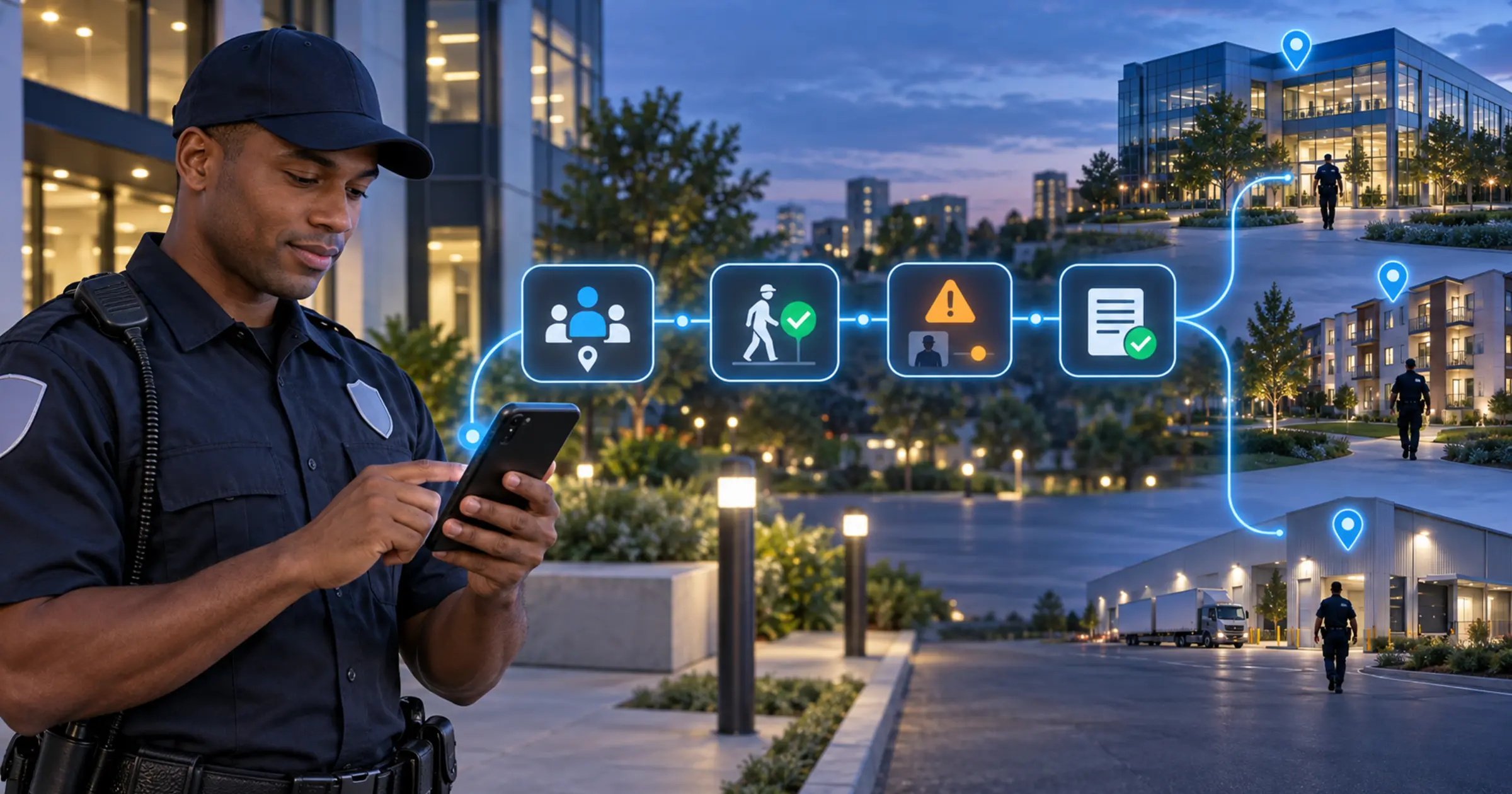
Guard management software does not need to be complex and full of features in order to be a functional tool. In practice, the simpler the software is, the more effective the security envelope will be.
TrackTik is designed so that security companies have the features and functionality they need, without the extraneous options that slow software down, delay responses, and add to operational expenses.
Key takeaways
- Feature count is not capability.
Options nobody uses still cost money, slow the interface down and lengthen every training session. - Adoption is the real test.
If an account manager or an officer needs a specialist to operate the system, the system is not working, however capable it is on paper. - Simple and limited are not the same thing.
Simple means sensible defaults you can change. Limited means the defaults are all you get, and the wall arrives at your twentieth site. - Real-time beats retrospective.
Reporting incidents, receiving alerts and checking checkpoints from the field is what lets a supervisor act during the shift rather than read about it afterwards. - Records are what protect the business.
Daily activity logs and incident summaries that can be found in seconds are the difference between answering a client or an investigator and hunting through paperwork.
Easy to deploy personnel
Guard management software makes it easy to deploy your teams into the field. When you are a guard company managing personnel at multiple sites, your operations team needs software that makes deploying staff as simple as possible. Having the information centralized and in digital format saves time and money, because it lets you determine how many personnel you need on site, where you need them, and how long they need to be there. Most importantly, the efficiency your operation gains enhances the level of protection you are able to provide your clients.
That is scheduling and coverage working as one security operations picture rather than two. For most security firms, the daily question is not how many officers exist but which post is about to go uncovered, and that only gets answered quickly when the roster and the live field data sit in the same system.
Ease of management and simplified operation
The features you use are the features you need. Streamlined guard management software provides only the features and functionality required to do the job. There is no getting lost in a mountain of options you will never use. This makes it possible for anyone in the company to use the software. Your account managers, office managers, and the guards themselves can use the system with minimal training. That means you do not have to dedicate a staff member and a support team to managing the system, which trims your budget and lets you use your resources more effectively. Most importantly, TrackTik is built for scale, which makes it straightforward to manage 1 site or 100.
Real-time monitoring and response
Security situations evolve quickly. TrackTik makes it possible for guards deployed in the field to report incidents, receive updates and alerts, and monitor checkpoints from their location. These features are accessed through the guard mobile app, available on iOS and Android. Information passes back and forth in real time, which means staff can be mobilized and positioned to respond to problems faster and more effectively, with dispatch routing the nearest available officer. Guard management software makes it possible to proactively monitor your client’s site and respond swiftly when security threats present themselves.
Reporting and record keeping made easy
Paperwork can weigh your operation down, and digging for old files can slow down an investigation. Guard management software makes it easy to keep detailed records, including daily activity reports and incident summaries. That means you can respond swiftly to inquiries from clients and, where relevant, from law enforcement. The information in your system may well hold the final detail an investigation needs. TrackTik is designed so that information can be saved, shared and recalled quickly and with minimal effort, and ReportPro AI drafts the narrative from what the officer actually logged, which is usually the step that gets rushed at the end of a long shift.
Simple is not the same as limited
This is the distinction that matters when you are actually comparing systems, and it is easy to get wrong. A stripped-back tool and a well-designed one can look identical in a 30 minute demo. The difference shows up at your twentieth site, or the first time a client asks for something the defaults do not cover:
|
What to look at |
Simple, done right |
Limited, and you will hit a wall |
|---|---|---|
|
Onboarding |
A supervisor is productive after one shift, with no dedicated system admin |
Training is short because there is very little the system can actually do |
|
Reporting |
Preset reports cover most needs, and you can build the rest yourself |
Only the presets exist, and getting data out means a CSV and a spreadsheet |
|
Adding sites |
The same workflow runs 1 site or 100 with no rebuild |
Every new site is configured by hand, so site 40 costs what site 4 did |
|
Configurability |
Sensible defaults that you can change when the contract demands it |
The defaults are all you get, so the client gets told no |
|
Connecting systems |
Links to payroll, billing and access control when you are ready for it |
A closed system, so growth means re-entering the same data twice |
|
Pricing |
Core functionality is included in the core price |
Tours, payroll export or client portals are billed as add-on modules |
The pattern worth noticing is that every row in the middle column costs you nothing today and saves you a migration later. Cheap simplicity is usually a deferred bill.
Signs your software is too complicated
Feature bloat rarely announces itself. It shows up as friction that everyone has quietly accepted:
- One person is the system. If a single employee is the only one who can produce a report or set up a site, you have a staffing risk, not a software feature.
- Officers work around the app. Notes in a phone, a group chat, a paper log in the guard hut. Workarounds are the clearest signal the tool is harder than the task.
- Reports get rebuilt in a spreadsheet. If the monthly client pack leaves the platform and gets reassembled by hand, you are paying for a database, not a system.
- Onboarding a new supervisor takes weeks. Time to competence is the single most honest usability metric you have.
- Whole modules are switched off. Paying for capability nobody has turned on is the definition of feature bloat.
- Nobody looks at it mid-shift. Software people only open the morning after an incident is a filing cabinet.
What to check before you switch
- Put an actual officer on it, not a manager. Have someone from the field complete a tour and file an incident during the trial. Their first five minutes tell you more than the sales demo.
- Ask what is an add-on. Get tours, client portals, payroll export and reporting confirmed as core or extra, in writing, at your real guard and site count.
- Set up a second site yourself. If adding site two needs the vendor, adding site twenty will too.
- Produce one real client report end to end. Use last month’s data from a live site, not sample data, and see whether it leaves the platform.
- Test the data exit before you commit. Confirm you can get your own history out, in a usable format, before you put five years of records in.
Staying simple as you grow
The trap most firms fall into is picking a lightweight tool at ten sites, outgrowing it at forty, and paying for a migration in the middle of a growth year. The way out is not choosing heavier software up front. It is choosing software whose surface stays the same while the depth becomes available when you need it.
In practice that means the officer’s view never gets more complicated, while the office gains what the business has grown into: verified hours flowing through to contracts and invoicing instead of being retyped, and connections out to payroll and access systems through integrations rather than a second round of data entry. An enterprise security team runs the same field workflow as a ten-site firm, just with more reporting layered above it.
Guard management software that is easy to use leads to better monitoring and more effective use of your resources. Whether you are managing a few sites or a few hundred, the easier your systems are to operate, the greater the level of protection you can provide to your clients. You can book a TrackTik demo and put it in front of one of your own supervisors rather than taking our word for how simple it is.
Frequently Asked Questions
Latest Articles





Featured Resources





See Trackforce in action
Book a walkthrough with our team and see how it fits your operation.