Enhanced Applicant Tracking and Onboarding: What It Means for Physical Security

Trackforce
March 17, 2021 · 14 min read

Picture this: you have an open post to fill, but not enough security officers to cover it. It may be time to post a job ad and start hiring. But what is the best way to do it, and how are companies like yours sourcing and keeping new talent?
With so much riding on every open post, physical security operators are rethinking how they find, screen and onboard talent. Demand is not slowing down: the U.S. Bureau of Labor Statistics Occupational Outlook Handbook projects about 157,200 openings for security guards and gambling surveillance officers each year, on average, from 2025 to 2035. Most of those openings come from replacing workers who move to other occupations or leave the labor force.
Investing time in the wrong candidate is costly, and a slow or confusing process loses good candidates to employers who move faster. If recent years have taught the physical security industry anything, it is how to stay flexible and adapt quickly. That includes finding better ways to hire.
In this article, we break down what enhanced applicant tracking and onboarding means, how to structure a security hiring funnel, which metrics to watch, and how TrackTik connects a new hire’s record to scheduling, compliance and the field for private security firms and enterprise security teams alike.
Key takeaways
- Speed and structure win candidates.
Security applicants often weigh several offers at once, so a clear, fast process with prompt follow-up keeps strong candidates from accepting another job. - Licensing and screening set the pace.
Most U.S. states require guards to be licensed, and armed roles carry stricter checks, so build those steps into the funnel instead of treating them as an afterthought. - Measure the funnel, not just the hire.
Time to hire, application completion, offer acceptance and early turnover show exactly where your process leaks. - Onboarding starts before day one.
Collecting forms, credentials and acknowledgments ahead of the first shift gets officers on post sooner and better prepared. - One record from hire to every shift.
TrackTik keeps profiles, certifications and documents together and uses them to match officers to posts, while HR partners support the wider employee lifecycle.
Biggest Challenges Physical Security Operators Face When Hiring and Retaining Talent
It is well known that security operators struggle to attract and keep good talent. Pay rates are constrained by contract margins, other industries compete for the same applicants, and many entry-level jobs look more predictable and less demanding to a prospective security officer.
Physical security firms have taken note and are adapting their hiring processes to reflect their changing business needs, such as establishing strong communication practices across the team and improving training methods.
Common hiring bottlenecks
- Slow responses. Applications sit unreviewed for days while candidates accept other offers.
- Manual paperwork. Forms are printed, scanned and re-keyed, which invites errors and delays.
- Licensing gaps. A candidate is ready to work, but a license or registration is still pending or missing.
- Scattered records. Résumés live in email, documents in a shared drive and certifications in a spreadsheet.
- A weak handoff to operations. Schedulers hear about a new hire late and do not know which posts the officer is qualified for.
The hiring process is in transition, and the physical security industry is right in the middle of it. If you need ideas for the top of the funnel, our article on recruiting ideas for security companies covers where to find new candidates. Here is what the rest of the process looks like.
What Is Enhanced Applicant Tracking and Onboarding?
Enhanced applicant tracking and onboarding systems automate the hiring process intelligently. That means physical security operators can hire faster, smarter and with more confidence.
Manual steps such as candidate screening, scoring, selection, interview scheduling and final offer approval can be automated, giving security firms back the time they used to lose to administration.
An applicant tracking system (ATS) manages candidates from application to offer. Onboarding tools pick up from there and collect the documents, forms and acknowledgments a new hire needs before the first shift. For security employers, the most important part is what happens next: the new officer’s licenses, certifications and availability must reach the people who build the schedule.
The Security Hiring Funnel, Stage by Stage
Breaking hiring into stages makes it easier to see where candidates drop out and who owns each step. The table below is a practical starting point that you can adapt to your states, clients and post types.
| Stage | What happens | What to track |
|---|---|---|
| Attract and apply | Job posts, referrals and a short, mobile-friendly application | Applications per opening, completion rate, source of hire |
| Screen | Knock-out questions on age, license status, availability and transportation | Pass rate, time from application to first contact |
| Interview | A quick phone or video screen, then a structured interview | Interview show rate, time to interview |
| Verify | License or registration check, background check, drug test where required, references | Days to clear, reasons candidates fail verification |
| Offer | Written offer with pay rate, schedule expectations and start date | Offer acceptance rate, time to offer |
| Onboard | Forms, policy acknowledgments, uniform and equipment, pre-assignment training | Days from offer to first shift, onboarding completion rate |
| First 90 days | Site training, supervisor check-ins and early feedback | Retention at 30, 60 and 90 days |
Give every stage one owner and a target turnaround time. When the stages live in one system instead of email threads and spreadsheets, delays become visible before they cost you a candidate.
Licensing and Screening: Build Compliance Into the Funnel
Screening is where security hiring differs most from other hourly roles. According to the BLS guidance on how to become a security guard, most states require security guards to be licensed by the state in which they work. Typical baseline qualifications include being at least 18 years old, passing a background check and completing training, and armed positions carry more stringent background, criminal record and fingerprint checks.
Requirements vary widely, so confirm the rules for every state or province you operate in. Our simple security guard license guide is a helpful primer.
A licensing and screening checklist
- Confirm the role’s requirements: armed or unarmed, the license type for that state or province, and any client-specific credentials.
- Add knock-out questions to the application so candidates without a required license or the minimum age are routed correctly from the start.
- Verify each license or registration with the issuing authority and record the license number and expiry date.
- Run background checks, and drug tests where required, through a compliant provider and with the candidate’s written consent.
- Check references, with a focus on reliability, attendance and how the candidate handles conflict.
- Store a copy of every credential in the officer’s profile, not in a personal inbox or a paper file.
- Set expiry reminders for licenses, certifications and training so renewals happen before they affect the schedule.
- Keep an audit trail of what was checked, when and by whom, so you can answer client and regulator questions quickly.
For a deeper look at what auditors check and where screening compliance tends to break down, download our guide, Audit-Ready: A Security Firm’s Guide to Licensing, Screening, and Workforce Compliance.
Hiring Metrics That Matter
Technology can expand how companies operate, which means more efficiency and better results. A centralized candidate profile gives you a 360-degree view of each applicant, including the full history of applications and interactions, and lets you measure the impact of onboarding efforts such as time to onboard and completion rate.
- Time to hire. Days from application to accepted offer. A long time to hire usually points to slow screening or verification.
- Time to first shift. Days from accepted offer to the first scheduled shift. This is the number your operations team feels most.
- Application completion rate. The share of candidates who start an application and finish it. Long forms that are hard to complete on a phone push this number down.
- Offer acceptance rate. A low rate can signal pay, schedule or communication issues.
- Early turnover. Officers who leave within 30, 60 or 90 days, often a sign that expectations set during hiring did not match the job.
- Source of hire. Which job boards, referrals or events produce officers who stay.
Review these numbers monthly by branch or region, and pair them with retention data so you can see whether faster hiring is also producing officers who stay. Our article on the data-driven approach to security guard retention explains how to calculate turnover and act on it.
Make Applications Mobile-First
Many security candidates apply from a phone, often between shifts at another job. If an application requires a desktop computer, a long account setup or a formatted résumé, strong candidates may simply give up.
- Keep the first step short: contact details, license status, availability and location.
- Let candidates upload photos of their license and documents from their phone.
- Use text messages for interview reminders and next steps.
- Offer interview self-scheduling so candidates can pick a time that works around their current shifts.
- Make every page readable and accessible on a small screen.
A First-Week Onboarding Plan
Companies can build a library of ready-to-use standard HR and government agency compliance forms and create predetermined workflows that make sure every new hire completes the necessary documents before the first day.
A predictable first week then turns that paperwork into confidence on post. Here is a simple plan to adapt to your sites:
| When | Focus | Outcome |
|---|---|---|
| Before day one | Forms, policy acknowledgments, credential uploads and uniform sizing | The officer arrives with paperwork complete |
| Day 1 | Orientation, safety, reporting expectations and mobile app setup | The officer can log in, clock in and submit a report |
| Day 2 | Site walkthrough with a supervisor or field trainer and a review of post orders | The officer knows the site layout, contacts and escalation path |
| Days 3 and 4 | Shadow shifts on the assigned post | The officer completes tours and reports with support |
| Day 5 | Supervisor check-in and feedback | Gaps are addressed before the officer works alone |
The goal of onboarding is not just a completed file. It is an officer who knows the post, trusts the team and wants to come back for the next shift.
For more on setting new officers up for success, read our advice for getting a new security guard started off right and our article on what security companies should know when hiring and onboarding guards.
Benefits of Enhanced Applicant Tracking and Onboarding
Physical security operators gain better visibility and a better hiring experience, plus the ability to:
- Increase recruiting efficiency with smart automation
- Make faster, data-driven hiring decisions in real time
- Attract and engage a more diverse pool of job seekers
- Reduce unconscious bias with structured, consistent screening
- Track and measure progress to keep improving the process
The payoff is fewer unfilled posts, less overtime spent covering gaps and new officers who start their first shift better prepared.
How TrackTik Helps
TrackTik is built to pick up where the offer letter leaves off, turning a new hire into a qualified, scheduled and supported officer. Here is how TrackTik supports each step after the hire:
- One record from onboarding to every shift. TrackTik People Management creates a centralized profile with roles, pay rates and documents at onboarding, then tracks certifications and compliance automatically as they update.
- Qualified officers on the right posts. The same profile drives resource allocation, so schedulers can match officers to assignments by skill, certification, availability and distance from site.
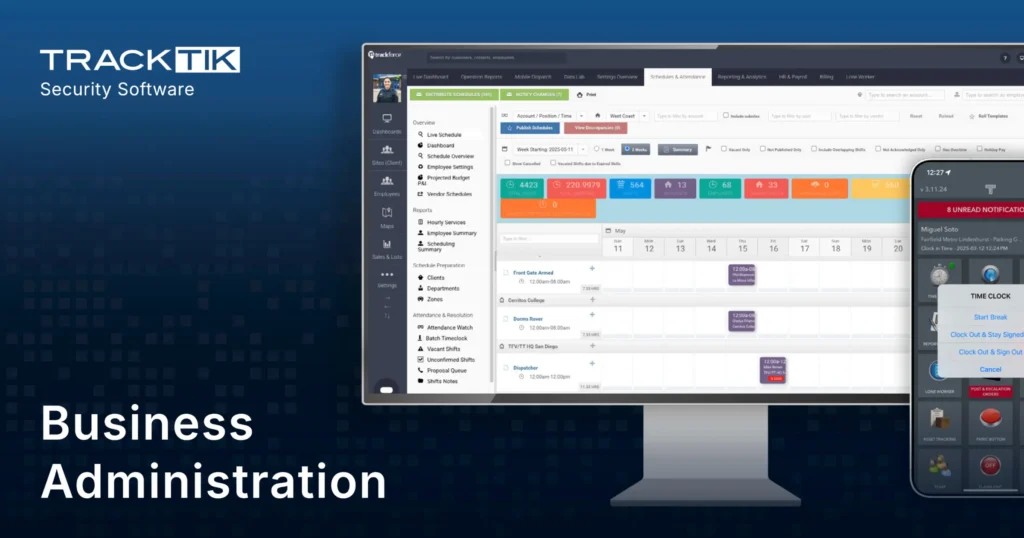
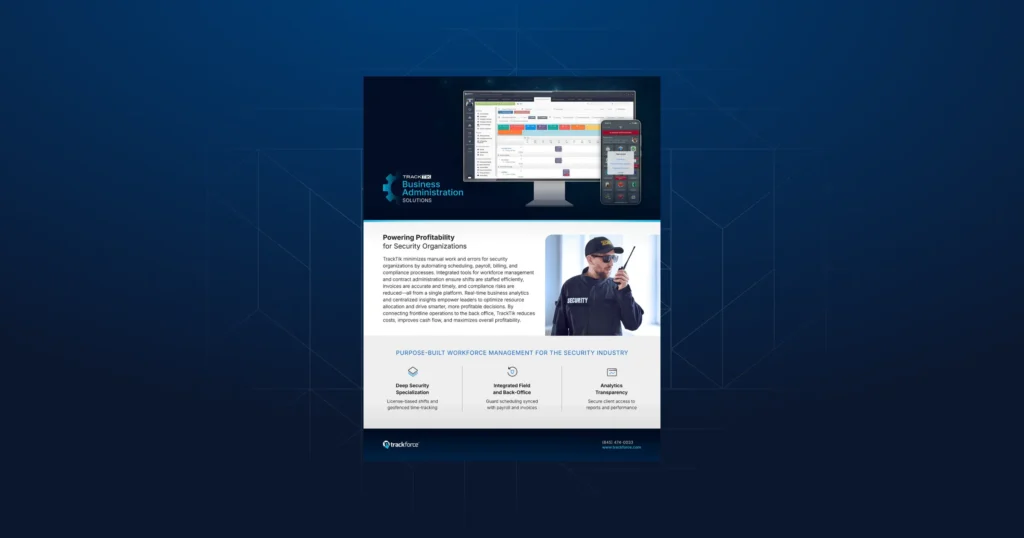
- Compliance without the spreadsheet. TrackTik Business Administration brings HR management, automated compliance and document management with certification expiry monitoring together with scheduling, billing and payroll.
- A confident start in the field. The TrackTik guard management mobile app puts incidents, daily activity reports, tours and time and attendance in one place, and the TrackTik Guard Tour App organizes post orders, logbook history and checkpoints with step-by-step task guidance.
- Connected HR and payroll. Trackforce partners with human capital management providers such as Paycor and Criterion HCM, so recruiting, onboarding, payroll and scheduling data can work together across the employee lifecycle.
The result is a hiring process that does not stop at the signed offer. Every credential you verify during hiring keeps working for you on the schedule, in the field and at audit time. To see how this fits your operation, book a TrackTik demo.
Final Thoughts
Hiring will always be one of the biggest challenges in physical security, but it does not have to be a guessing game. Map your funnel, build licensing and screening into it, measure every stage and give new officers a first week that sets them up to stay. With the right process and the right tools, every open post becomes easier to fill, and every new officer starts on solid ground.
Frequently Asked Questions
Latest Articles




Featured Resources

See Trackforce in action
Book a walkthrough with our team and see how it fits your operation.