Security Guard Management Software Compared: 2026 Buyer’s Guide

Trackforce
August 26, 2026 · 7 min read
Security Guard Management Software Compared: 2026 Buyer’s Guide
Choosing security guard management software is a business decision, not a feature checklist. The wrong platform shows up as missed patrols, billing disputes, and clients who leave because they couldn’t see what they were paying for. This guide compares six platforms on the criteria that actually predict whether a deployment succeeds: scheduling depth, patrol verification, incident reporting, back-office administration, and total cost of ownership.
Key takeaways
- Scheduling depth is the first filter.
Multi-site, skills and certification based auto-scheduling is what separates a security platform from a general workforce app. - Patrol verification has to survive dead zones.
GPS, NFC and QR checkpoints only prove coverage if scans queue locally and sync once connectivity returns. - Low entry pricing rarely stays low.
When guard tours and payroll export are sold as add-on modules, real cost climbs with every site and guard you add. - Back office depth is where most platforms stop.
Verified guard time should reach payroll and invoicing without manual exports, then roll up to contract level profitability. - Trackforce is built for scale.
TrackTik by Trackforce supports 560,000+ users across 50+ countries, from single site regional firms to multi-national enterprise operations.
Methodology
We evaluated each platform against five criteria drawn from how security operations actually run, not from a generic SaaS feature list:
Scheduling — can the system handle multi-site, 24/7, skills-based scheduling without manual workarounds
Guard Tours — how patrol verification works (GPS, NFC, QR) and whether it holds up on real routes with poor connectivity
Incident Reporting — structured reporting with photo/media capture, client-facing delivery, and audit trail
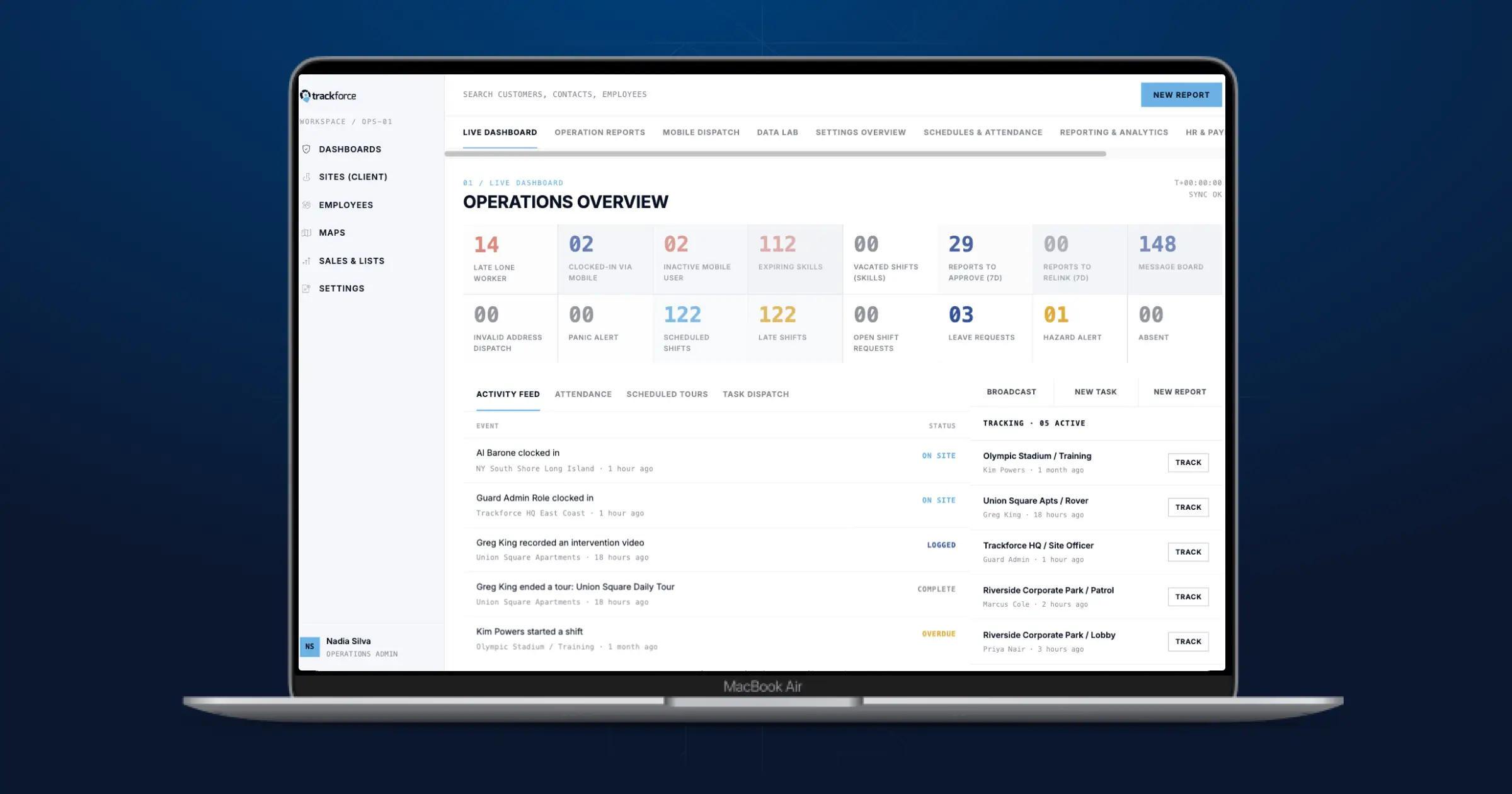
Business Administration — billing, payroll integration, contract profitability, and license/certification tracking
Pricing Model — whether cost scales predictably as a firm adds sites, guards, and contracts
Ratings are based on each vendor’s own published product documentation, third-party review platforms (Capterra, G2), and public pricing pages as of August 2026. Where a vendor does not publish pricing or a specific capability, we note that directly rather than guessing.
The comparison Innovation: what a comparison table can’t show
Feature tables flatten everything to a checkbox. They can’t show what happens when a platform is actually running a client’s operation at scale. AGS Pro built AI agents on top of TrackTik’s data to audit its own contracts, and one of those agents caught an estimate headed out the door underbilled by roughly $3,000 because a full day of shifts had been missed, plus a separate position where contracted billable overtime wasn’t being billed for weeks. That’s revenue recovered before it was ever written off, not a hypothetical efficiency gain. It’s the kind of operational shift that a “does it have GPS tours: yes/no” row will never capture. Read the AGS Pro case study.
This is also where most of the platforms above stop. Vigilfy, GuardsPro, and Connecteam are built for single-function coverage — scheduling, or tours, or general workforce ops. Belfry and Novagems are investing in AI-assisted scheduling and offline-first patrol verification, which puts them ahead of the pure point solutions but still focused on operational tasks rather than the business intelligence layer (contract profitability, compliance risk, client-facing proof of value) that enterprise security firms are increasingly buying for.
Built for scale
TrackTik supports 560,000+ users across 50+ countries with deployments spanning single-site regional firms to multi-national enterprise security operations.
 |
Vigilfy |
Belfry |
GuardsPro |
Connecteam |
Novagems |
|---|---|---|---|---|---|
|
Scheduling Multi-site, skills- and certification-based auto-scheduling across unlimited sites |
Client and lead management with shift assignment; scheduling depth not independently verified |
Guard-services-specific scheduling with live dashboards and geofenced clock-in |
Basic scheduling included in base plan |
General workforce scheduling, not security-specific |
Scheduling for 5–500 guards with digital timesheets |
|
Guard Tours GPS, NFC, and QR checkpoint verification with offline sync |
Real-time checkpoints and GPS tour tracking |
GPS verification with geofencing; guard tour system included |
GPS tracking and site tours available as add-on modules |
No dedicated checkpoint tours or GPS patrol verification |
GPS tracking, checkpoint tours (QR/NFC), works offline |
|
Incident Reporting Structured digital reports with photo capture, client portal delivery, full audit trail |
Digital incident reports with photos |
Real-time reporting and field supervision tools |
Reporting available; reviewers note reports are not customizable |
Basic reporting and forms; not built for security-specific incident workflows |
Incident reporting with client-ready, automated report delivery |
|
Business Admin Native billing, payroll export, contract-level profitability reporting, license expiration alerts |
Equipment/asset tracking, document control, compliance alerts; no published payroll or billing integration |
AI-assisted shift coverage (“Belle”) in 2026 roadmap; payroll/billing depth |
Payroll integration and panic button; core features like site tours and payroll export are paid add-ons |
Strong on communication/HR tools; lacks security compliance automation |
Client portal, payroll timesheets; no native billing/invoicing for enterprise contracts noted |
|
Pricing Model Custom quote, scales with sites/guards |
Contact vendor; no public pricing or reviews (0 reviews on Capterra as of publish) |
Custom quote |
From $5/user/month + add-on modules |
Free tier available; paid plans from ~$29/month for a user bundle |
Per active user, transparent published pricing, free trial |
Frequently asked questions
Latest Articles





Featured Resources





See Trackforce in action
Book a walkthrough with our team and see how it fits your operation.